%20(1).png)
iSuite Release v2.2503.2 - English
A first version is available for test customers. The official release for everyone will follow soon.
Once it has been uploaded, it can be found at iSuite apps on Google Play and iSuite in the App Store be downloaded.
The following adjustments were made in this version:
(Required Android version: 14.0 or higher)
(Required iOS version: 14.0 or higher. Compatible with iPhone, iPad, and iPod touch.)
The new subscription model
It is now possible to only use customer data and employee management in the subscription model, without the ticket system.
The Ticket system is now licensed separately and is no longer automatically included in the subscription package.
This allows a customer to simpler entry-level solution book, e.g., for CRM purposes, without having to purchase the entire support module.
This change ensures more flexibility in the license structure and enables more customized offers depending on customer needs.
New
General
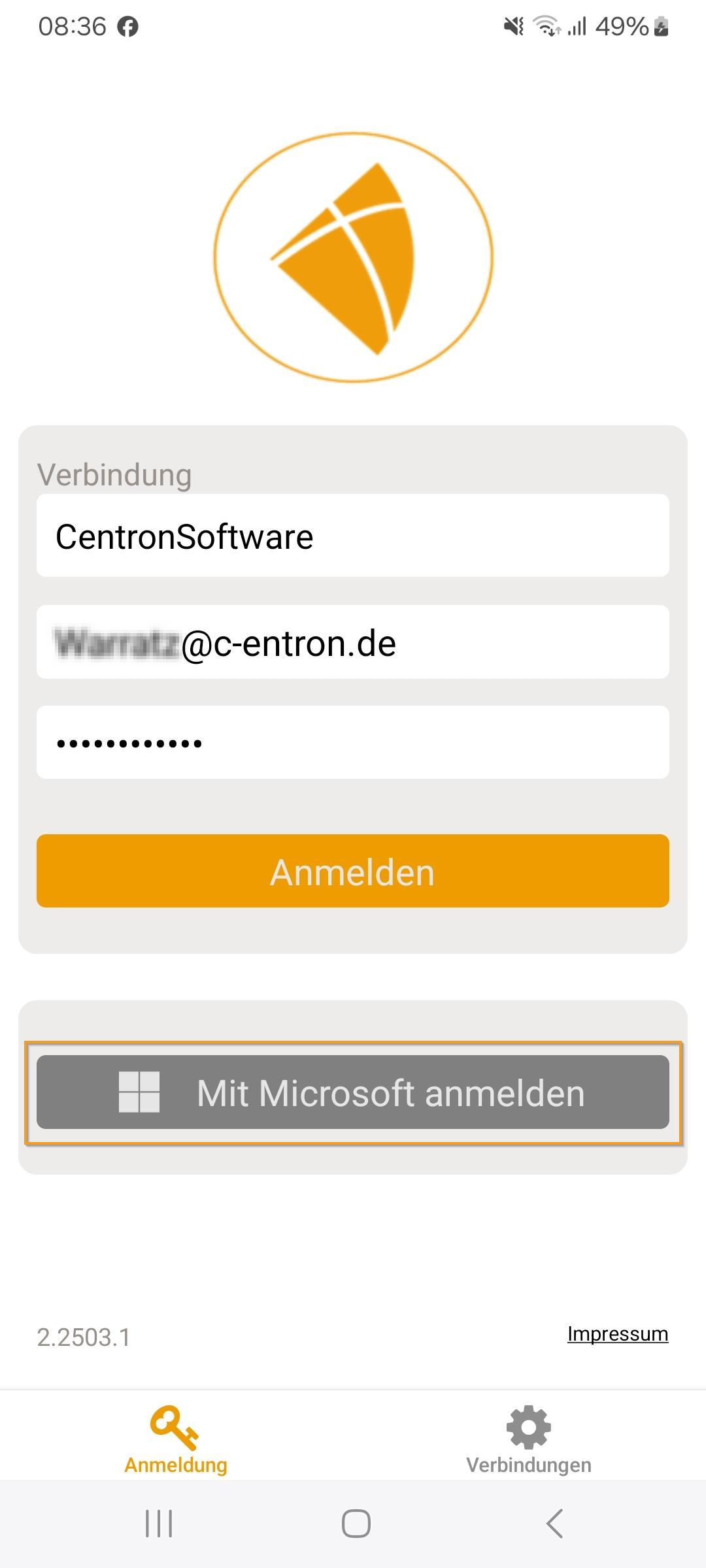
Login via Microsoft Entra ID is now possible (if activated).
License check before registration
In the tab "Connection" the license can be selected before registration.
At service Board Subscription are Customer and ticket area not available, and Stopwatches can not assigned be.
With "iSuite License", "Service Board License" or "C-entron Subscription" are all areas available.
"Tickets" section
When forwarding a ticket, it is now possible to either send an email exclusively to external recipients or simply assign the ticket to another employee with a new status.
Time tracking in the ticket system has been expanded to include AI-supported description suggestions expanded.
About the "AI improvement" button the following four predefined prompts are available for selection, which can be used to optimize the description field automatically and in a context-sensitive manner:
-> Translate into German
-> Translate into English
-> Checking grammar and spelling
-> Rephrase in a customer-friendly and explanatory mannerMaster sheets can now be selected directly in the ticket—no longer just in time recording.
It is now possible to select multiple master sheets in the ticket, similar to the behavior in the service board.
Special items for times are now displayed. These can be edited via iSuite and can be used for calculation.
Improvements
UI improvements (style)
Feedback during login now with loading spinner – makes the app a little more user-friendly.
The display error in employee utilization due to excessively long text (for example, if a long name was present) has been fixed.
"Tickets" section
The ticket number can now be copied to the clipboard by long pressing on the ticket card, tapping on the ticket title, or using the actions in the ticket.
The ticket filter is now saved and does not need to be reset each time.
Fixed bugs
General
Documents can now be deleted by pressing and holding (provided the user has the appropriate rights).
"Tickets" section
When posting materials, the correct warehouse is now taken into account—no longer incorrectly always the main warehouse.
The user's default warehouse is now automatically preselected.
Contract data, service modules, and master sheets from the ticket are automatically transferred when new times are entered.
The time contract is automatically applied to arrival and departure items.
Time articles are now saved directly—the problem of having to reselect them after saving has been fixed.
Destination items are now automatically preselected (checked). If necessary, they can be deselected by tapping briefly. By pressing and holding, the destination item can also be edited and customized individually.