%20(1).png)
iSuite - Release v2.2506.1 - English
(Required Android version: 14.0 or higher)
(Requires iOS 14 or later. Compatible with iPhone, iPad, and iPod touch.)
Once uploaded, it can be found at iSuite apps on Google Play and iSuite in the App Store be downloaded.
The following adjustments were made in this version:
New
Style/UI
The view would be revised and data retrieval significantly accelerated.
Improvements
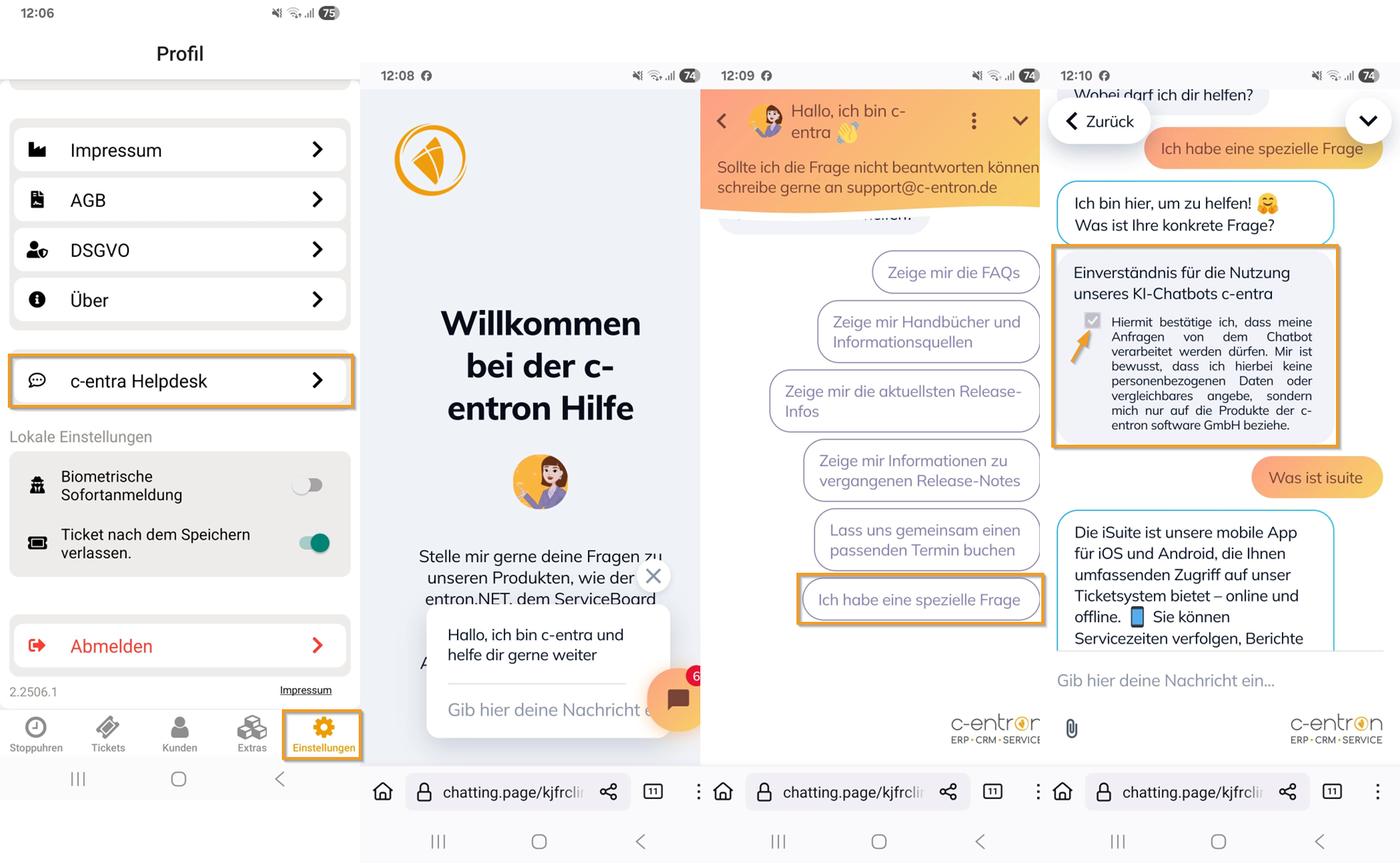
c-entra - Integration of c-entra into iSuite
In the "Settings" section, the "c-entra Helpdesk" button has been added, which links to our chatbot "c-entra." Several topics are already listed here, and you can also ask additional questions under "I have a specific question." For more information, see: Integration of c-entra into iSuite
Various visual optimizations for improved user guidance in several areas of the app:
Accordion structure for better overview
Accordions have been implemented to make reading and data entry more targeted and structured, especially in longer forms.Automatic ticket start with stopwatch
When a ticket is created, it opens automatically and the stopwatch starts immediately—just like in ServiceBoard.Time entry directly from actions
The new "New time entry" button in the action menu allows you to create a time entry without having to call up the time recording page separately.Time management at the top
The view has been adjusted so that time management is now displayed at the top of the ticket for faster access.Departure optional, but visible
Specifying a departure is no longer mandatory, but it will still be displayed in the view.Icon customization for arrival and departure
The icons have been redesigned—the arrival and departure symbols now show a person with a suitcase to make their meaning clearer.
"Extras" section
Serial numbers can now be used in the iSuite app via Barcode scan can be found via the barcode at the top right of the serial number information in the "Extras" section.
At the Serial number search via barcode scannern In addition, the iSuite app now features a Prefix recognition implemented:
If the app detects a leading "S" at the beginning of the serial number, it is automatically removed during scanning to improve the hit rate.
Example: "S123456789" is automatically recognized and matched as "123456789."
Error
iSuite Android
"Tickets" section
Correction implemented. Saved times can now be reliably backed up again.
iSuite iOS
General
Due to an iOS bug, the image editing option has been disabled. Captured images are now saved in their entirety and are no longer cropped to a square shape.
"Stopwatches" section
In the iOS app, offline stopped and signed times can now be correctly assigned to a ticket the next time you go online.
"Tickets" section
The description field in the ticket is now visible and scrollable during input.
Emails/documents stored in the ticket under "Actions - Documents" are now opened correctly.
iSuite in general
"Settings" section
Under "Settings," there is now an option to disable "Exit ticket after saving." This keeps the ticket open after saving, which is particularly helpful for follow-up entries or checks.
iSuite now uses the same method for statistics as c-entron (GetMyDayWorkItems), which has eliminated the discrepancies in the values displayed.
"Extras" section
The item information is available in the "Extras" section.
The "Controlling" menu item under "Extras" in the iSuite app is now only visible if the "Sales Statistics" right (under "Main Menu → Controlling") has been assigned.
"Stopwatches" section
By deactivating the "My Tickets" filter, it is now possible to search for, edit, and record times on external tickets in the "Stopwatches" area.
"Tickets" section
Under "Settings," there is now an option to disable "Exit ticket after saving." This keeps the ticket open after saving, which is particularly helpful for follow-up entries or checks.
The iSuite has been adapted so that when a new time entry is created using the "New time entry" button, the end time corresponds to the current time (DateTime.Now) and the start time is automatically set to one hour in the past – in line with the behavior in ServiceBoard.