%20(1).png)
Analytics - English
Analytics - List and explanation
Note: Contract evaluation has been removed from Analytics and is therefore no longer described.
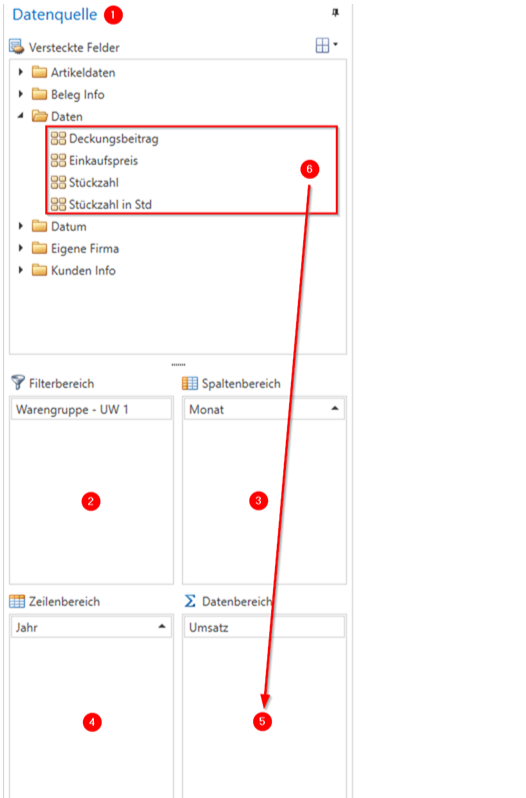
You can move all fields from the 'Data source' area (1) to the different areas
·(2) Filter area
·(3) Column area
·(4) Line range
·(5) Data area
drag and drop.
Noteng: Contract evaluation has been removed from Analytics and is therefore no longer described.
Please note that data fields (6) only make sense in the data area (5), as these are usually numbers. In other areas, they only result in a list of existing numbers and are therefore rather meaningless.
List and explanation
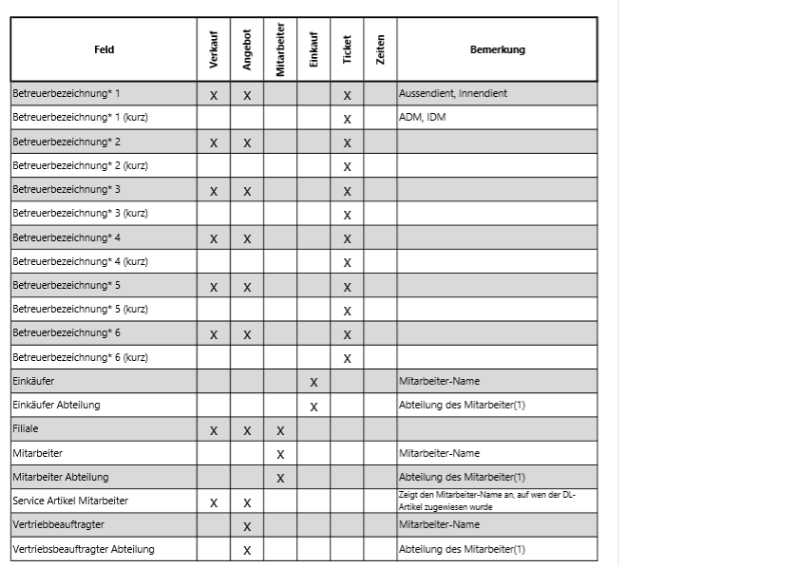
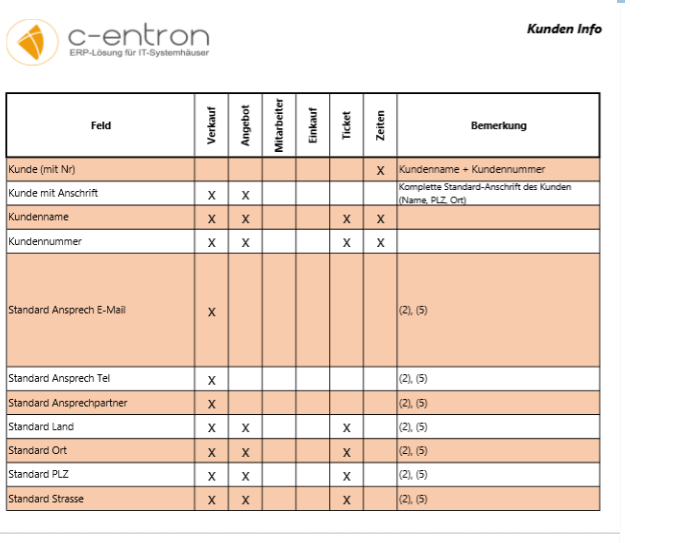
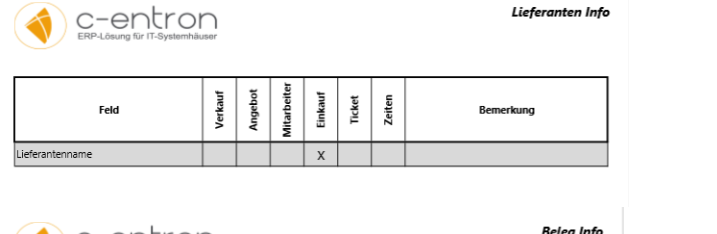
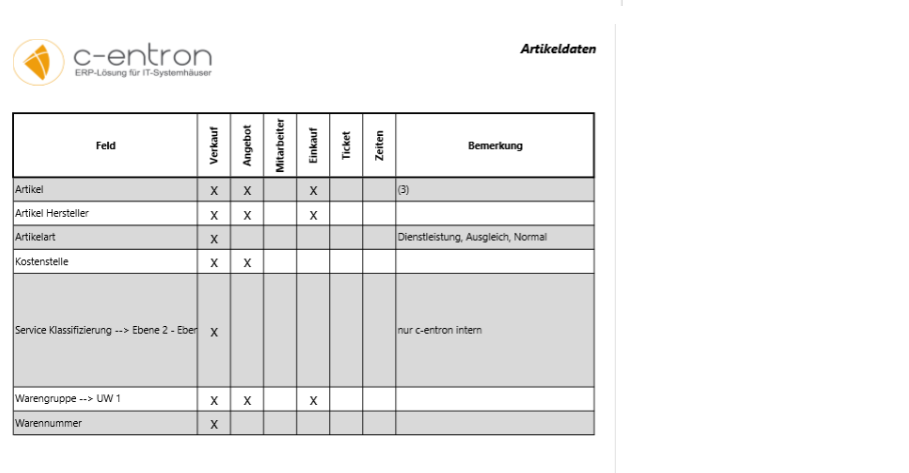
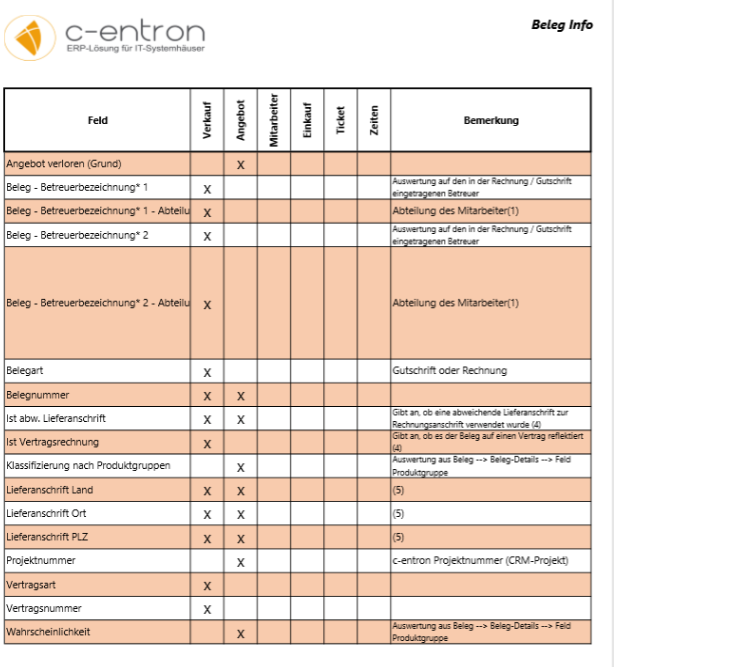
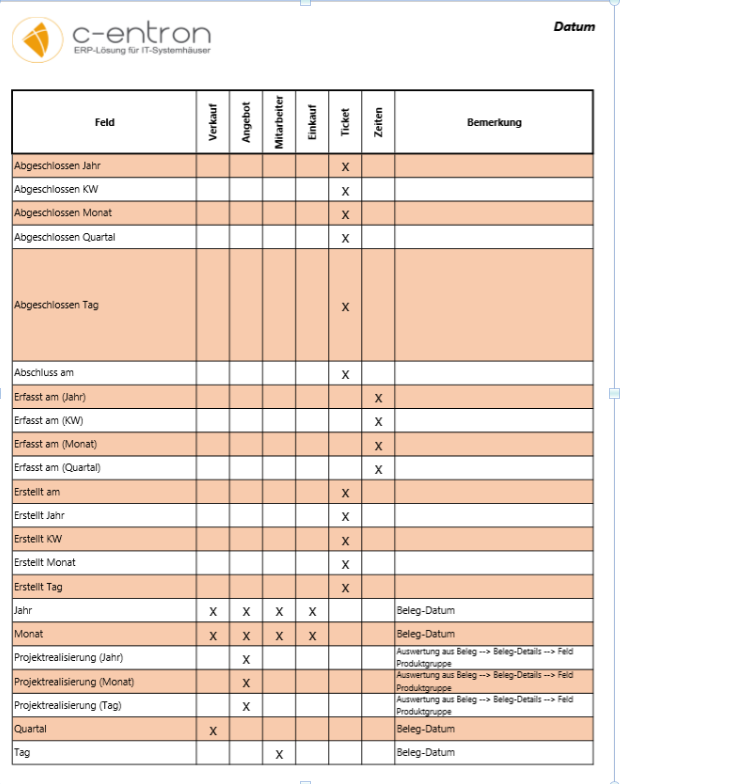
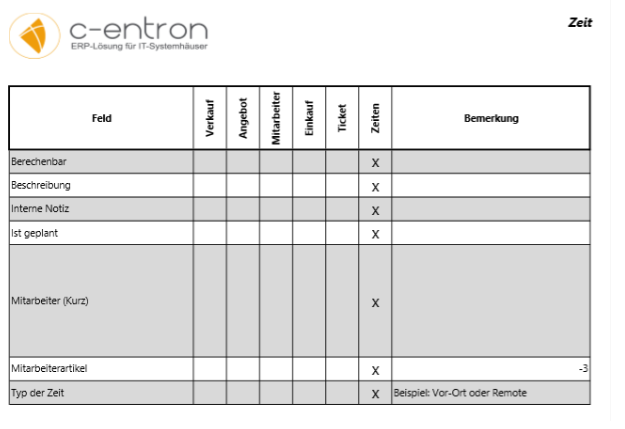
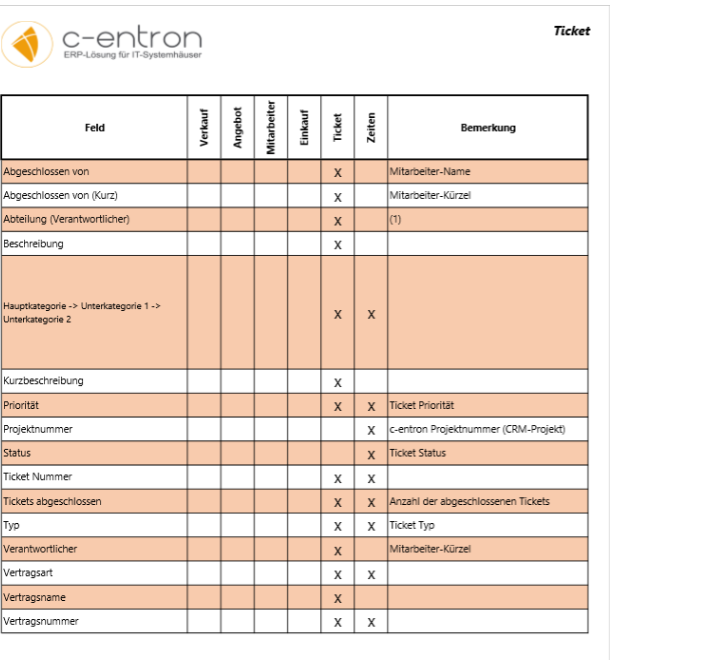
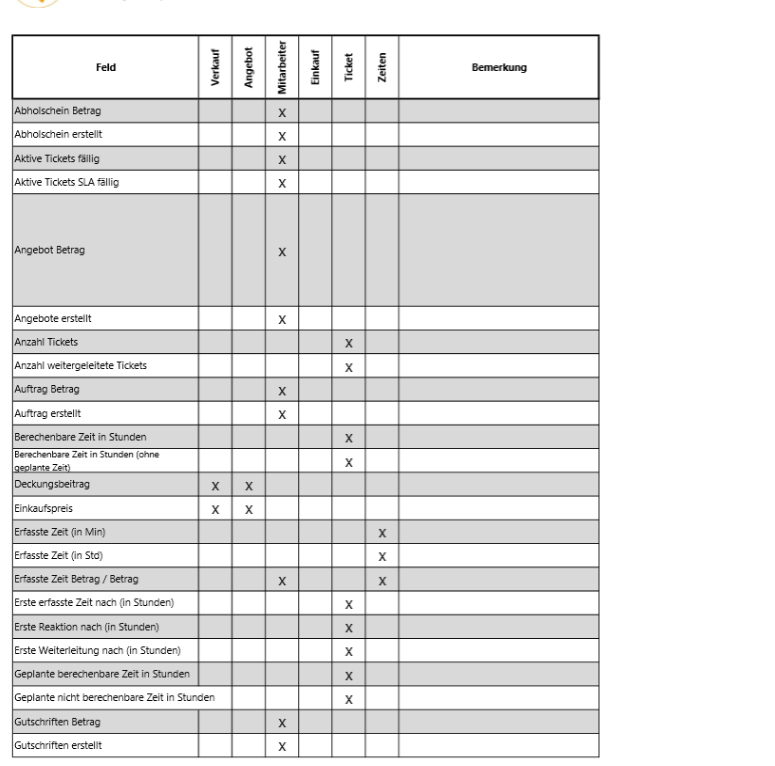
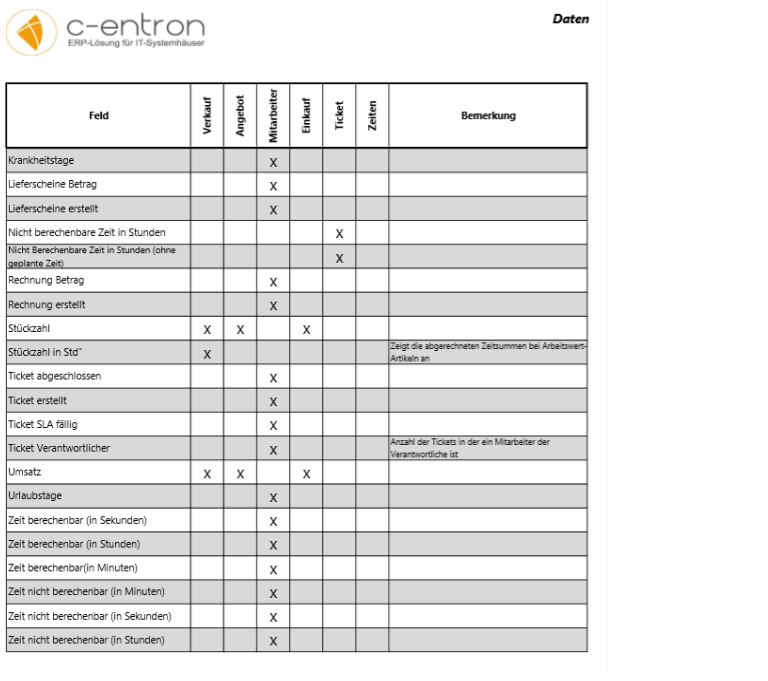
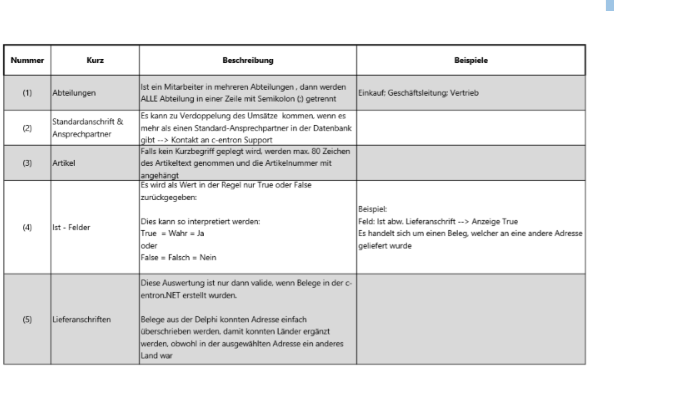
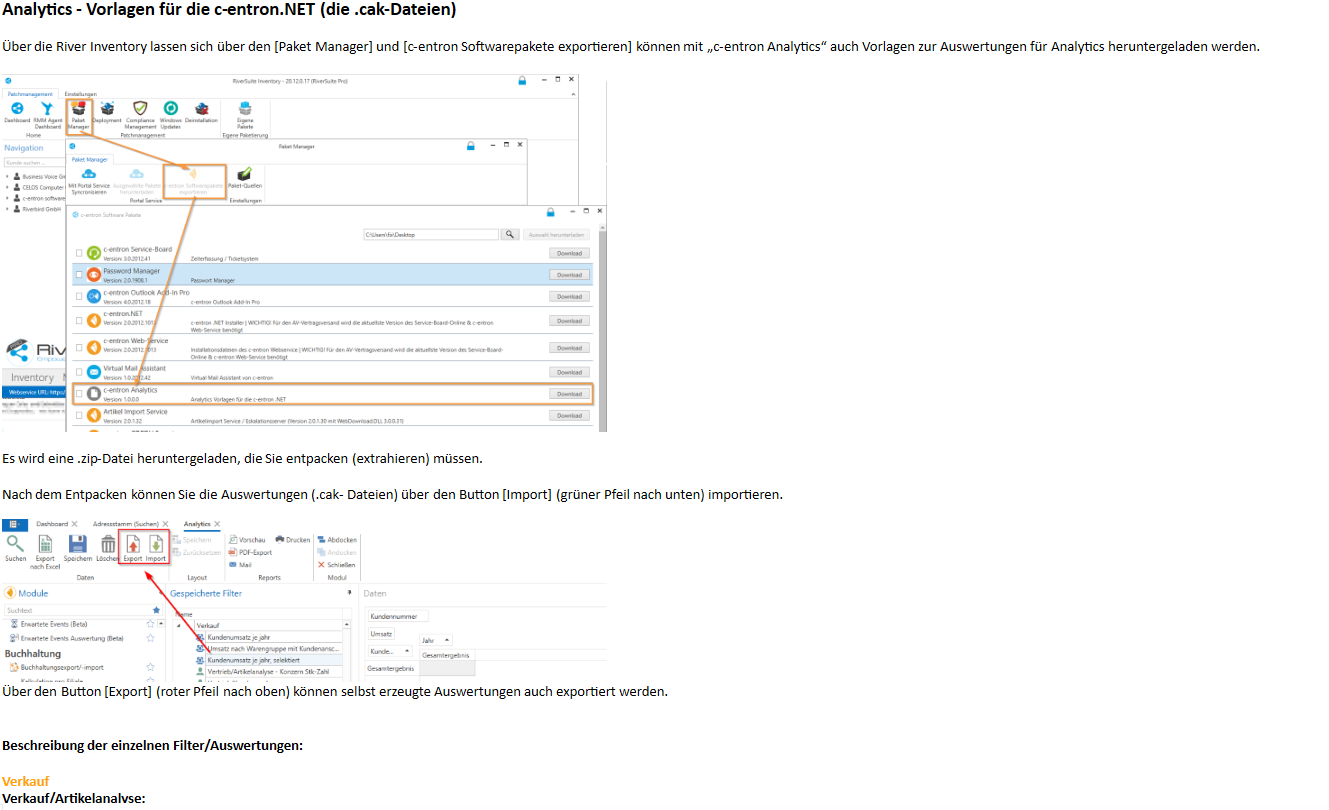
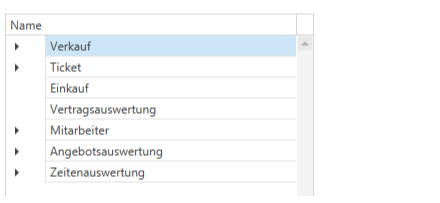
Description of the individual filters/evaluations:
Sale
Sales/item analysis:
Item-specific comparison of sales, contribution margin, and purchase price
Sales/customer analysis:
Customized comparison of sales and DB with the option to filter by customer, country, city, and postal code.
Sales/product group analysis:
Sales, DB, and unit count filtered by product group
Shopping
Analysis by article:
Purchase price and quantity per item displayed with filtering by year and purchaser.
Further information: Supplier and manufacturer for each item
Analysis by buyer:
Sales and unit numbers analyzed by buyer, filtered by year
Further information: Purchased items and their suppliers
Analysis of sales by supplier:
Sales and unit numbers filtered by supplier.
Further information: Supplier's article, responsible purchaser, and article manufacturer
Employees
Analysis by productivity:
Comparison of completed tickets and estimated hours by employee, pre-filtered by year and day.
Further information: Employee's department and branch
Analysis of predictable and unpredictable time:
Predictable and unpredictable time per employee
Analysis of illness and vacation:
Sick days and vacation days per employee
Contract evaluation
Contract evaluation by customer:
Analysis of contract types by individual customer. Further information: Customer number
Offer evaluation
Evaluation by document numbers:
Sales, DB, and quantity per offer (identifiable by document number). Additional information: customer name & number, item
Evaluation by status:
Sales, DB, and number of units per offer filtered by status.
Further information: Product groups and customers with addresses
Analytics – Report on outgoing invoices and credit notes
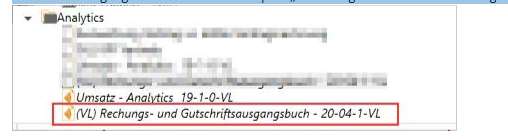
The RE Outgoing Document is now available as the report "Invoice and Credit Memo Outgoing Document – 20-04-1-VL" in the report portal and can be found under Analytics.
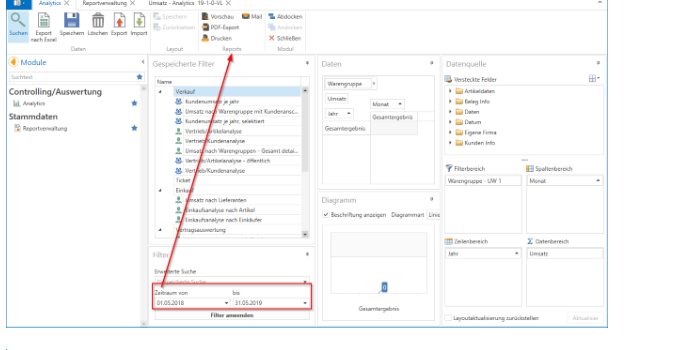
Enter the time period in Analytics, then the report can be generated via [Preview], [PDF Export], [Print], or [Email].
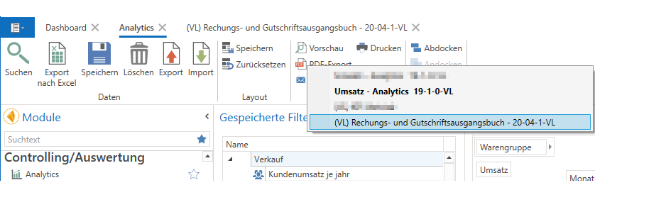
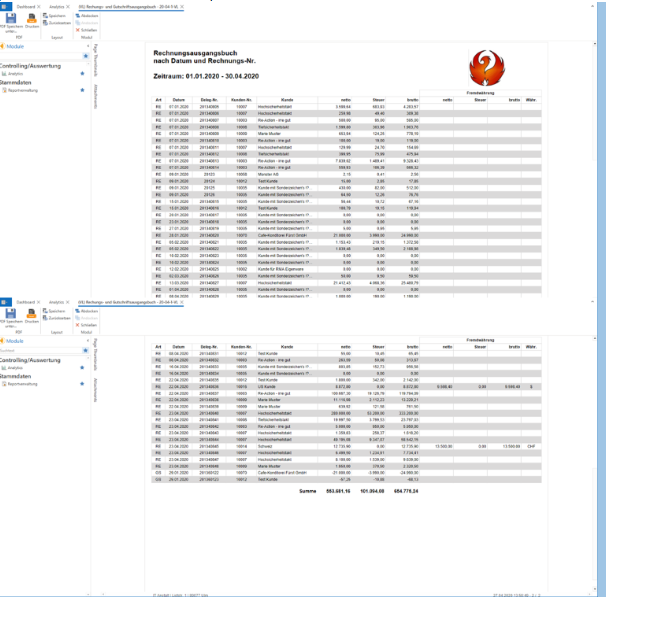
An overview of all invoices and credit notes in the selected period is created, grouped by invoices then credit notes, sorted by date with document numbers, customer number, customer, net, tax, gross, and foreign currency invoices (with net, tax, gross, and currency).
Simple sales report
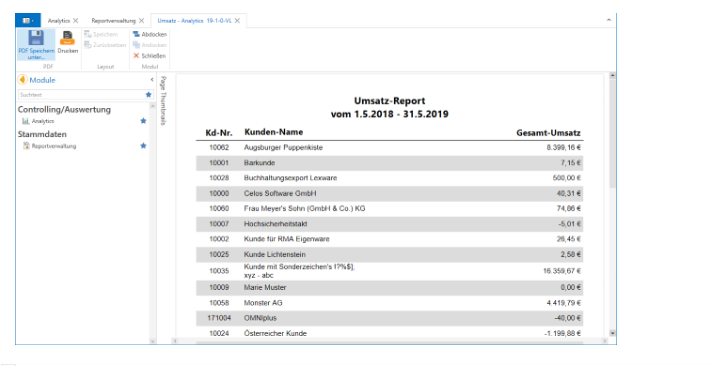
This report simply outputs a list of sales per customer for the selected period.
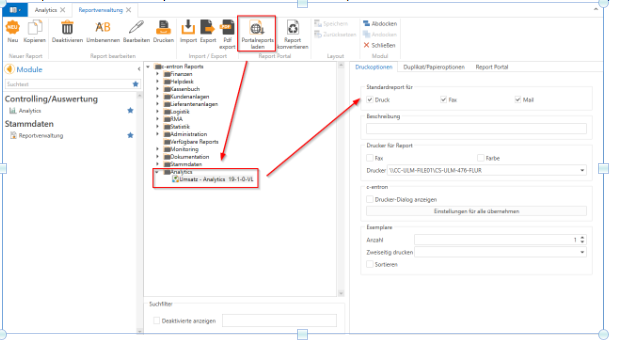
The report "Sales – Analytics 19-1-0-VL" can be downloaded from the Report Portal and found under Analytics. The standard (print, fax, email) must then be defined here.
Enter the time period in Analytics and click [Apply filter], then the report can be generated via [Preview], [Export to PDF], [Print], or [Email].
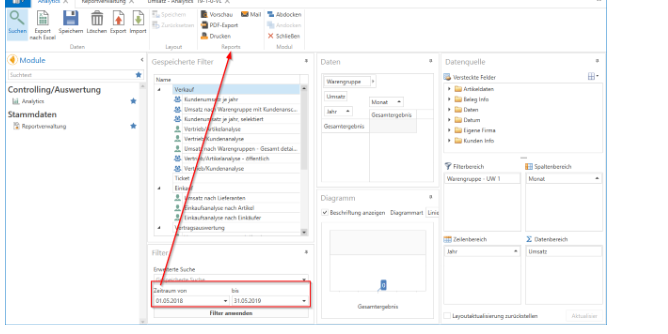
A sales list for the selected period per customer is now displayed.