%20(1).png)
c-entron "Returns" function
New "Returns" feature (from version 2.0.2503.8)
What is this function used for?
With the Return of goods serial numbers that are to be booked "back into stock" can be entered or scanned quickly and easily. The prerequisite for this is that these serial numbers are currently either in a delivery note or an invoice.
Settings:
There is a global setting under "Sales -> Receipts -> General" in the tab "Settings".
Here you can "Return of goods" field any existing warehouse as "Standard warehouse for returned goods" be preselected. This is then preselected as the new destination warehouse for each new goods return.
If none is specified, the Original warehouse of the serial number used.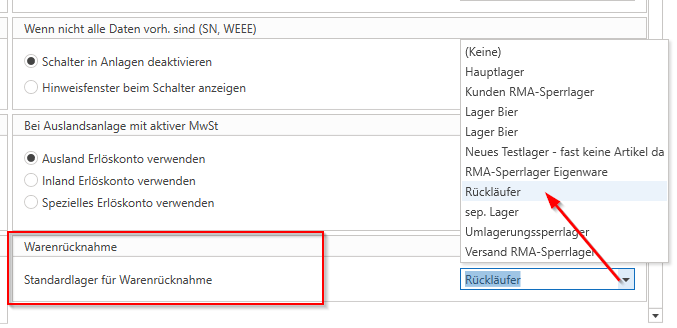
In the global settings under "Logistics -> General -> General" can the Option "Automatically add items to secondary warehouse if not available" be activated.
If this option is disabled, a message appears when an item is returned to a destination warehouse where this item did not previously exist. This message indicates that the item is not kept in stock and therefore cannot be posted there.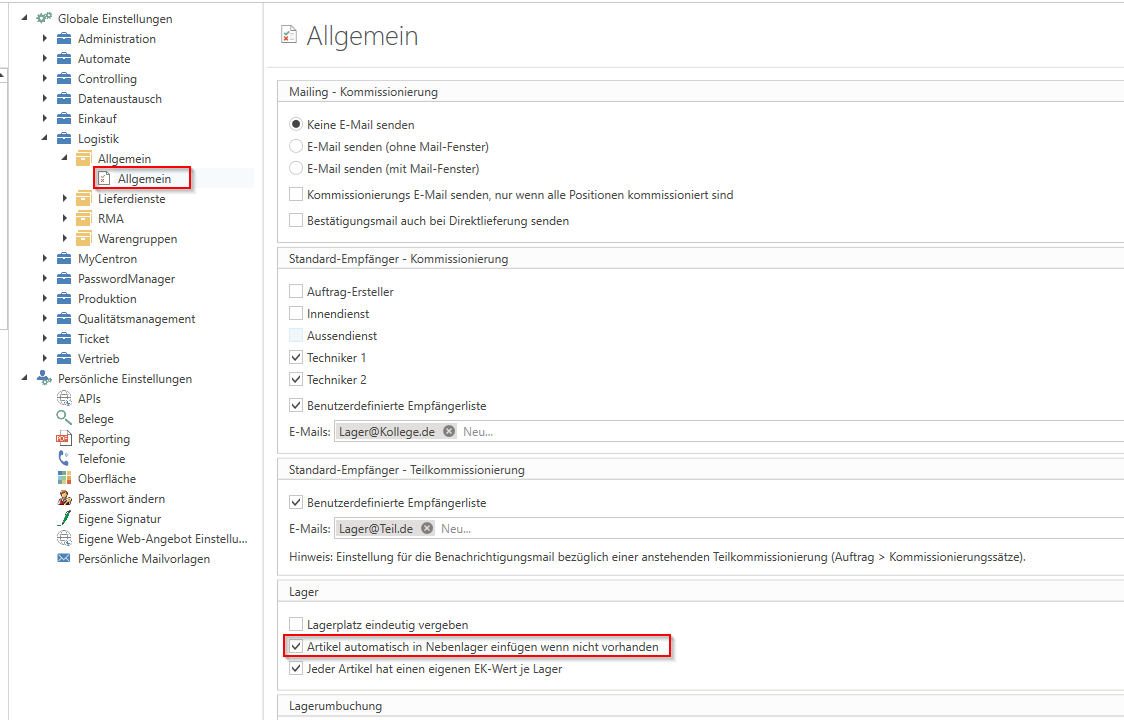
Process:
In the address master, you can create a "return of goods" under "Additional" without calling up a specific customer.
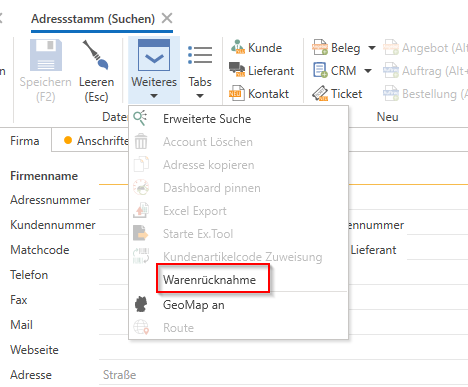
A separate window will then open "Returns" window.
Here, serial numbers can now be searched for, scanned, or entered. The system will now "search" for this exact serial number (screenshot, point 1). If an item with this serial number is found that has the status "in delivery note" or "in invoice," the serial number will appear below it in the "list." This is grouped by "customer and document type" (2).
In addition, the total number of scanned serial numbers is displayed at the end of the list under "Scanned serial numbers" to make it easier to check whether the counted items match the number of scanned serial numbers.
Below this, you can select the "Target warehouse" (4), which is preselected with the "Standard goods return warehouse" (see "Settings" above) or, if none has been preselected as the standard warehouse, is preset with "(None)". If "(None)" is selected, the serial numbers would be posted back to the warehouse from which they were originally taken.
Alternatively, you can manually select a different destination warehouse (for all returned goods, not "per SN"). If you want to select a different destination warehouse for individual SNs, you can do so in the document preview of the pickup slip or credit memo for each item.
With the "Create documents" option (5), the documents can now be created "as a preview." This means that a "preview" is created for each customer and each document type (serial numbers from delivery notes are transferred to collection notes, serial numbers from invoices to credit notes), which can now be "edited" and/or changed as normal.