%20(1).png)
Contract Billing
The Contract Billing module is launched via the module bar -> Sales -> Contract Billing.
All c-entron customer contracts can be billed here. This includes standard maintenance contracts, pay-as-you-go contracts, quota-based contracts, and lease agreements. The prerequisite is that these contracts have been created for the customers and that the "automatic invoicing" checkbox has been selected in the contract settings.
NOTE:
The master agreement is automatically preselected/assigned for new tickets and receipts.
Times recorded in a ticket are automatically assigned the ticket's contract; in this case, that includes the master agreement as well.
However, if this is removed from the ticket, new times will not be automatically assigned to a contract.
When it comes to billing, only the time contract matters, because that is where the time is recorded.
If the time entry has no contract associated with it (either because the contract was manually removed or because the ticket did not have a contract at the time the time was recorded), the time entry will not be posted to a contract and will not be settled.
New calculation of special prices for specific combinations
(Starting with release version 2.0.2111.x)
The contract now correctly calculates the special prices for specific combinations.
To this end, a blue (i) icon with a tooltip has now been added next to "Item Pricing," which provides a detailed explanation of the various combinations of change type and change method.
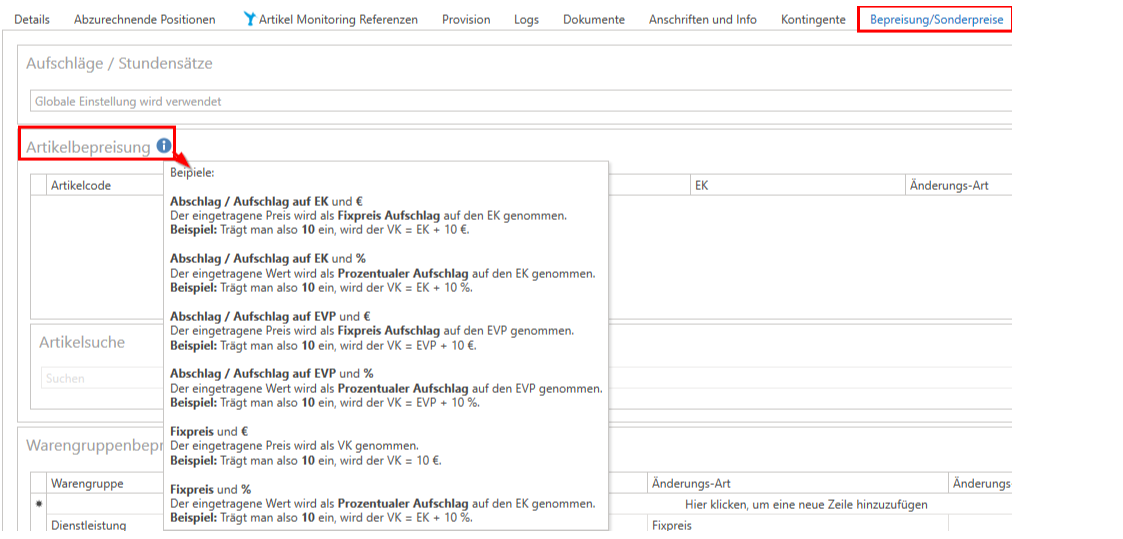
Here are some examples from (i):
Amarkup / premium on equity and €
The listed price is Fix price surcharge added to the purchase order.
Example: So if you enter 10, the selling price (VK) = cost price (EK) + €10
Discount / Premium on Equity and %
The entered value is displayed as Percentage surcharge added to the purchase order.
Example: So if you enter 10, the selling price = cost price + 10%.
Discount / Surcharge on EVP and €
The listed price is added to the MSRP as a fixed markup.
Example: So if you enter 10, the selling price will be the recommended retail price plus €10.
Discount / Premium on EVP and %
The entered value is applied as a percentage markup to the EVP.
Example: So if you enter 10, the selling price will be the recommended retail price plus 10%.
Fixed price and €
The listed price is considered the retail price.
Example: So if you enter 10, the retail price will be €10.
Fixed price and %
The entered value is applied as a percentage markup to the cost price.
Example: So if you enter 10, the selling price = cost price + 10%.