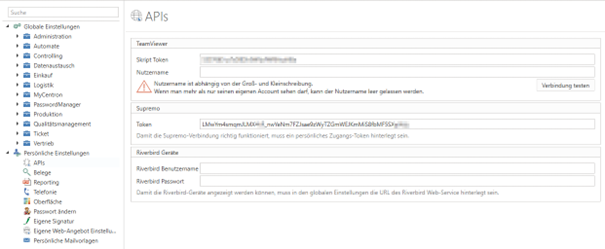
%20(1).png)
Create Supremo API token
NOTEthe API token is ONLY available in the Supremo Professional Plan or during the Supremo Professional trial period.
To obtain the API token for Supremo, you either need the Supremo Professional Plan or can obtain it during the Supremo Professional trial period. Once you have activated the appropriate plan, you can retrieve the API token on the platform or the console activation page.
Step 1: Register or log in at
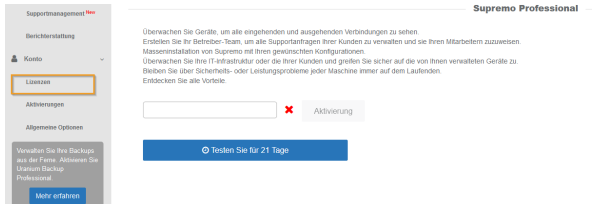
If you don't have a Supremo account yet, activate a free trial or enter the activation code on your console's license page
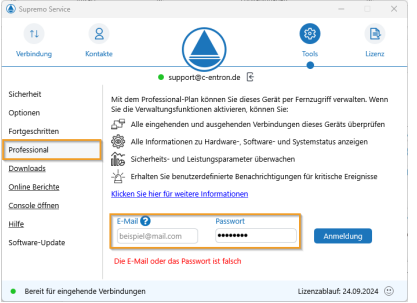
Step 2: Verification and authenticationg
Open the "Professional" tab on each SupRemo you want to connect to and log in.
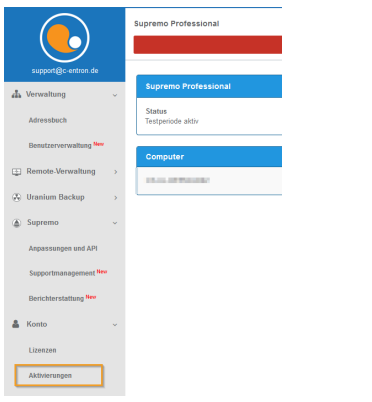
Step 3: Activating the devices
Unlock devices and features on the activation page of your console.
Create API tokens in Supremo
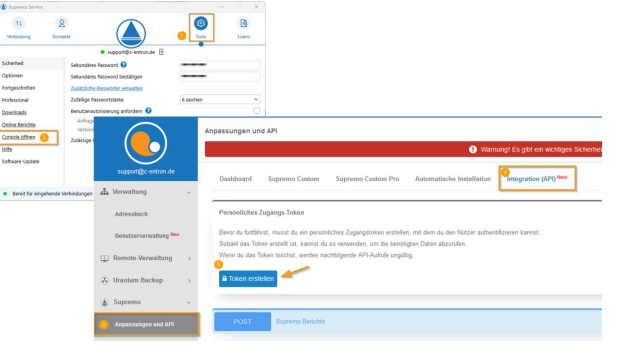
To create a token in Supremo, open Supremo, go to "Tools" (the gear icon), select "Open Console," navigate to "Customizations and API" in the console, switch to the "Integration (API)" tab, and click "Create Token."
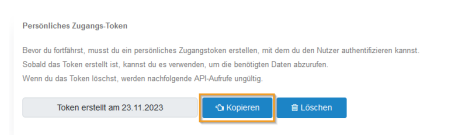
You can now paste this into the clipboard by clicking "Copy."
Changes & innovations:
Version 2.0.2502.x -2025
Starting with c-entron version 2.0.2502.x, the complete Supremo API token must be used.
This means that the tokens copied from Supremo for each user in the personal settings under "APIs -> Supreme" in the field "Token" must be stored. There is no longer a global setting.