%20(1).png)
Creating an API key for the ChatGPT API
To create an API key for OpenAI's ChatGPT API, you need to follow a few steps. Please note that the exact steps and requirements may vary depending on the current OpenAI guidelines. However, here is a general guide:
Step 1: Register or log in to OpenAI
If you do not yet have an account with OpenAI, you must first register on the OpenAI platform. If you already have an account, log in.
You can do this at the following link: https://auth0.openai.com/u/signup/identifierstate=hKFo2SBTV2VGcWs5b0NjZ2hfSnNzYlBiZ1NPaWFOSkV6Uzg2N6Fur3VuaXZlcnNhbC1sb2dpbqN0aWTZIFExNElSeXZPMWtmZUw4eGdkYURueloxZndnaURtYnE4o2NpZNkgRFJpdnNubTJNdTQyVDNLT3BxZHR3QjNOWXZpSFl6d0Q
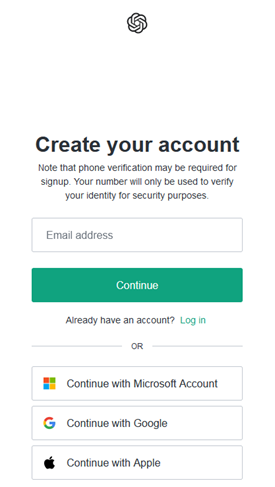
Step 2: Verification and authentication
After you sign up, you will need to verify your identity and may need to provide proof of your identity and background. This is a standard procedure to ensure that the API is used responsibly.
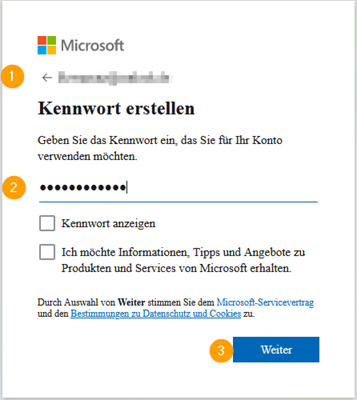
Step 3: Request API access
Once your identity has been verified, you can apply for API access. This is usually done by filling out an application form on the OpenAI platform. In this application, you must provide information about your intended use, your requirements, and your planned usage volume.
Step 4: Waiting for approval
After submitting your application, you must wait for approval from OpenAI. Processing times may vary and depend on current demand and OpenAI's policies.
Step 5: Obtain API key
If your application is approved, you will usually receive an API key. This key allows you to access the ChatGPT API and execute requests.
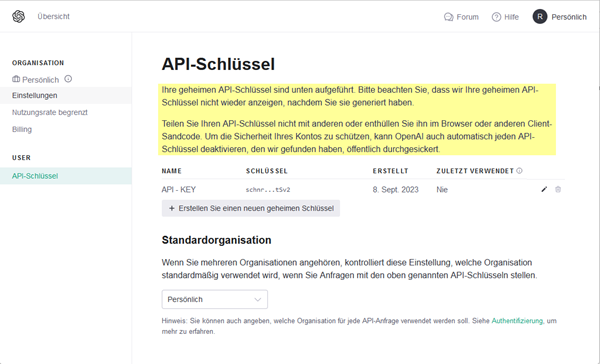
Step 6: Managing the API key
Once you have received your API key, you should store it securely and protect it. It is your access to the API and should not be shared publicly or stored insecurely.
NOTE - A valid payment method must be registered with OpenAI for the key to work. In addition, a minimum of $5 must have been spent via the account for each language model to be available.
For exact pricing, you can visit https://openai.com/api/pricing/ read all further information, but as a rule we are talking about amounts in cents here.
Step 7: Use API key
You can now store your API key in c-entron under Global Settings – Administration – Artificial Intelligence – AI Connection so that you can send requests to the ChatGPT API from c-entron. This is currently possible for article, ticket, and position descriptions. In addition, since version 2.0.2405.x, the AI summary for the help desk and the AI position editor for offers have been available.
Last but not least, you can select OpenAI's standard language model to be used for generating the texts.
We recommend the "gpt-5" model here.
We accept no responsibility for any other models or costs incurred as a result of generation.
Since the field of AI is growing very dynamically and we would like to further expand AI functionalities in ServiceBoard and ERP, our recommendation regarding the appropriate models may change in the future.
