%20(1).png)
CRM projects - Threshold value for services
(Available from release v2.0.2401.x)
The option to integrate a Threshold for services if this value is exceeded, you will be prompted to either add an existing project to your quote or create and assign a new project.
Basic setting:
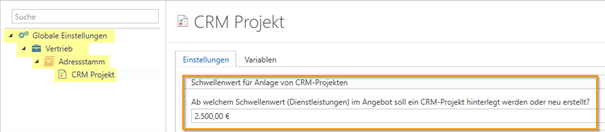
In the settings under "Global Settings" -> "Sales" -> "Address Master" -> "CRM – Project," you can set the threshold value for the total sum of services. (The total sum refers to the net value). If no value is set, the function is globally disabled.
Instructions:
In document management, if you create a quote and have not yet assigned a project to it and exceed the threshold value (only service items are taken into account), you will be given a choice when saving.
You can choose to assign an existing CRM project or create a new CRM project.
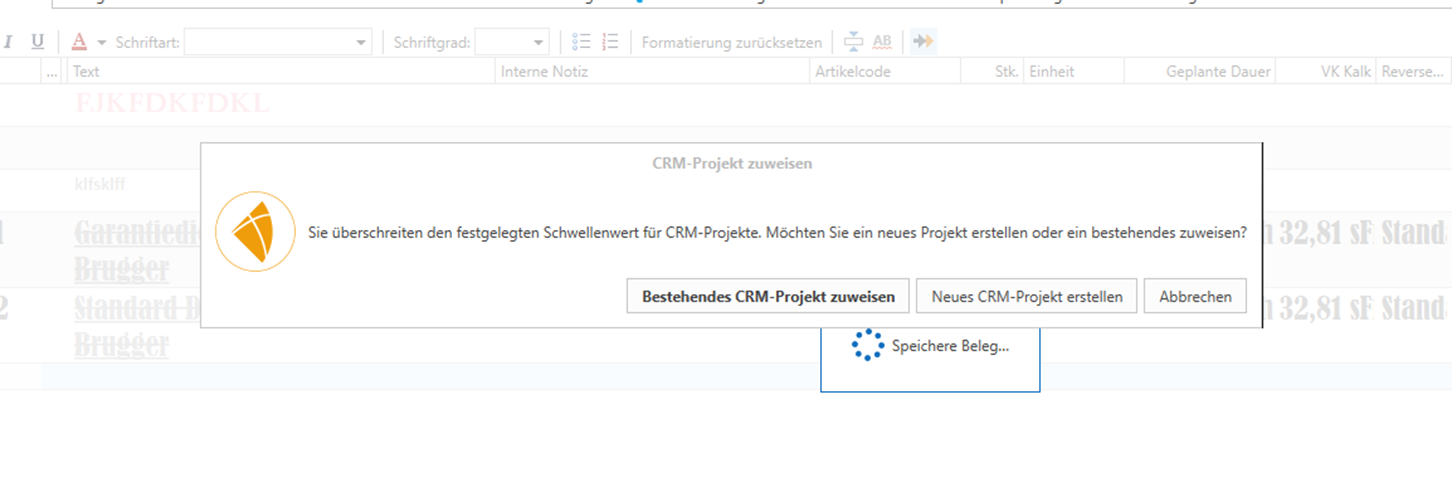
If you select "Assign an existing CRM project," you must select a CRM project in the next dialog box.
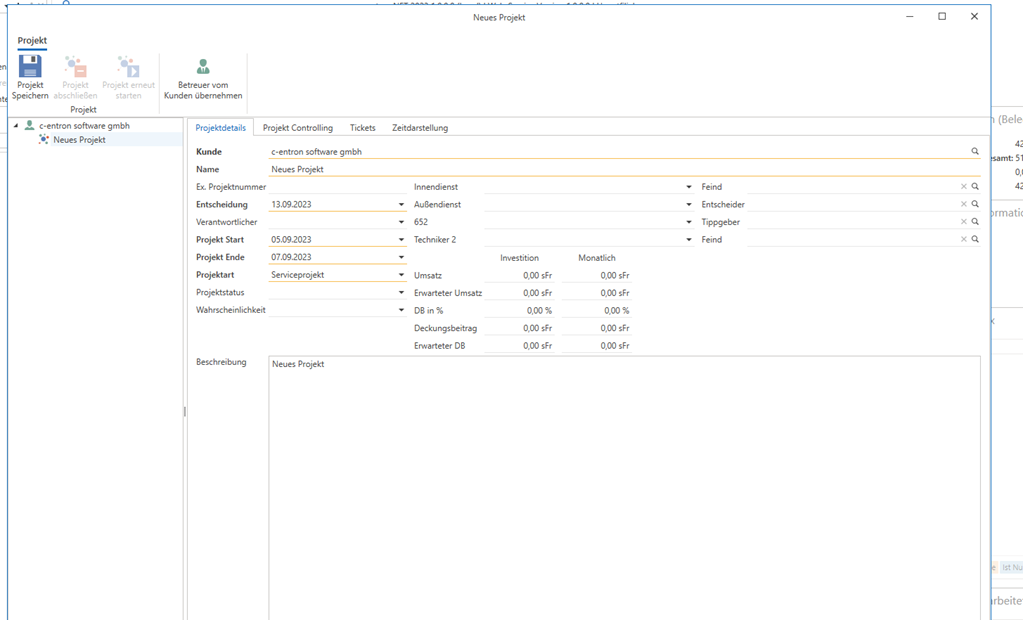
If you select "Create a new CRM project," a window for project creation will open with the transferred customer data. By clicking on "Save project," the project will be assigned to your quote.