%20(1).png)
Separate Databases
Riverbird requires existing customers who have been using c-entron and the RMM system on the same SQL database enforce a mandatory separation of the databases. The reason for this is that future updates to the RMM installation can only be reliably performed on a standalone Riverbird database.
These instructions are intended for administrators and system integration partners who wish to perform the separation themselves. For more complex environments or if you have any questions, we recommend scheduling a consultation with our technical consulting team.
Create a database backup
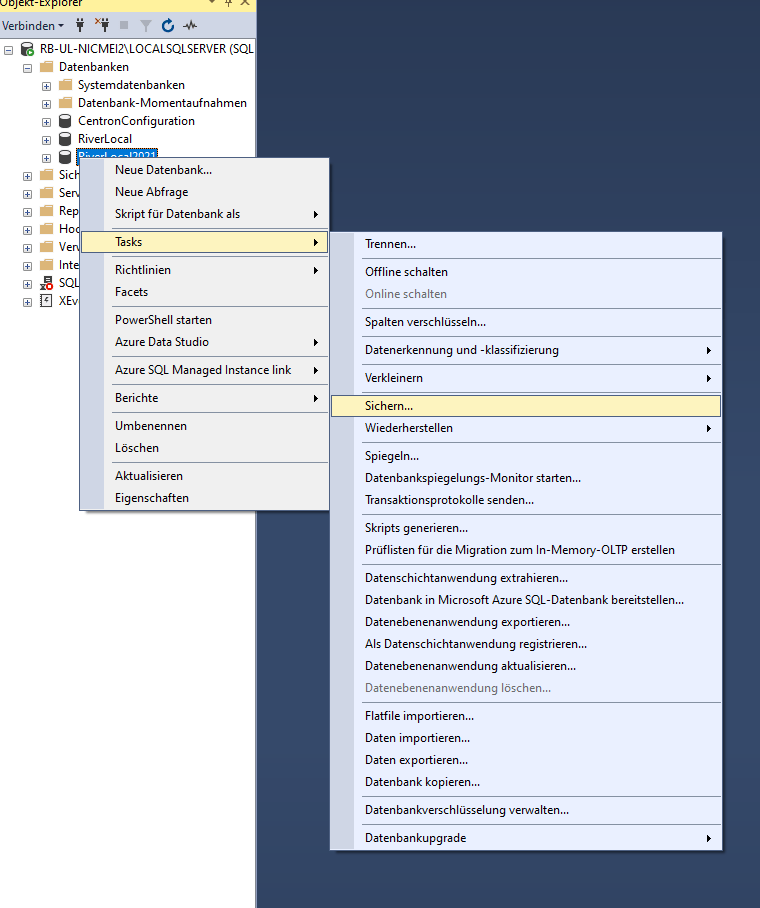
Open the SQL Server Management Studio (SSMS).
Create a Backup the desired database.
Tip: Save the .bak file in an easily accessible location, such as C:\ or C:\TEMP.
Restore Database
1. Select a database
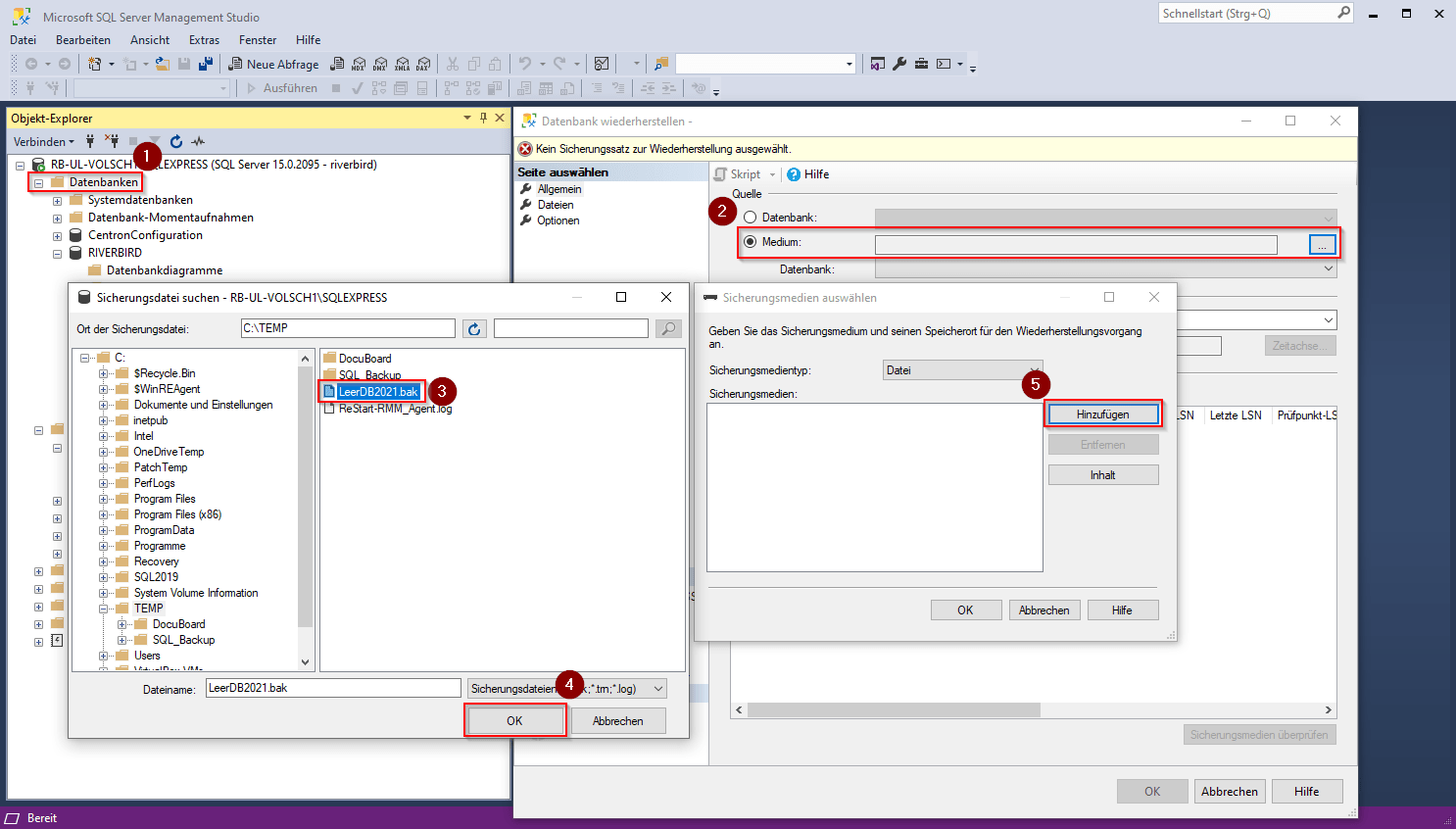
In SSMS, click the Right-click on “Databases”.
Select "Restore Database" from the context menu.
In the following dialog box, you can select the .bak file from the C:\Temp folder.
Click on "Add", to select the file for restoration.
2. Rename the database
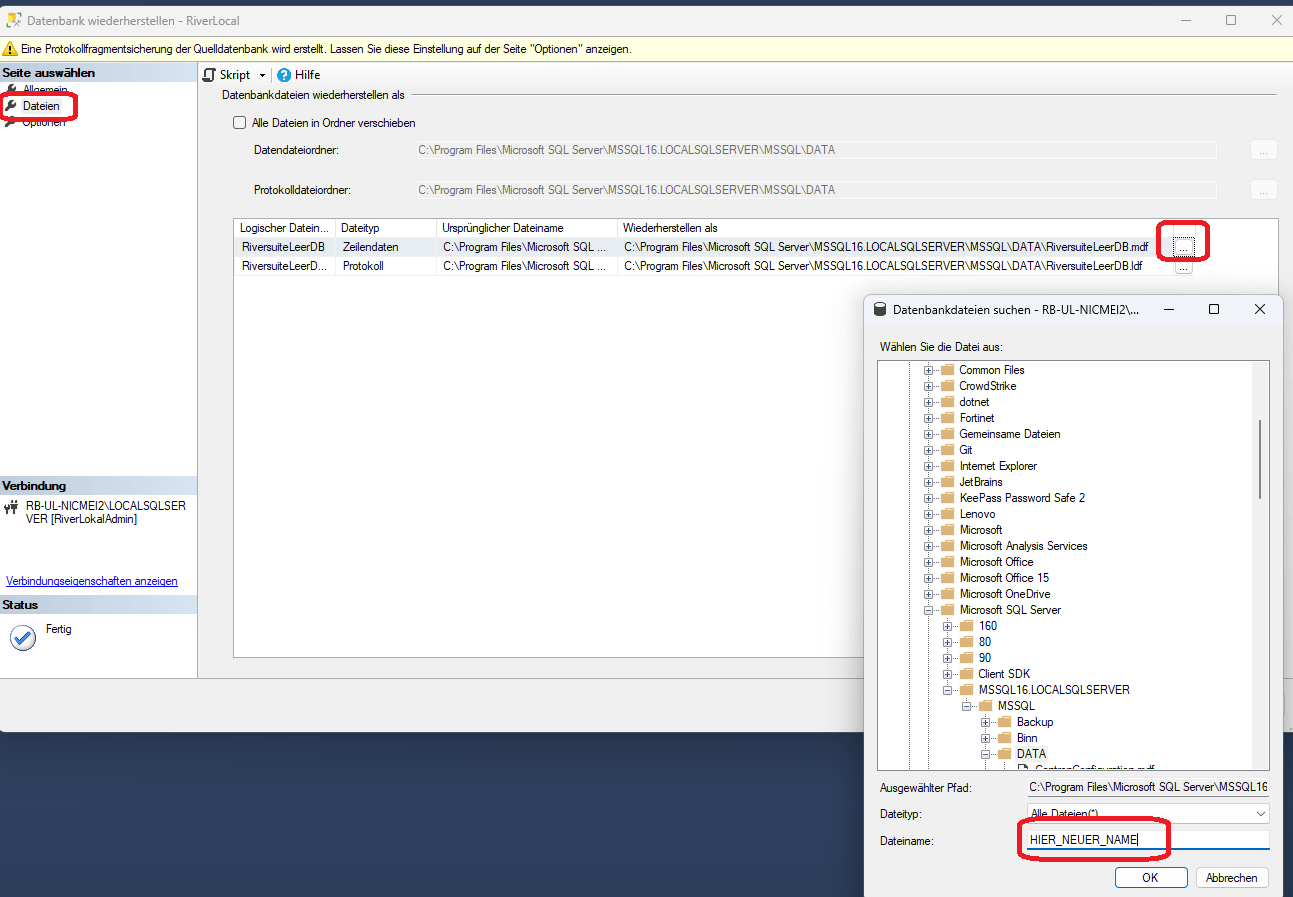
Switch to the tab "Files".
Under "Restore as," click "Search for Database Files".
Customize the names of the database files as follows:
RiverBird
RiverBird_Log
Configure Web Service
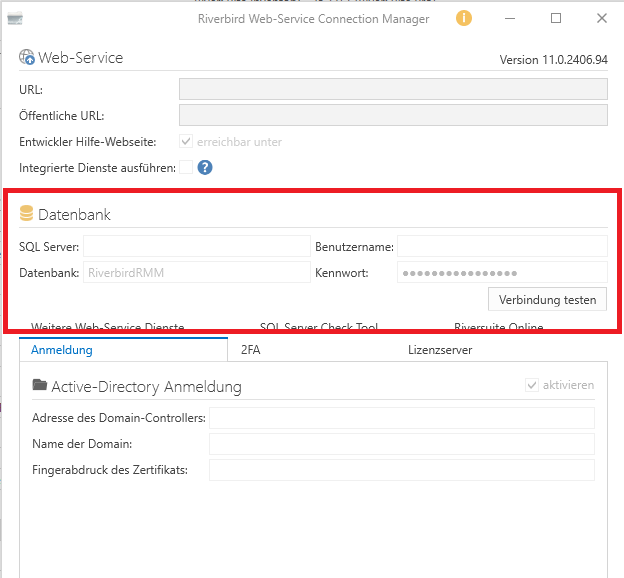
Enter the login credentials for the new database in the Web Service.
Adjust Settings in River Suite
The first time an administrator logs in, River Suite asks for the Master Key.
This was issued when the system was originally set up and should have been kept in a safe place.
1. Enter the master key
When you log in for the first time, enter your existing master key.
Use the same key as in the previous version.
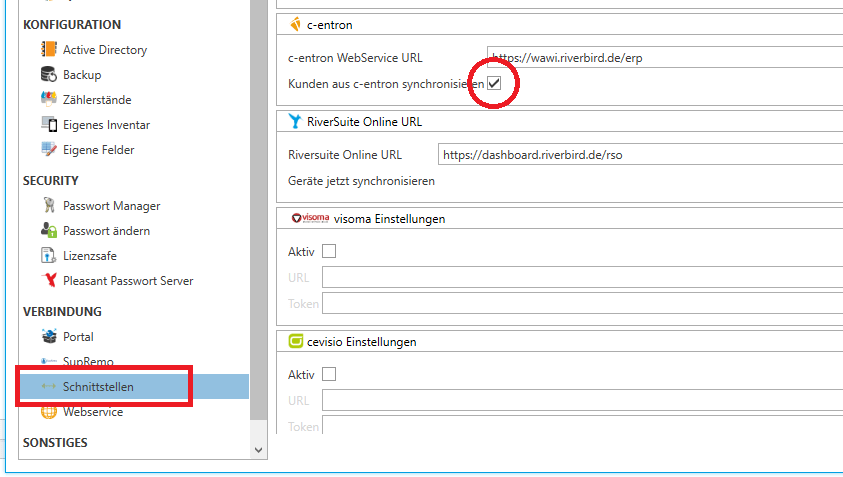
2. Configure Interfaces for c-entron
In the River Suite, go to the Settings → Interfaces → c-entron.
Enable the option "Synchronize clients from c-entron".
3. Customize permissions for the RMMSystemuser
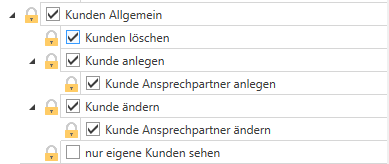
Open the tab Inventory the Group and Permissions Management.
The user RMMSystemuser Requires the following permissions:
Delete, Create, and Edit Customers
Create and Edit Contacts
Important Execute the SQL statement in the Riverbird database.
IF EXISTS (
SELECT 1
FROM ApplicationSettings
WHERE I3D = 10318
)
BEGIN
UPDATE ApplicationSettings
SET ValueText = 'Riverbird'
WHERE I3D = 10318;
END
ELSE
BEGIN
INSERT INTO ApplicationSettings (
I3D,
ValueText,
Description
)
VALUES (
10318,
'Riverbird',
'Whether this is a “c-entron“ database, or a “Riverbird“ database.'
);
END;
Next, you still need to Riverbird Cleanup Script for a c-entron Database be carried out.
Note on Synchronization
The First synchronization occurs automatically at 12:00 a.m..
After that, the synchronization will every hour carried out.
Note on Adjustments
Manual cleanup is not necessary at this time.
This will take place at a later date automatically through an update.
Keywords (internal): Database cleanup, cleanup, database separation, database separation