%20(1).png)
FAQs about simplified ticket billing
Question:
How can I change the value "Close ticket" in simplified ticket billing?
or
The "Close ticket" field in simplified ticket billing cannot be edited. How can I change this?
Answer:
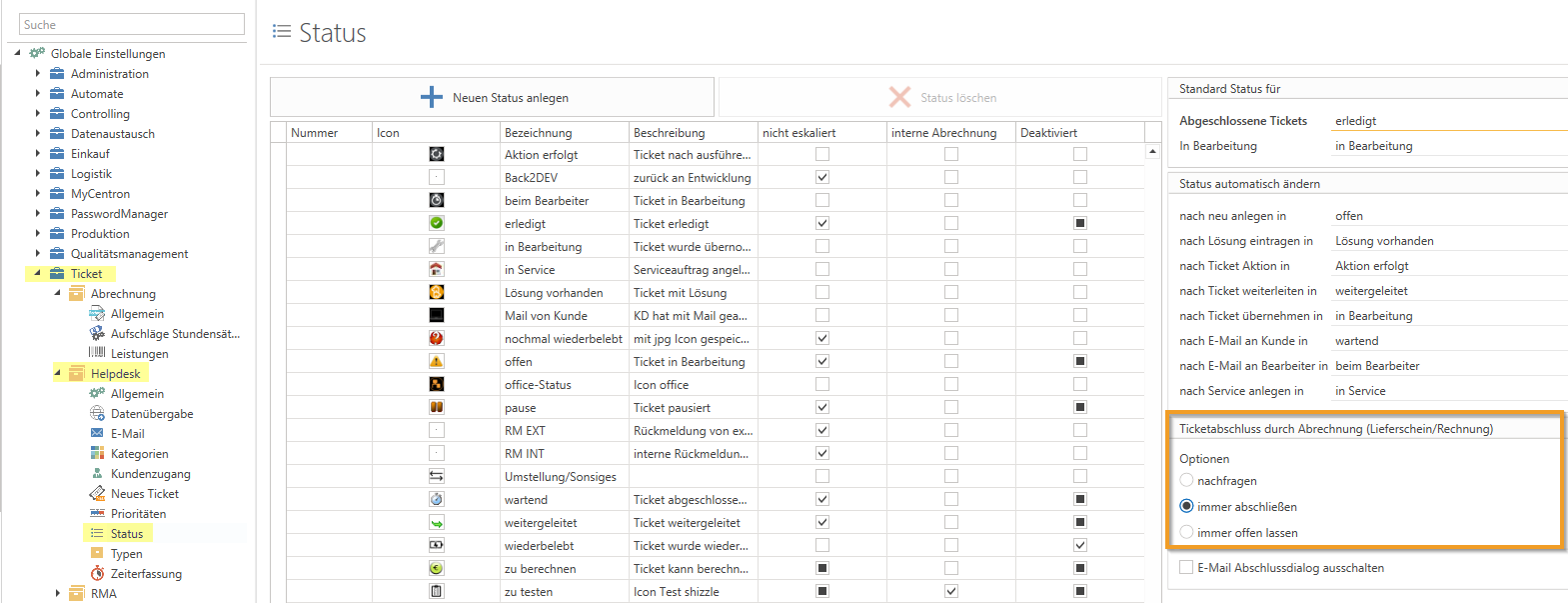
You can generally specify whether a ticket should be closed by billing (delivery note/invoice) under Global Settings - Ticket - Helpdesk - Status:
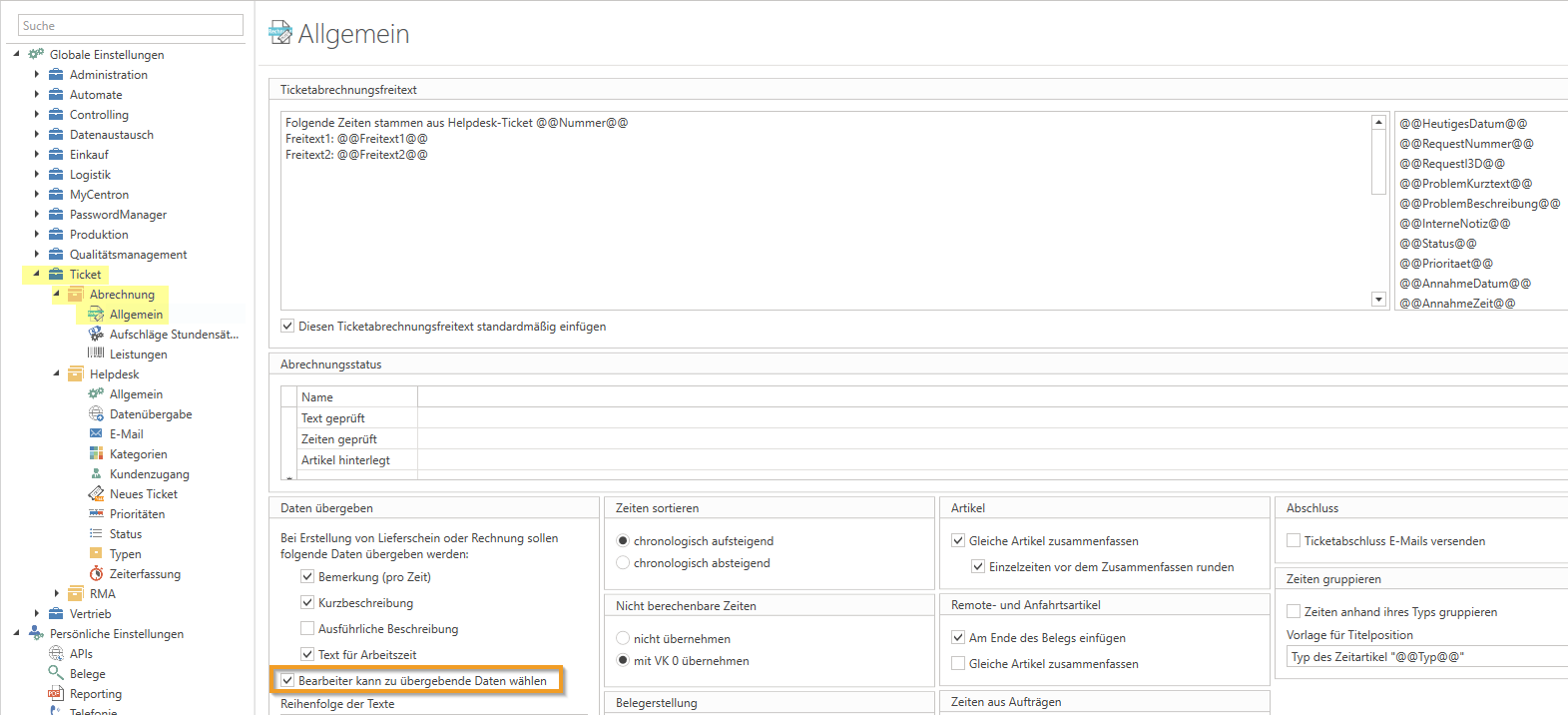
and/or you can give the user the option to do so under Global Settings - Ticket - Billing - General via the setting "Agent can select data to be transferred."
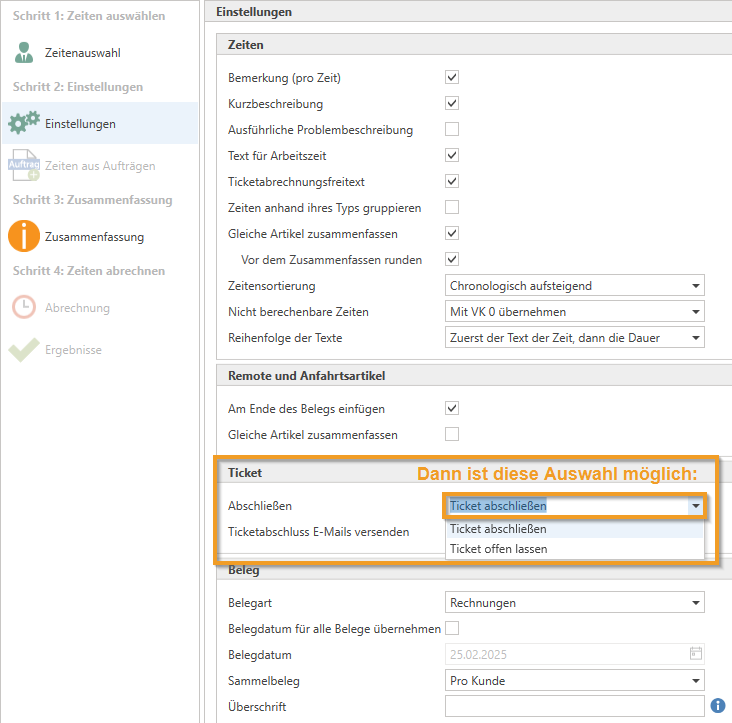
choose for yourself when settling your ticket:
Question:
Is there a filter setting in simplified ticket billing that only displays billable times?
Answer:
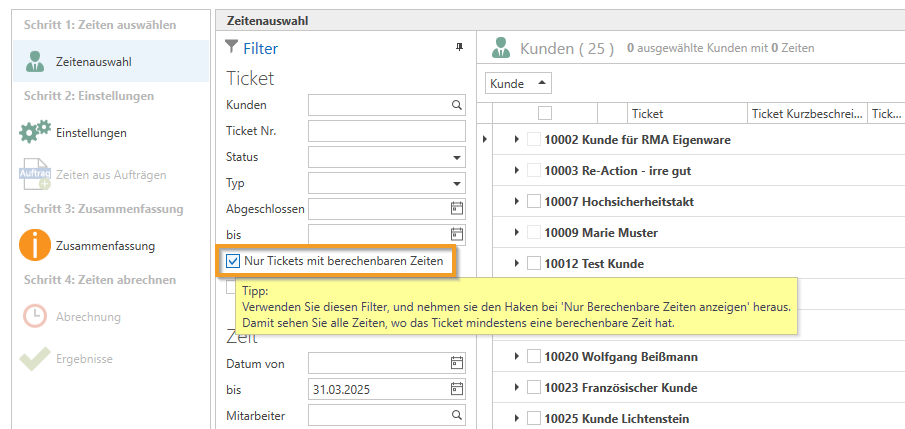
In the "Time selection" section, there is a filter option called "Only tickets with calculable times," which displays all times where the ticket has at least one calculable time:
Question:
Where do unwanted roundings occur in simplified ticket billing? For example, is the quantity always rounded down to 0 hours, even though 2 decimal places and the "divisible" property are stored in the article?
Answer:
This may be caused by settings for rounding the work value item.
Please open the service item and click on "Work values" at the top of the ribbon.
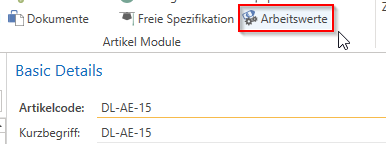
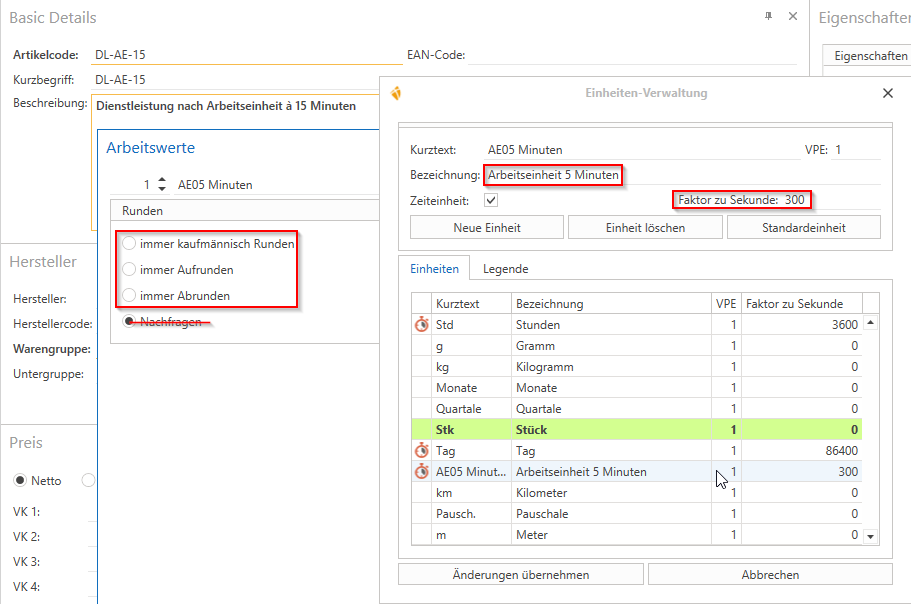
In the next window, you can specify how this item should be rounded.
If, for example, you have set "always round down" or "commercial rounding," items with AE15 (15 minutes) will be rounded down for a duration of 7:30 min, resulting in 0 items being issued.
Note: The "Ask" option is currently unavailable.
If you then click on the pencil icon in the top right corner, you will be taken to the time unit management page.
Question:
How can I predefine/permanently change the "Date to" under the "Time selection" section in simplified ticket billing?
Answer:
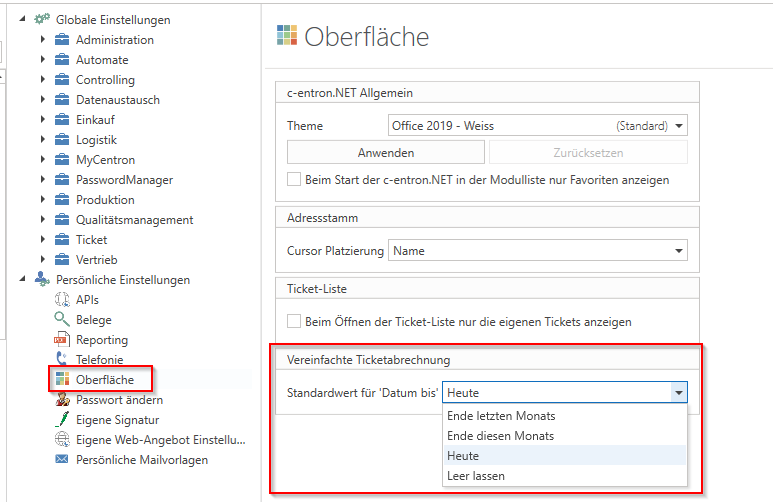
Each user can select whether and how this field should be filled in the Personal Settings under "Interface" at "Default values for "Date to"".
If you want to leave this blank, you can set the setting to "Leave blank."
Question:
When converting tickets into invoices, how is it possible to continue displaying the service date and time in the items?
Answer:
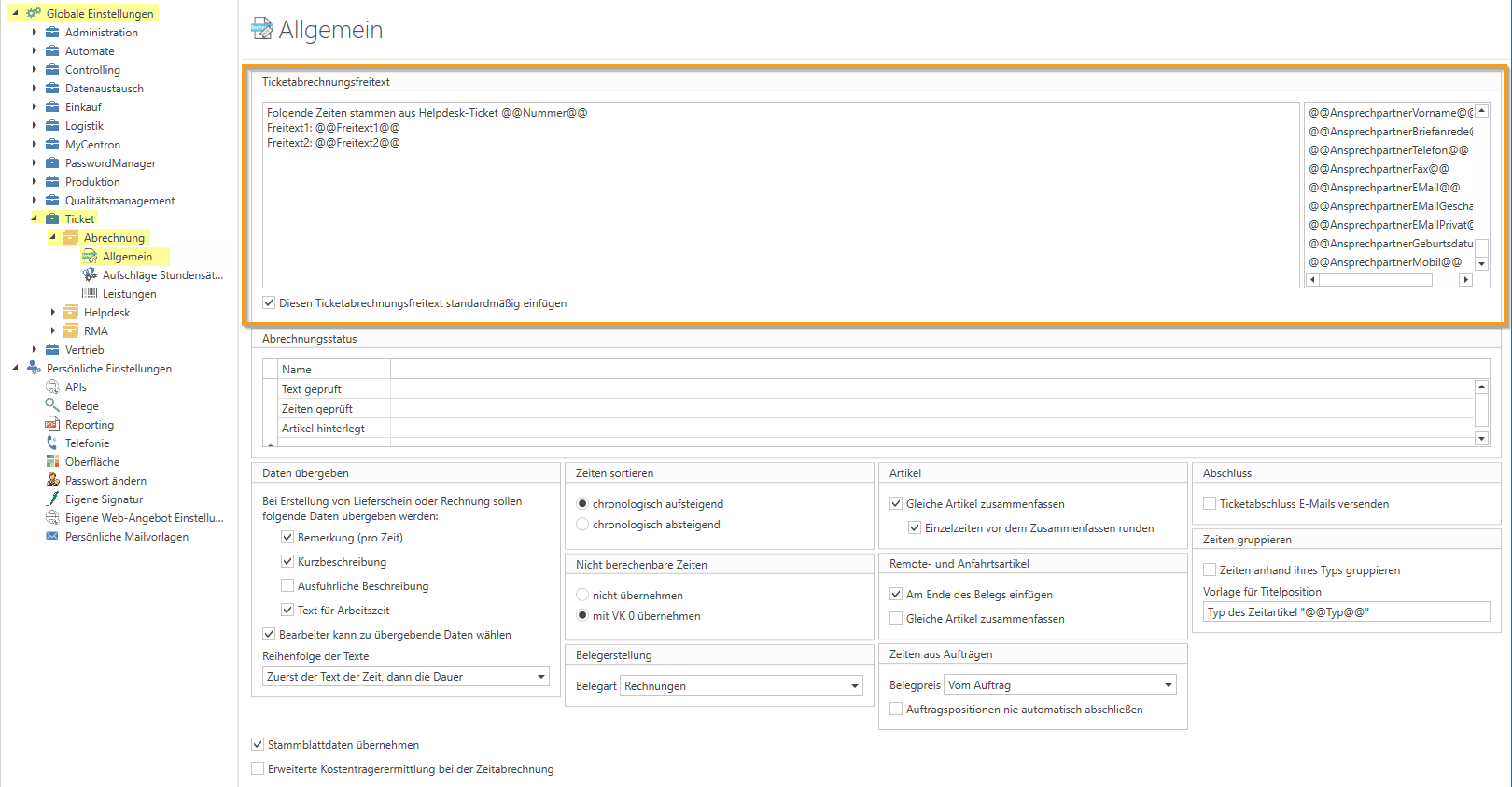
Under Global Settings - Ticket - Billing - General, specify what should be included here in "Ticket billing free text." Various variables are available here:
Question:
How can time that has already been billed be billed again—for example, in the case of a credit note, a correction due to incorrect time recording, or for other reasons?
Answer:
The following applies in principle to periods and invoices or credit notes:
Unlike all other items/positions, time that has been billed is not "posted back to stock/pre-documentation" by a credit note, as is the case with other items. The time is still considered billed, regardless of whether it was added to the document via flat-rate billing or ticket billing.
Thus, the correct solution would be as follows:
If it is still possible for you to do so for various reasons (invoice not yet exported, not yet sent to the customer, credited, etc.), you can remove this time item from the invoice and, if necessary, also from the delivery note. If this item is no longer in the delivery note/invoice, it is considered "not yet billed" and can be billed again.
If the time cannot be removed from the invoice, you can only credit this time and insert it into a new invoice as a "copy" via "Insert attachment from -> incorrect invoice." This is not the "actual" time, but it saves you from having to re-enter this time in order to bill it again as a "reference."
Alternatively, you can of course also reverse the "Insert attachment from" function to ensure that the process runs correctly. You can remove the time items from the "incorrect invoice" (provided that no credit note has been created yet) and then later insert the item into this incorrect invoice as a "copy" of the new, correct invoice using "Insert attachment from." You can then transfer the time that is no longer "original" in the incorrect invoice to the correct one.