%20(1).png)
FAQs about the Password Manager - Policy Management in c-entron.NET
FAQs about password manager/policy management in c-entron.NET
Problem:
Employee cannot access the password manager. After entering the user name and password, no data is visible.
Solution:
Check whether the employee's assignment is missing in policy management.
This is because you can use policy management to further restrict each user's rights to specific customers and specific rights for the password manager.
Problem:
Can the password manager timeout be changed?
Solution:
You can set the "lockout time" in the global settings of c-entron.NET under "Password Manager -> Access -> Password Manager."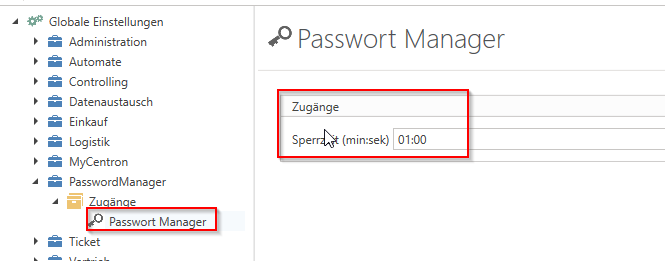
Problem:
Set access data is no longer displayed to the customer.
Solution:
Please check (or have an authorized user check) in the "Policy Management" section of c-entron.NET whether you are authorized for this "area" for this customer. This was added some time ago so that authorization can now be set not only for the user and the customer, but also for individual areas.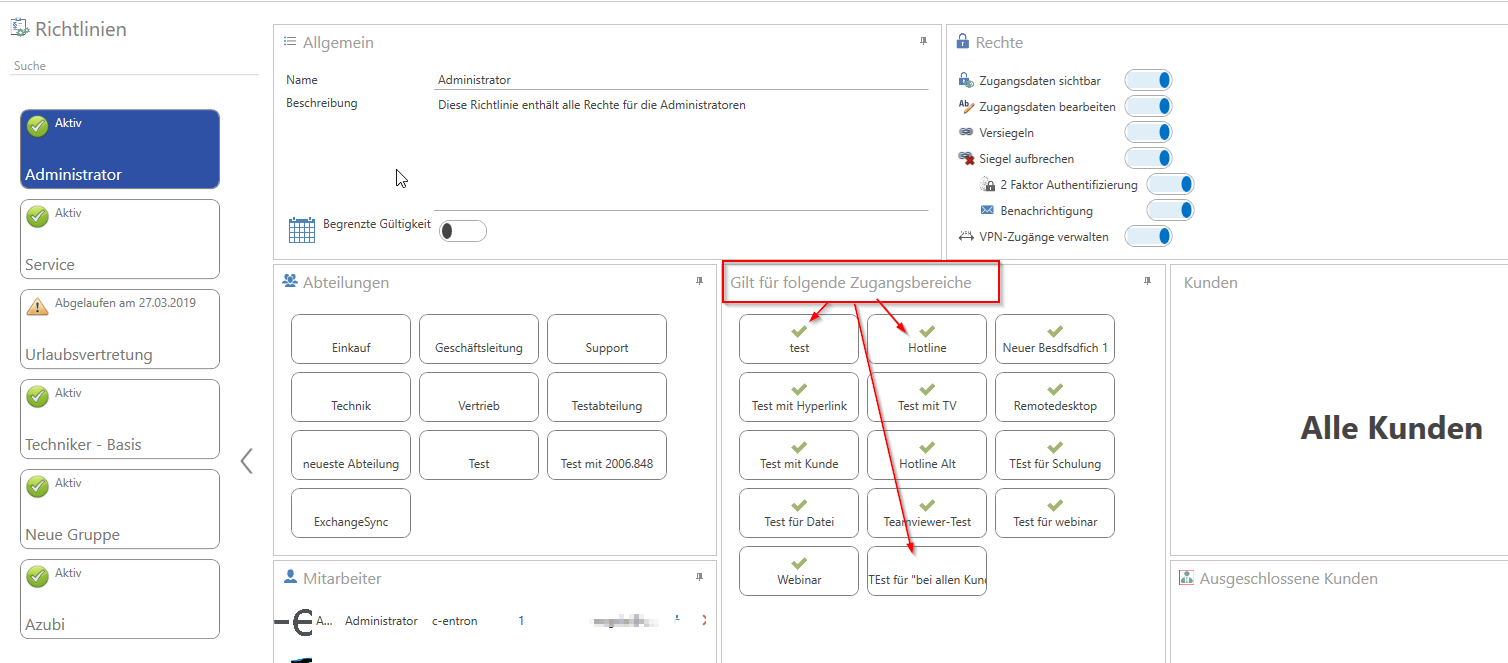
If this is the case, or if you have now changed this but the behavior is still the same, please proceed as follows:
Open the password manager for this customer.
Then click on "Add area" and select the area that is not displayed and "Apply" it.
Please then check whether the access you have stored is displayed.
It is possible that only the "area" was not correctly "activated" for this customer.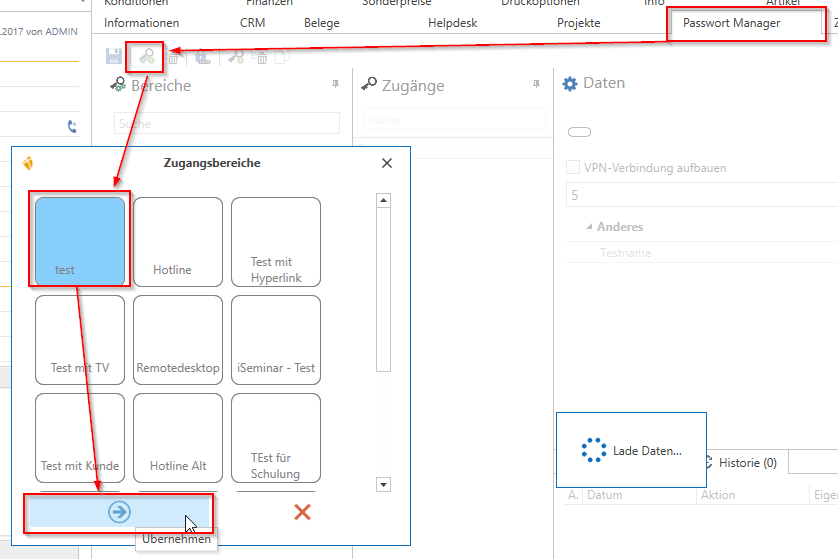
Problem:
The "Hotline" field cannot be found in the address master in c-entron.NET.
Solution:
The hotline is no longer available in c-entron.NET. In c-entron.NET, access management is now handled by the password manager.
The data from the old hotline can also be integrated here.
The video portal within c-entron.NET contains instructional videos on how to use the password manager.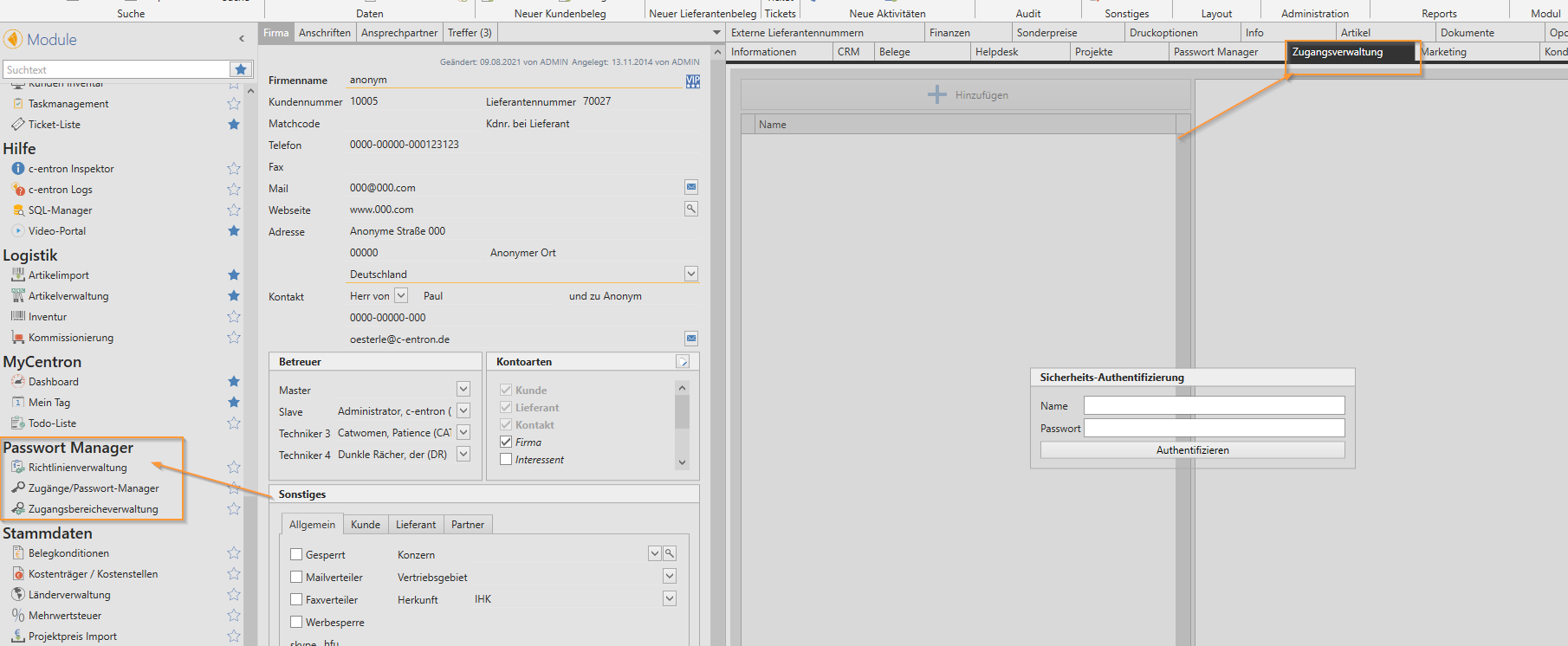
Access management and the password manager are both based on the "new structure." They differ in that "access management" checks the global "hotline" right, like the old "hotline" in delphi. For the password manager, however, you can use policy management to further restrict each user's rights to specific customers and specific rights.
However, these new modules can only be used in c-entron.NET and in the service board (here, the password manager).
The iSuite has not yet implemented the password manager. It still accesses the "old hotline" of delphi, which can continue to be used.
Note: There is no synchronization between these modules/tables. If you switch from the old hotline to the new structure or have performed the "old data import," you should only maintain the data in the new structure. "New" entries can still be implemented retrospectively, but existing and "changed" entries can no longer be "updated."
Problem:
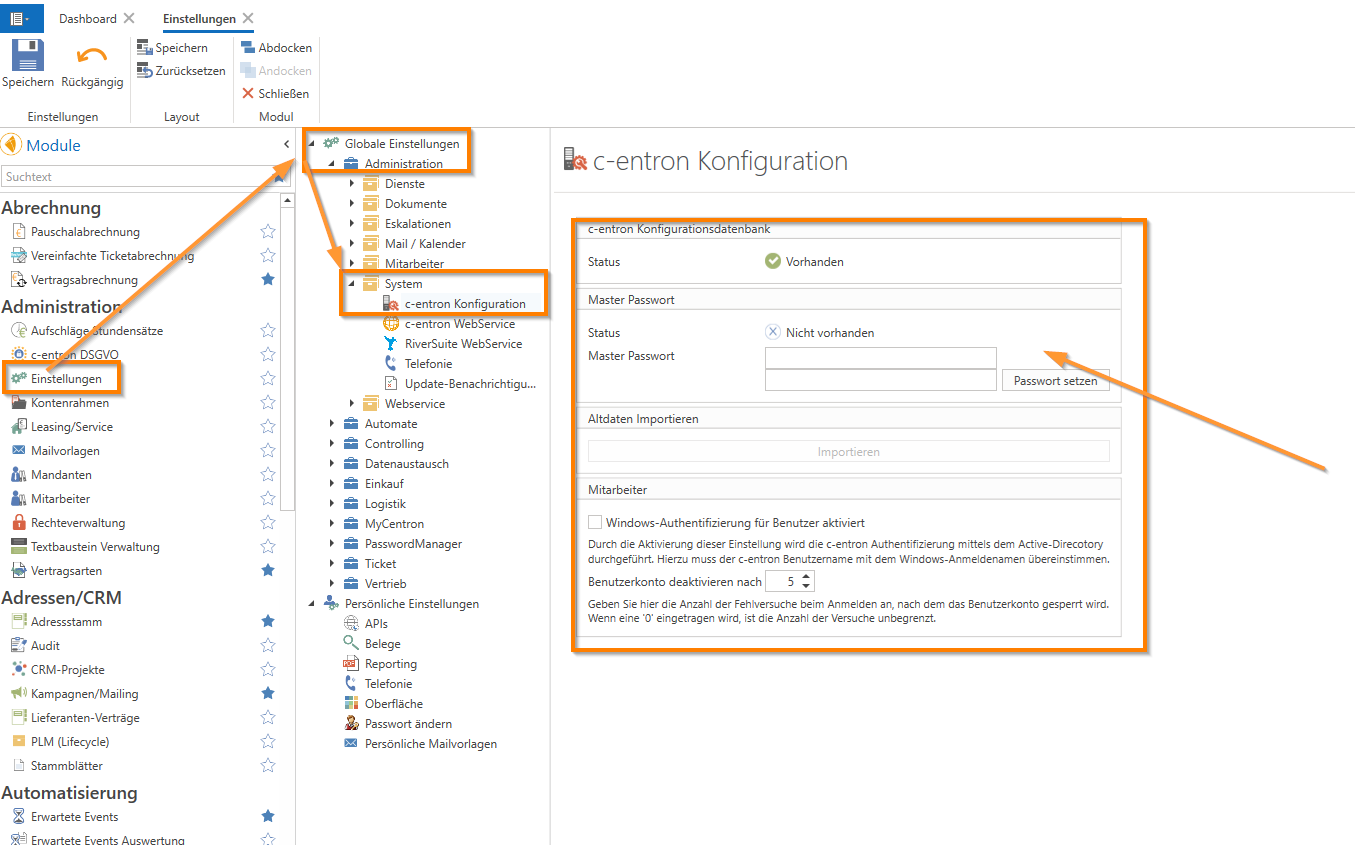
What is the c-entron configuration database?
Solution:
The c-entron configuration database is an additional database that is required for the password manager.
This database also encrypts the passwords you store in the Password Manager as well as the passwords you migrate to the database from the old hotline.
For this database, you had to set a master password in the settings.