%20(1).png)
GfK Upload / GfK does not receive any data
The following steps for the initial check
Is GfK export enabled in the c-entron settings?
Are the access details and the protocol (SFTP/FTP) stored correctly?
> "Test FTP connection" shows thisIf the GfK has been executed, this can be viewed in the log in the lower section of the GfK settings
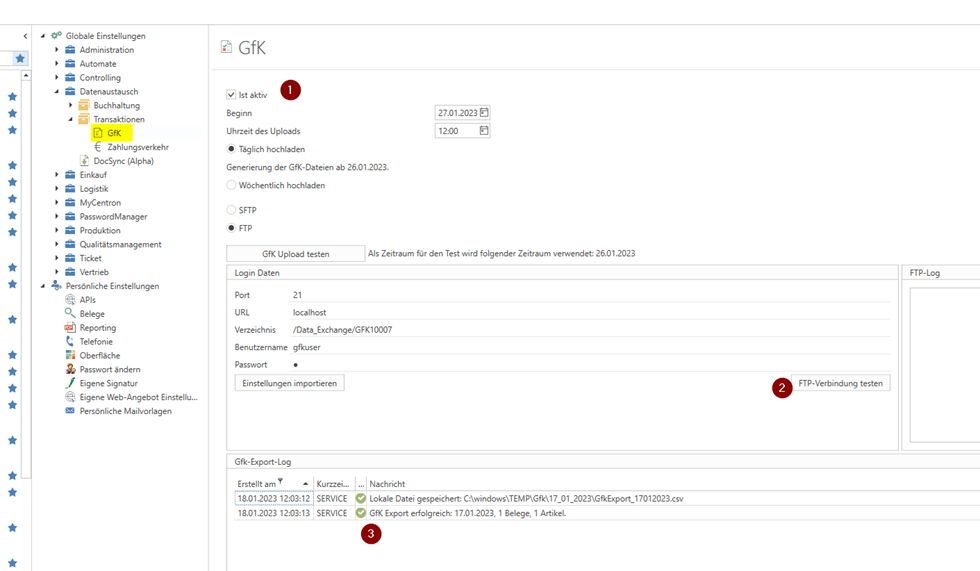
The "Abbreviation" column identifies whether the last action was started manually by a user or whether the service was running cyclically ("SERVICE" = service, otherwise the employee abbreviation from employee management is displayed here)
Note: The log entry "Local file saved: C:\..." refers to the host on which the c-entron web service is running (i.e., not the local C:\ of the user who is currently using c-entron and reading the log entry)
4. Finally, the option to start cyclic services must also be active in the c-entron web service.
To do this, start the "c-entron Web Service Connection Manager" (on the host of the c-entron Web Service) and check whether "Run integrated services" is active. (Point 1)
If several productive web services are defined on the host, the same option must also be checked for the relevant instances (point 2)
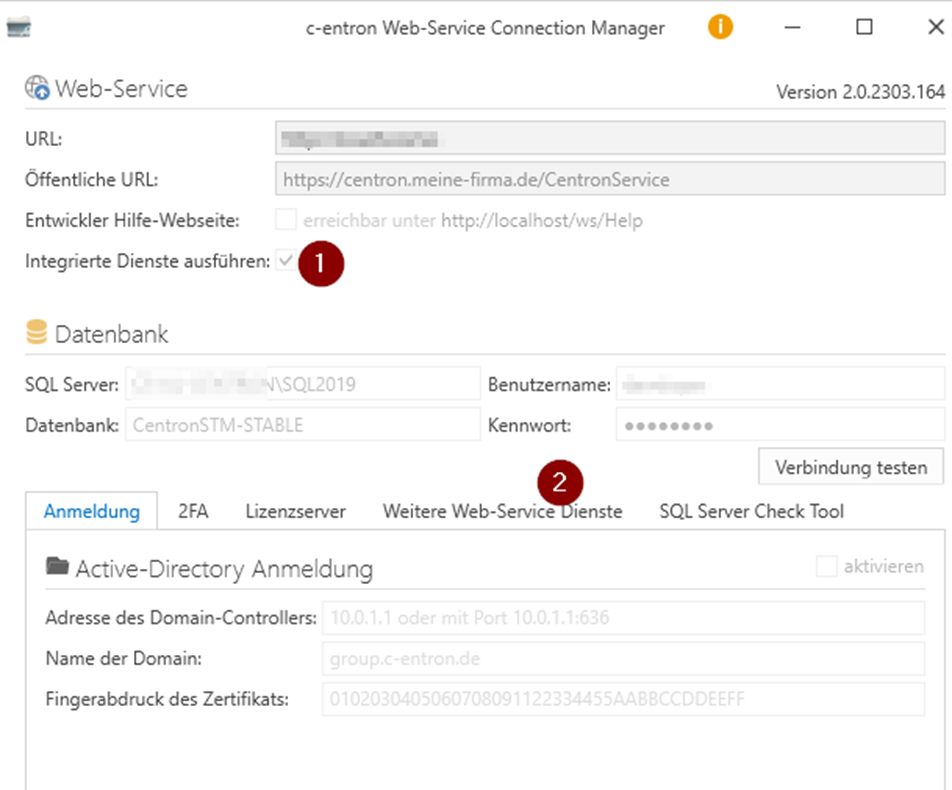
NOTE: If a test database (copy of the productive database) is stored in the sub-web services AND the integrated services are active -> there is a possibility that "empty" data from this database could overwrite data that has already been successfully exported. In this case, the integrated services of the test instance should be deactivated
If all the basic conditions have been checked and found to be successful, but uploading is still not possible, it is possible that the web service does not have the right (due to firewall settings) to connect to the GfK FTP/SFTP server.