%20(1).png)
Information in the order proposal list
Order info/item info in the BVL
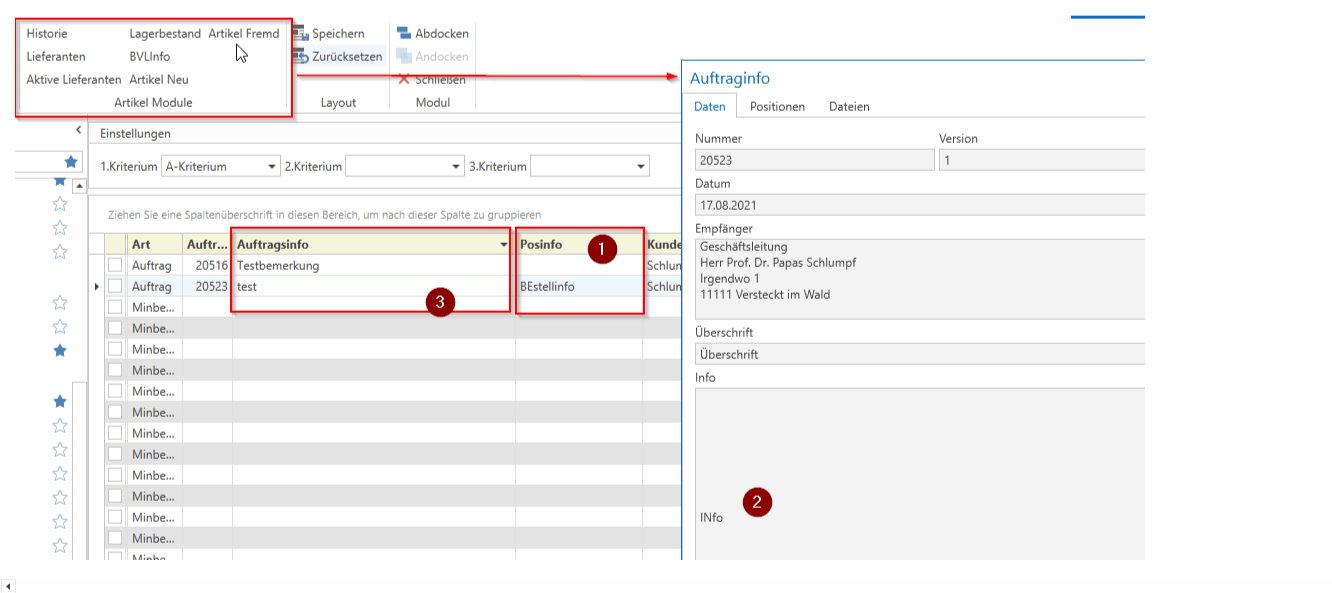
There are three places where you can enter "info" that will then also be displayed in the BVL for the items in this order.
1) Order information - at item level
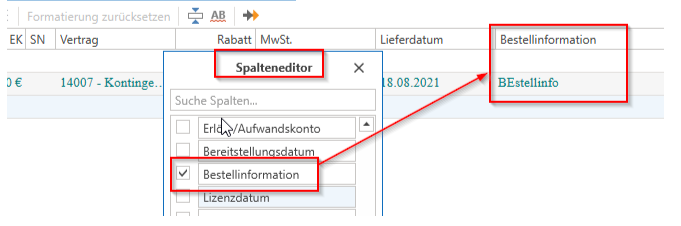
You can store any information for each item in the "Order information" column (make it visible using the column editor if necessary). This information will then also be displayed in the BVL for the item in the "Item info" column.
2) You can enter information in the order under "Document details -> Info." This will be displayed in the BVL in the "Order info" field as "Info." However, this field must be activated for this to work.
3) You can enter information in the document under "Address -> Delivery to -> Comment"; this will then be displayed in the BVL in the "Order info" column for all items in this order.