%20(1).png)
ITscope – Ordering via EDI
ITscope – Ordering via EDI (license required)
(Available from release version 2.0.2207.x)
It is now possible to place EDI orders with ITscope from within c-entron.NET. (If you require this license, please contact sales@c-entron.de)
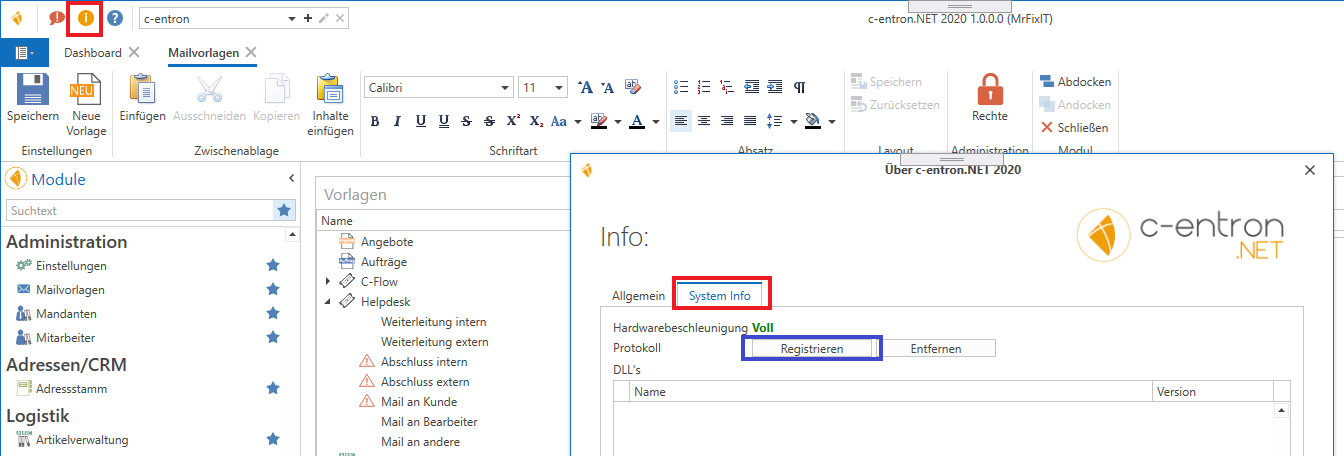
To use this function, click the [Register] button in the System Info section of c-entron.NET. This will create a protocol for communication with the ITscope portal.
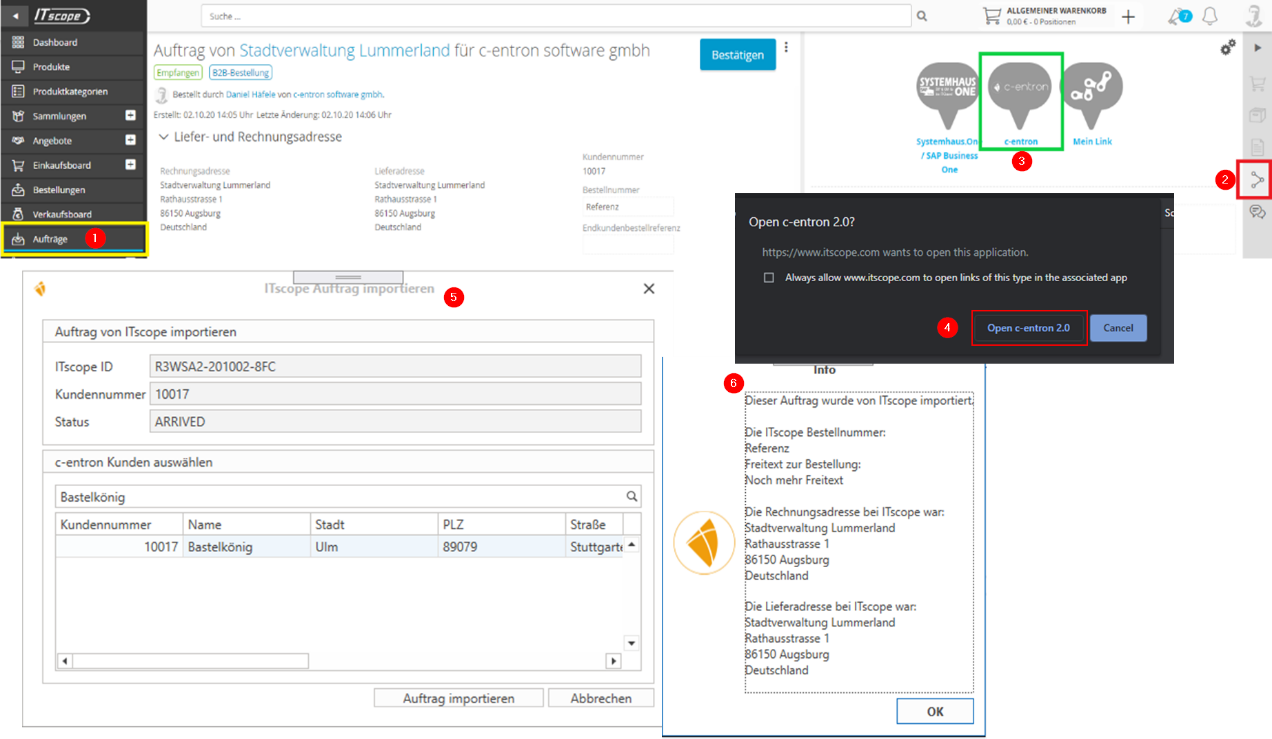
Afterwards, the c-entron button will automatically appear on the ITscope homepage in the Share section (number 2 in the screenshot above), so nothing needs to be configured manually if the protocol has been successfully registered.
If necessary, restart your c-entron / browser so that all data can be loaded correctly.
To use this feature, you must
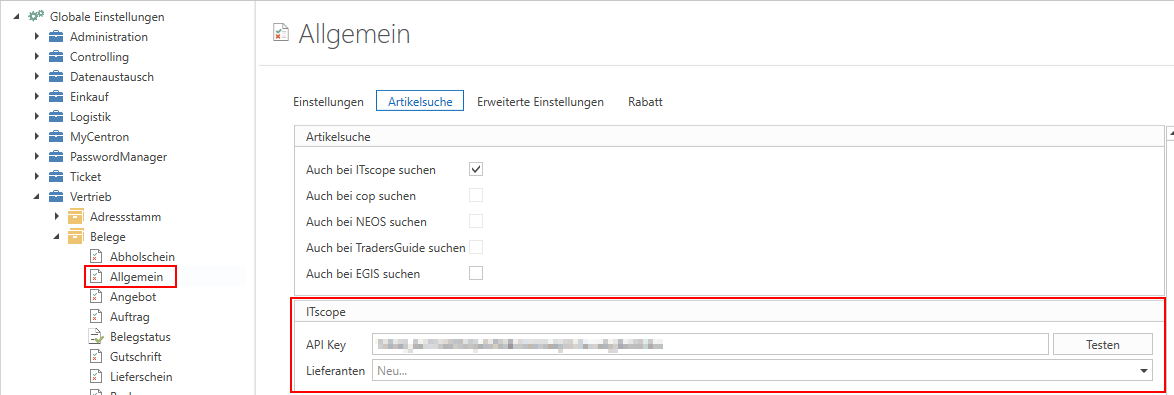
In Settings – Sales – Documents – General, under the "Item search" tab, an API key must be stored for "ITscope."
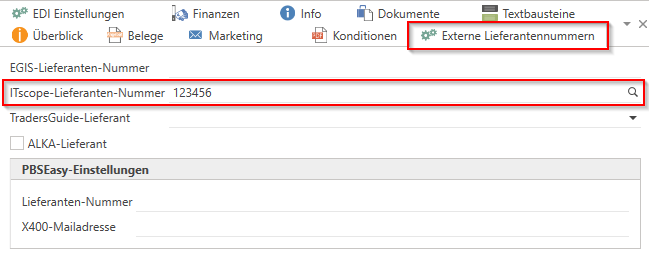
In the address master for suppliers, in the "External supplier numbers" tab, enter your "ITscope supplier number" and save it.
EDI orders can now be placed with ITscope from within c-entron.NET.
Quick guide:
Open order
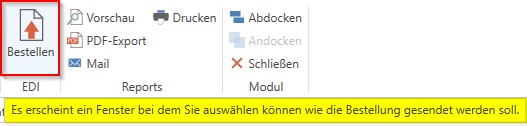
Click the [Order] button under EDI in the menu bar/ribbon
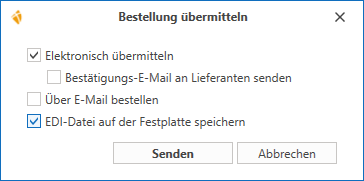
Submit order
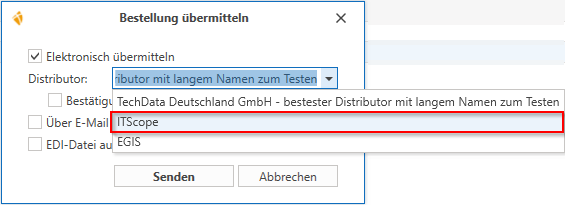
If ONLY the "ITscope supplier number" is stored in the address master for suppliers in the "External supplier numbers" tab, then "ITscope" must be selected under Distributor using the drop-down button.
If several supplier numbers are stored in the address master for suppliers in the "External supplier numbers" tab, then "ITscope" must be selected under Distributor using the drop-down button.
The EDI order is triggered via [Send]
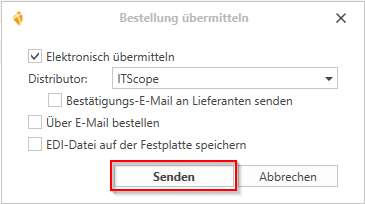
In this window/dialog box, you also have the option of selecting the following actions:
Send confirmation email to suppliers
Order by email
Save EDI file to hard drive
[Cancel] cancels this action