%20(1).png)
MSP in the ticket
Procedure:
When creating a ticket, the familiar "contract selection window" is expanded. If the customer has an "MSP contract" (i.e., a contract that includes items with the "has service description" property enabled), the "services" for these items are now displayed. The technician no longer selects the "contract," but simply the "service" that he or she is now providing with this ticket. By selecting the service, the contract and the master sheet for this service are then automatically assigned to the ticket. As described above for the items, these are sorted by "category."
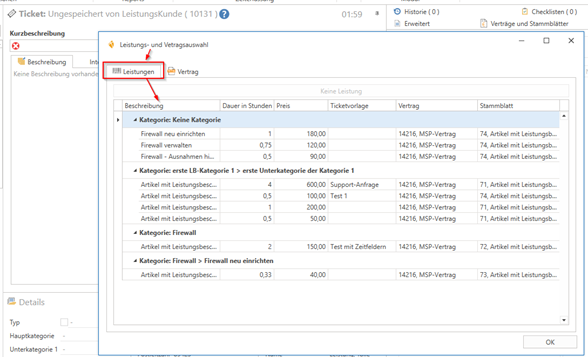
The service, as well as the corresponding "contract" and "master sheet," can then be viewed in the ticket under "Contracts and Master Sheets." If a "ticket template" is assigned to the selected service, the ticket is now automatically created according to this template.
When you record a time on a ticket with a service, the "service" of the ticket is automatically stored in the time.
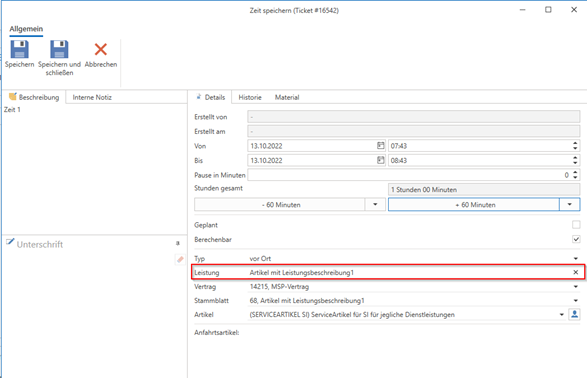
If the wrong service or no service has been added to a time period, you can remove this service (including the associated contract and master sheet) from the time period by clicking on the "x" at the end of the "Service" line or change it to another service (currently, only removal is possible). However, you must always "confirm" this again.
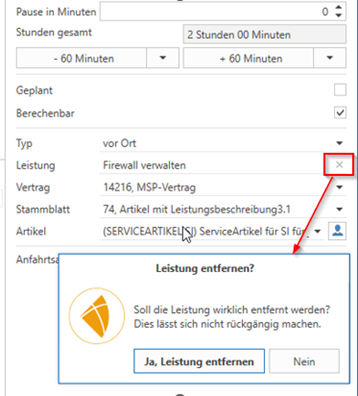
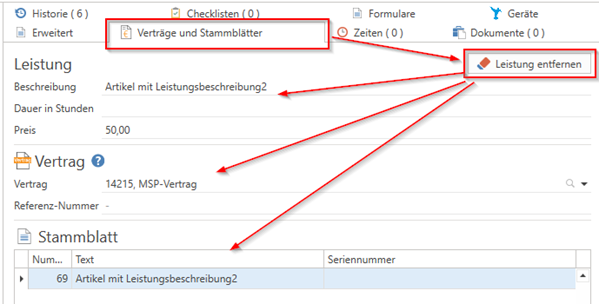
However, you can also remove the current "service" in the ticket under "Contracts and master sheets" using the button of the same name. This will remove both the assigned contract and the master sheet.
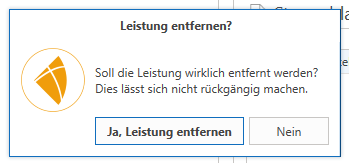
This must also be confirmed by a security prompt.
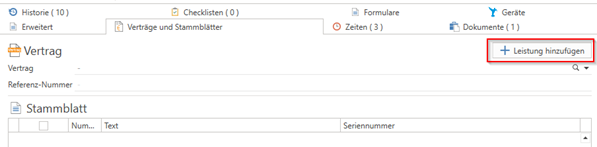
If you want to add a "service" to an existing ticket, you can also do this under "Contracts and master sheets" using the button of the same name.
The contract and master sheet for this service are also assigned.
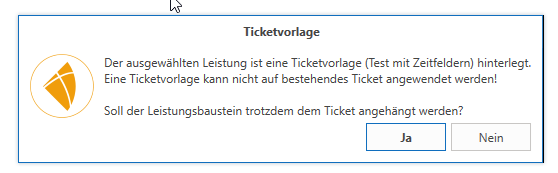
If a "ticket template" is assigned to the selected service, it cannot be transferred. In this case, you can only add the service or "cancel" again. Information about this will appear, along with the question of whether the service module should now be added or not.
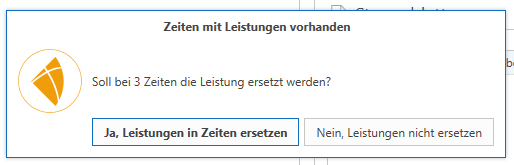
If times already exist in the ticket at the time of adding or removing a service, the change to the ticket service can be applied to all existing times. A query will appear for this purpose.
This means that the service removed from the ticket (including contract and master sheet) can also be removed from all existing times, or the added service (including contract and master sheet) can be added to all times.