%20(1).png)
New feature for contracts and linked tasks
(Available from v2.0.2405.244)
If a "termination date" is entered in a contract or the "Conclude contract" checkbox is selected and there are "tasks linked to this contract" (these can be managed in the contract in the "Tasks/Checklists" tab), a query appears when the contract is "Saved" asking whether the "termination date" ...
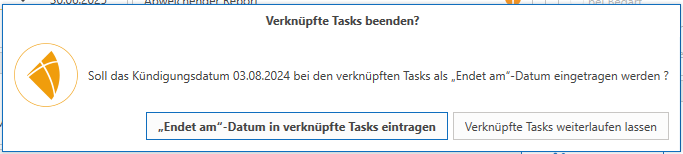
... or the "today's date" (when "completing") should be stored as the "Ends on" date in the contract.
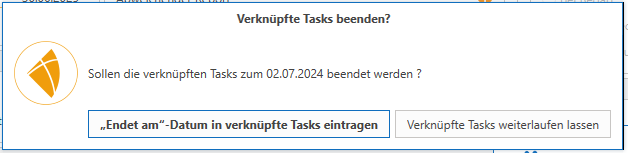
If this is decided with "... enter," the tasks will end on that respective date.
The only exception to this would be if the "Ends on" date falls "before" the "Start date" of the task as a result of this process (because the task should only be created from time x onwards). In this case, the task would be "deactivated" immediately, as the "Ends on" date must not fall "before" the start date.
In addition, a setting has been implemented in the global settings under "Sales -> Contracts -> General" in the "Automations" area, which allows "expired contracts to be automatically closed." If the "termination date" or "contract end date" of a contract is exceeded, it is automatically closed. If this setting is active, the second setting "automatically close linked tasks" can also be activated, which means that the above-mentioned process is also automated with the "closing" of the contract, and the tasks are also "completed" (even "retrospectively").
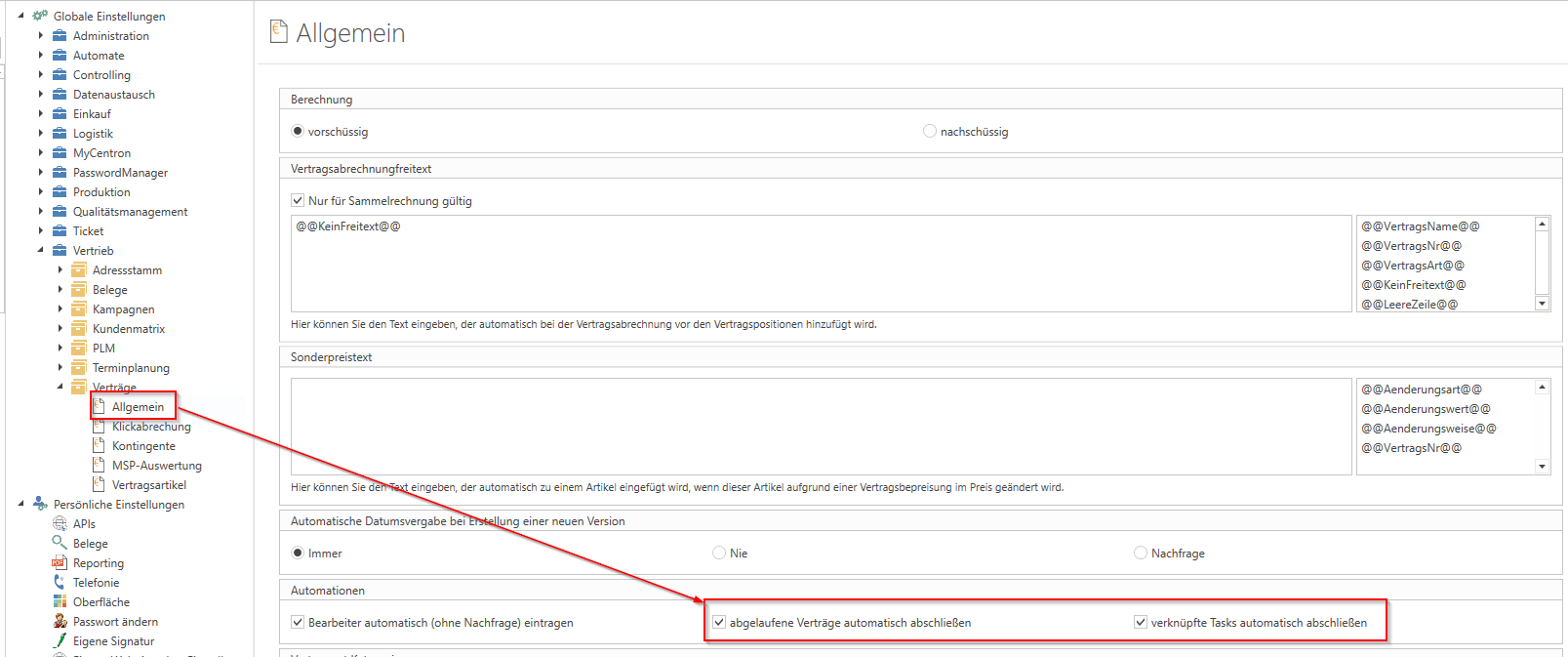
For these automatic closures, the "integrated services" must be active in the WebService service.
In addition, two log entries are also created in the contract for "automatic conclusion":
Contract was concluded automatically on xx/xx/20xx.
The document status has changed from "open" to "closed.".