%20(1).png)
Order picking - "Send notification" button in the "Partial order picking" tab and improvement of dialogs for serial number assignment
Order picking - "Send notification" button in the "Partial order picking" tab and improvement of dialogs for serial number assignment
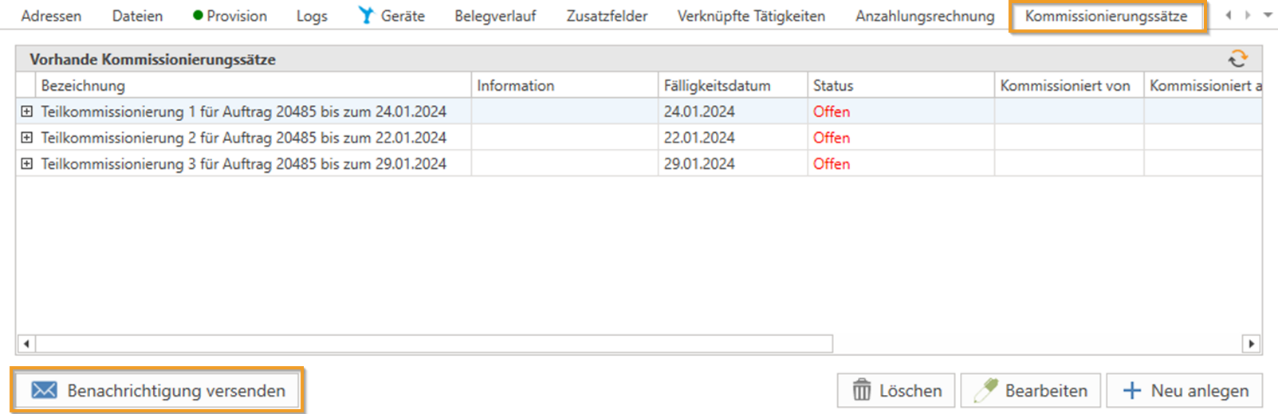
A new "Send notification" button has been added to the "Partial picking" tab of an order. This button can be used to send a notification, for example to a warehouse employee, informing them which items are now to be picked.
A default recipient for these notifications can be specified in the settings under Logistics -> General.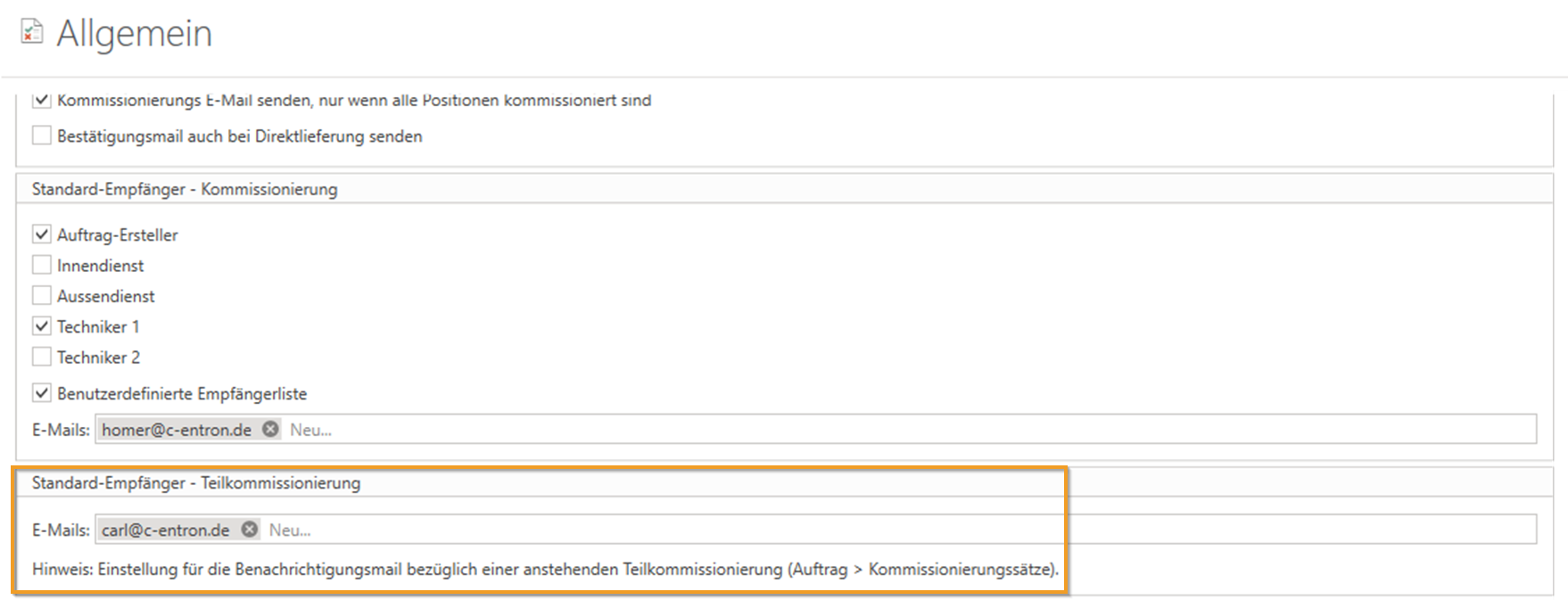
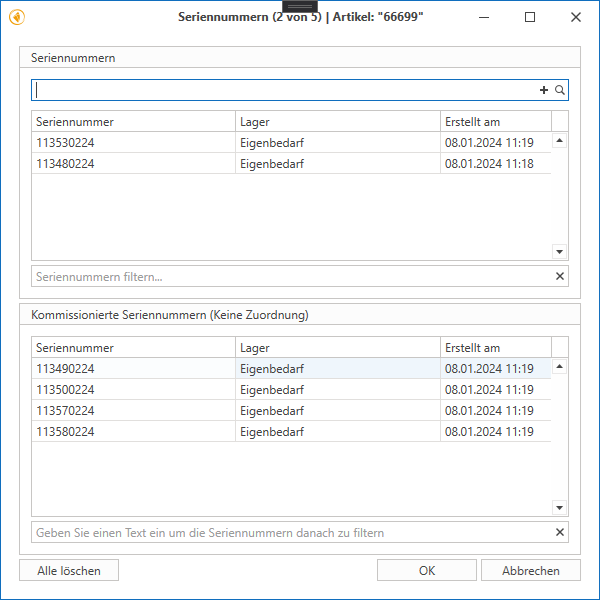
The dialogs for assigning serial numbers in picking have been improved. It is now easier to assign the picked serial numbers of an order to a partial pick on both the "Picking" and "Partial picking" tabs. In addition, the creation date of the serial numbers is now also displayed.
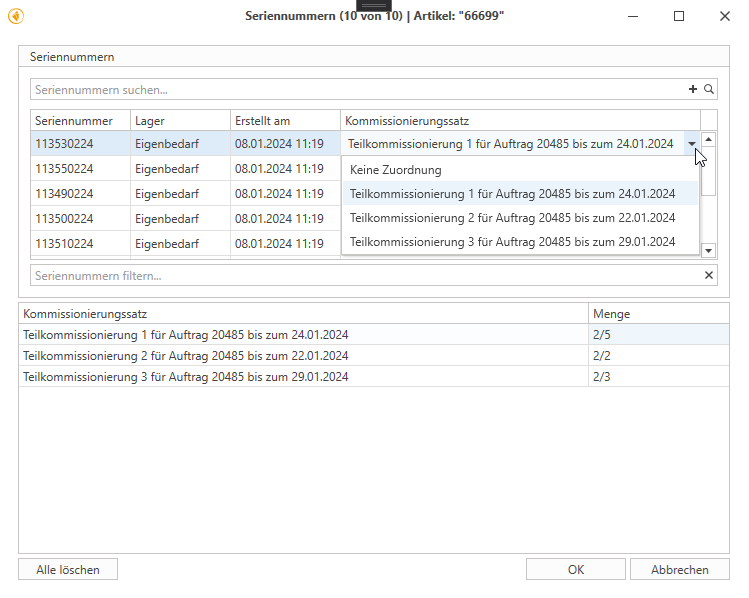
"Picking" tab (if partial pickings exist for the order):
There is a new column called "Picking rate" (combination box).
A list of picked serial numbers is displayed below.
Serial numbers can be assigned either by selecting them in the combo box or by using the right-click menu for multiple selection.
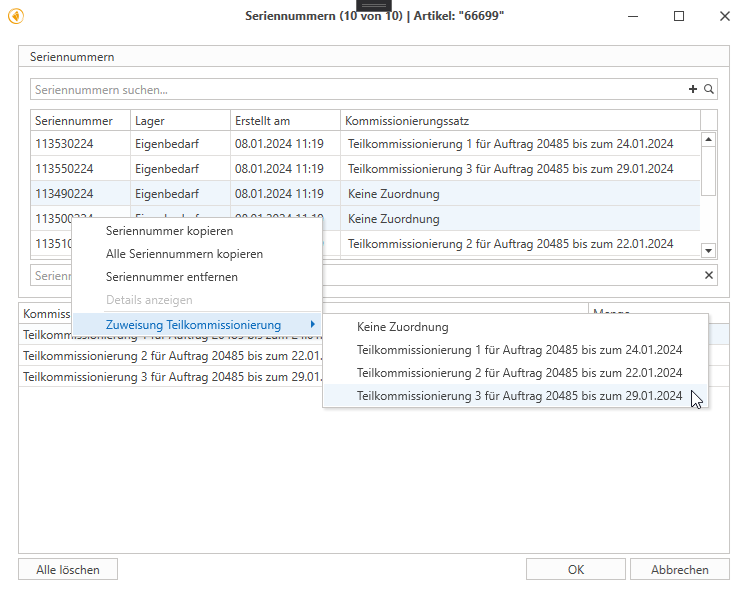
"Partial picking" tab (if partial pickings exist for the order):
A list of available serial numbers that have already been picked in the order is displayed.
Assignment to partial picking is done by double-clicking or via the right-click menu. After assignment, the serial number jumps to the upper list. There, it can be removed again if necessary, which means that it only disappears from partial picking but remains available for the order.