%20(1).png)
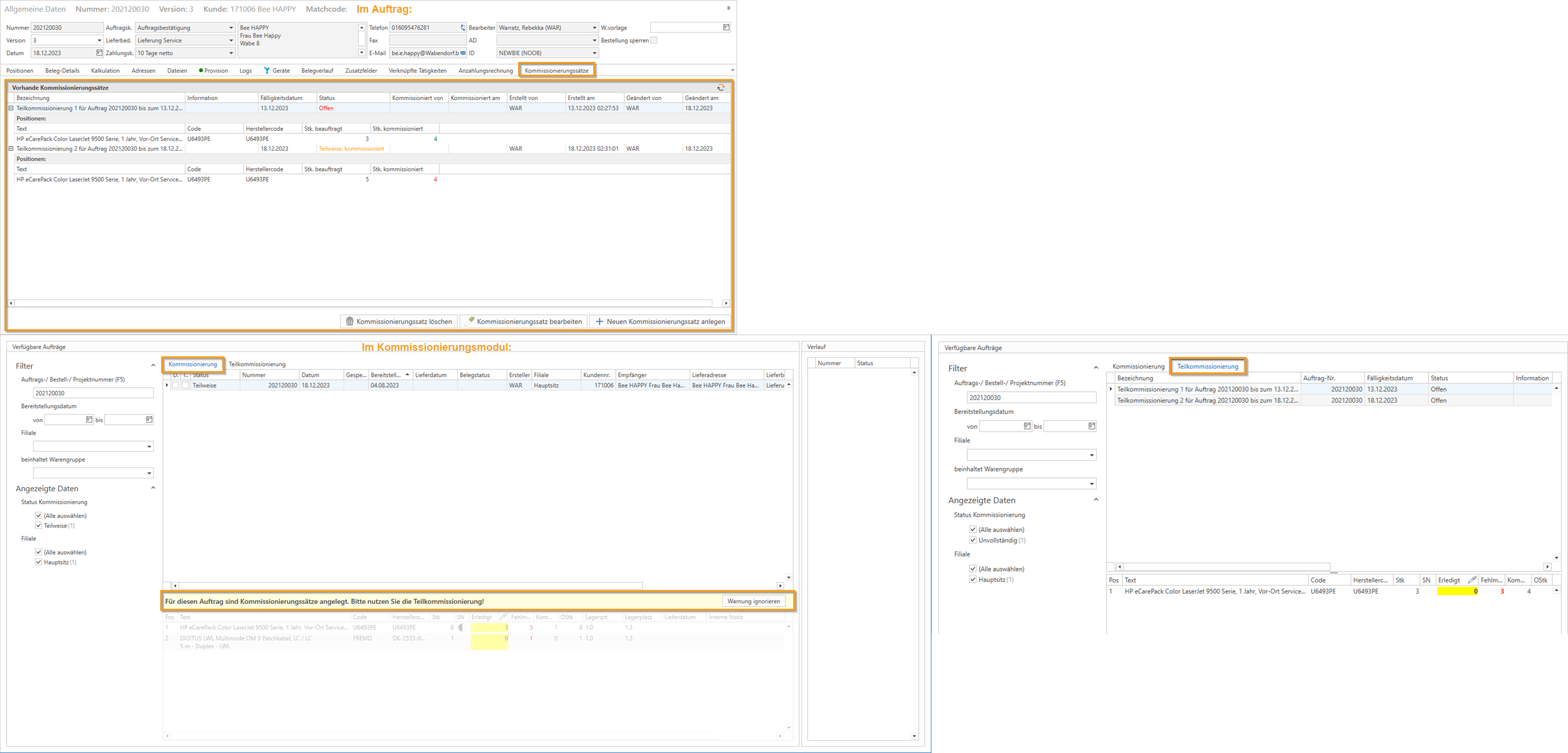
Partial picking/picking records in the order
(available from release v2.0.2401.x)
The new feature enables efficient partial picking by introducing the "Picking sets" tab/tab in the order and picking. This allows you to group the desired items of the respective order into several picking sets. These sets can then be delivered in different stages (per picking set).
Required permissions:
The following rights were newly created for this purpose:
New right for "Create new picking set":
This right specifies whether a user is allowed to create a picking record for an order.New right "Delete picking rate":
This right specifies whether a user is allowed to delete a picking record for an order.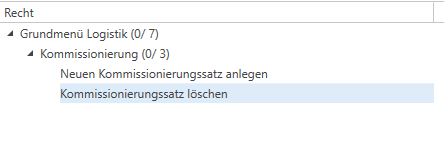
On behalf of
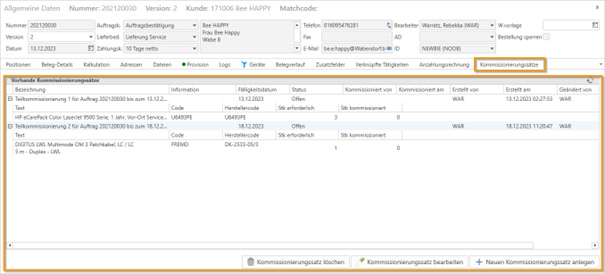
In the "Picking records" tab, partial picking orders can be created, edited, and deleted for all pickable items in the order. Each of these picking records acts as a kind of to-do list for a portion of the picking tasks, making it possible to deliver the order in several stages.
NOTE: If the "Picking records" tab is not displayed in your personal profile but is displayed in the standard "c-entron" profile, click on the small downward arrow on the right-hand side of the tabs, select "Show closed panels," click on the tab (which may then be displayed at the top left of the document), and save the layout. - now, when you reopen the "Picking records" tab, it will also be displayed in your personal profile.
In the picking module
The picking module has also been expanded to include a new tab for partial picking. Partial picking is carried out here in exactly the same way as normal picking. The difference is that only part of the order is picked in the background.
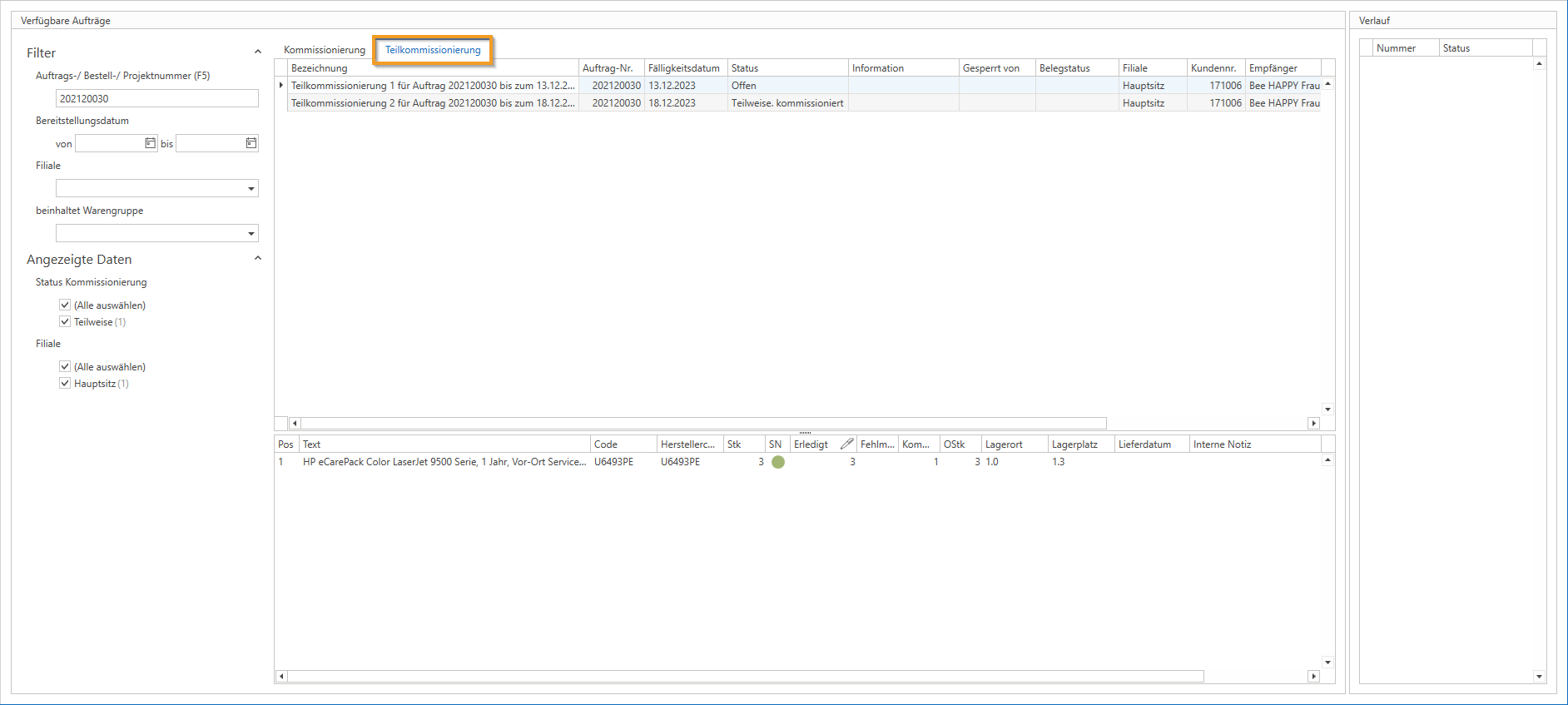
To avoid potential problems with assigning serial numbers to partial pickings, normal picking is automatically blocked as soon as picking records exist for the order. This is clearly indicated to the user by a message in the UI (see Figure 3).
The option [Ignore warning] was implemented retrospectively, which allows conventional picking to be used manually.
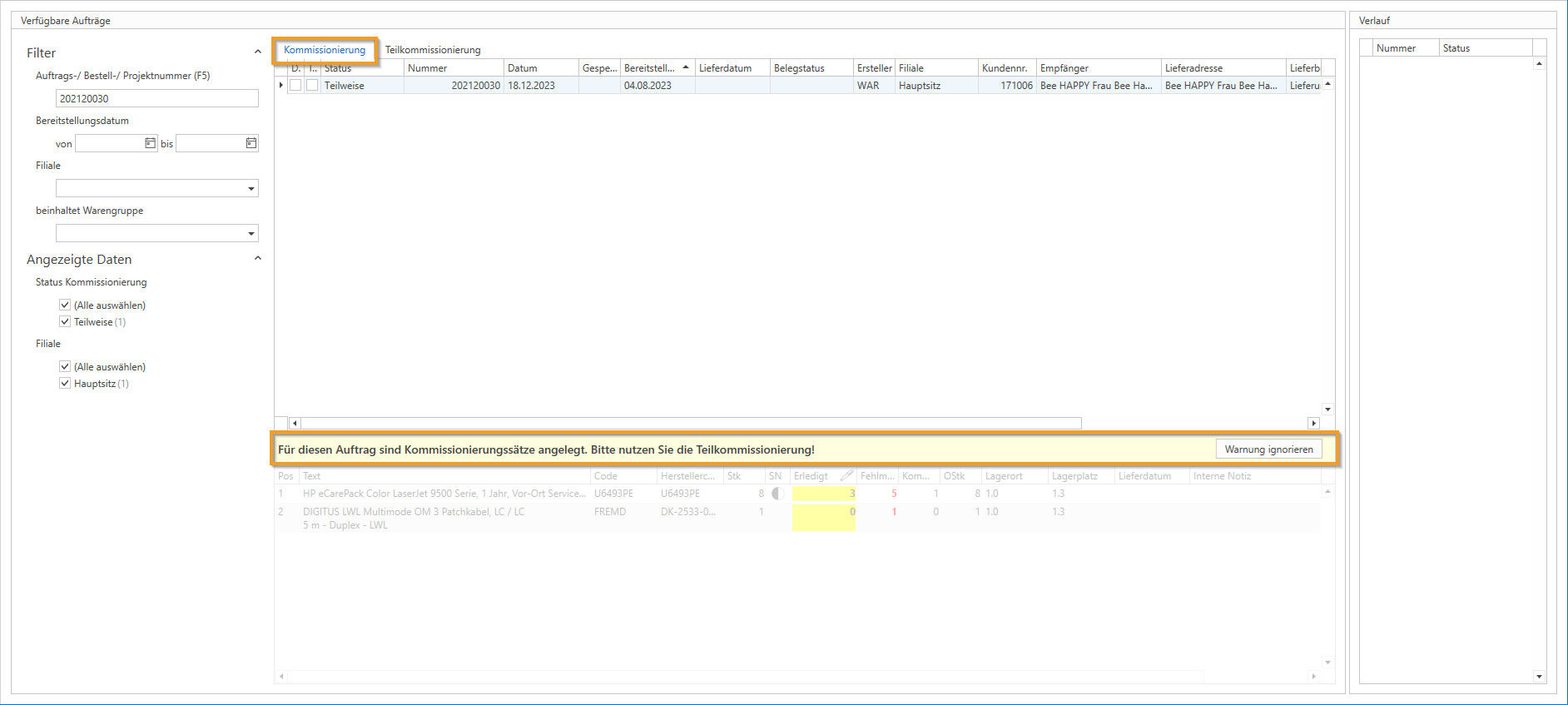
Expansion of partial order picking - Variable "@TeilKomI3D" from 2.0.2502.x
The picking module now includes the following reports Variable "@TeilKomI3D" this means that reports can now also access the selected partial picking record in the picking module and, for example, only retrieve the data for the selected partial picking record.
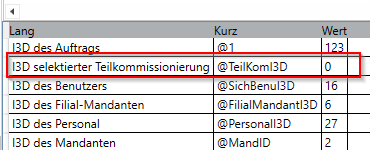
In the global settings was published under "Logistics - General - General“ the new attitude “Serial numbers: Notification of existing serial numbers for items not requiring SN during picking" implemented.

If this is activated, the picking module displays a warning message when picking "non-SN-required items" that have "open" serial numbers (can be set via the "Serial number entry: Serial numbers can be entered for all items" (found in the global settings under "Sales -> Documents -> General" in the "Settings" tab), which asks whether serial numbers should be added. This offers the option of reminding users that "open SNs" are available for "non-SN-required items" and that these can be used if necessary.