%20(1).png)
Revenue and expense accounts in c-entron.NET
Revenue and expense accounts in c-entron.NET
Sales of goods and services are recorded in revenue accounts, while purchases of goods and services by a company are recorded in expense accounts.
Each item can be assigned a specific revenue account to which the sale or purchase is posted when an invoice is entered. For example, account 8300 for revenue with 7% sales tax or 8400 for revenue with 19% sales tax.
However, the respective account number is not fixed and may vary depending on the tax advisor. It depends on the so-called chart of accounts, which suggests the account numbers.
Your tax advisor can tell you which chart of accounts you need to use. (We only provide "SKR 04" in the "Chart of Accounts" module.)
In the "Product Groups" module, you can assign a revenue and expense account (also for individual branches) to entire product groups and/or sub-product groups in the "Financial Accounting" tab and update these for the items using the [Overwrite Item] button:
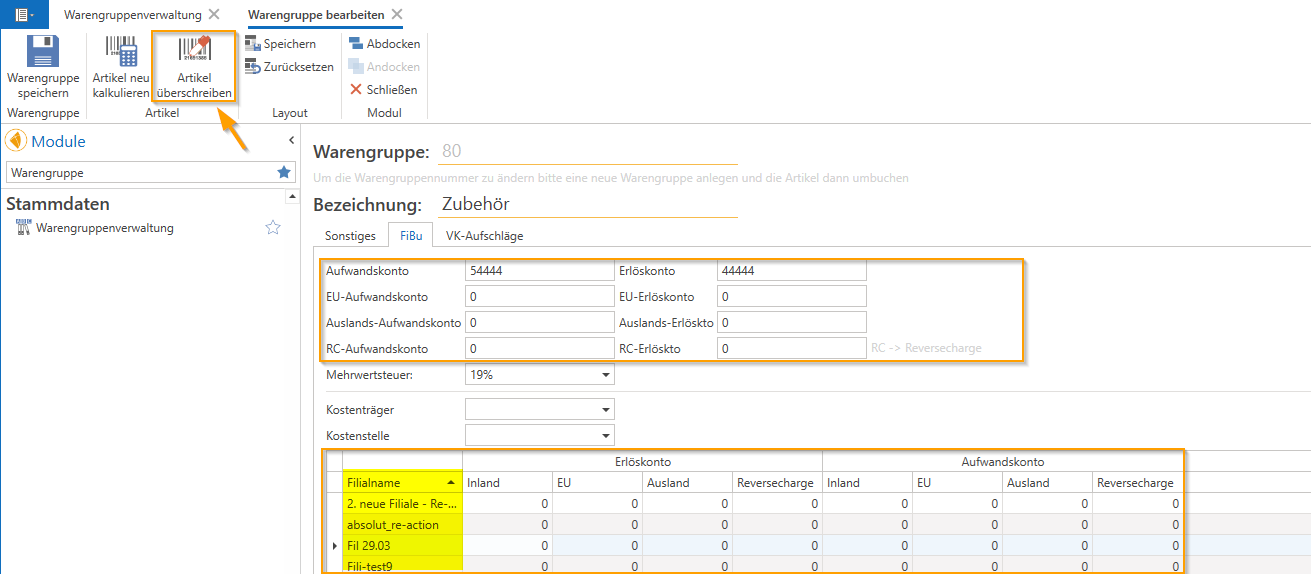
The accounts stored here are automatically pre-assigned to the respective product group and/or sub-product group when new items are created and can also be customized at the item level.
When exporting accounting data, these are then transferred to your accounting department with the export file.
The order is as follows:
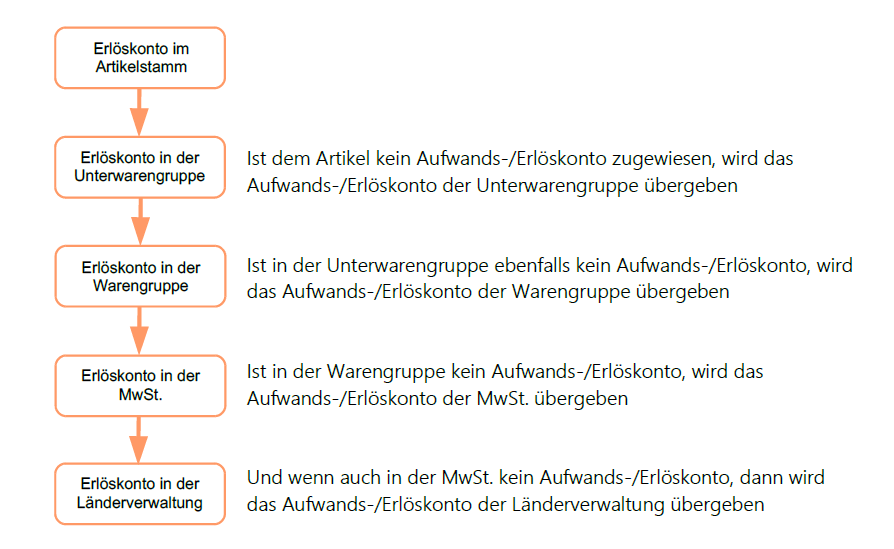
Note: For creditors abroad, a check is made to see whether they have entered a VAT ID number. If this is not the case, they are treated as private individuals and the corresponding domestic revenue account is used.