%20(1).png)
Reverse charge
(available from release version 2.0.2205.x)
Intra-Community services as described in §13b (1) UStG (German Value Added Tax Act) do not require any special treatment in c-entron. Simply ensure that you have entered the VAT ID in the "Finances" tab for customers based in other EU countries and set the "Do not show VAT" option in the "Conditions" tab.
C-entron will then issue invoices for this customer without VAT and also print the corresponding tax texts. In the tax texts, c-entron distinguishes between merchandise, services, and other services based on the product group numbers. If necessary, your report must be adapted to your product group structure.
Separate settings must be made for special services for which, pursuant to Section 13b (2) ff. (in particular (2) (10)), the reverse charge procedure also applies domestically.
Requirements for reverse charge (RC):
If the sum of all RC items is higher than the "de minimis limit" (field "Amount") stored in the global settings under "Sales -> Documents -> General" in the "Reverse Charge" tab, the RC logic is applied.
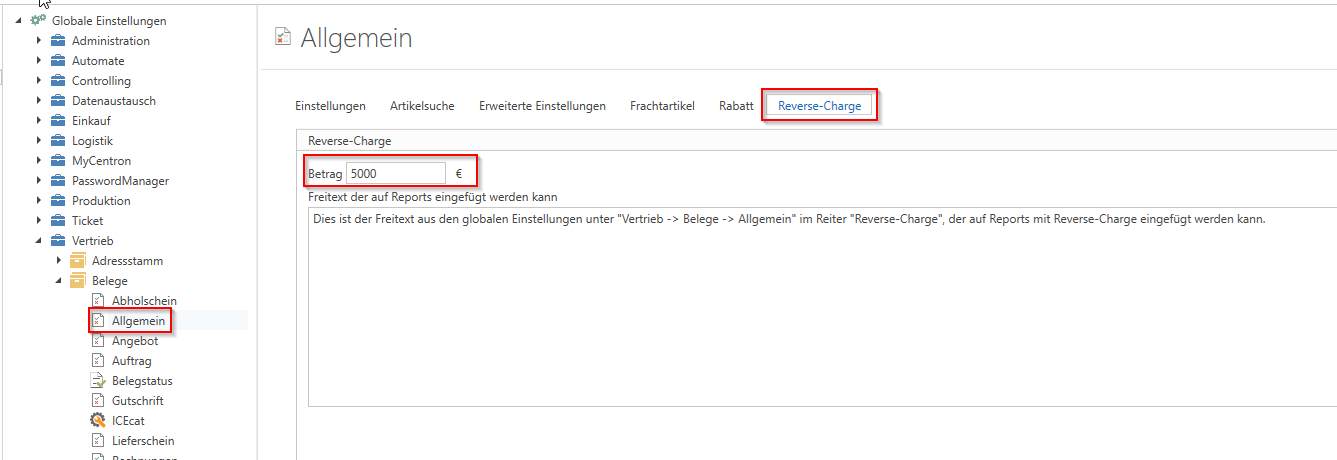
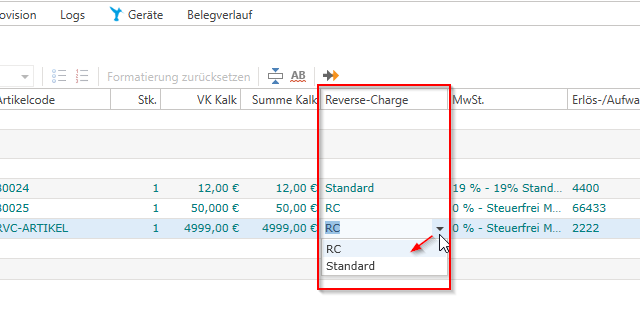
For all items, check whether the "RC" option is set instead of "Standard" in the "Reverse Charge" column.
This setting is adopted by default from the item. If the item has the "Reverse Charge" option checked in its "Properties," ..
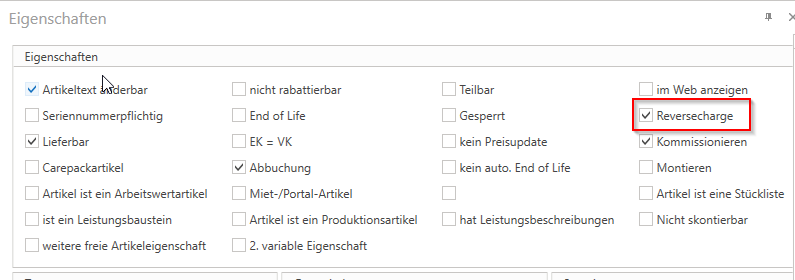
... (this can also be inherited or overwritten from the product group setting for the items, for example) ..
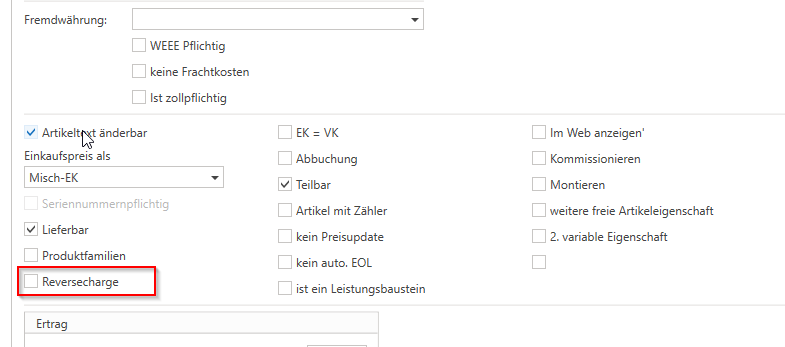
... when this item is inserted into a document, "RC" is automatically preselected for this position.
This can be manually selected or changed at any time in the document for each item.
The decisive factor here is always the setting of the position – the article property only serves as a "preselection." For example, you can also mark accessories for an RC article as "RC" for this document, even though they are not RC articles by default.
If the sum of all "RC" items reaches the above-mentioned de minimis limit, the following is triggered:
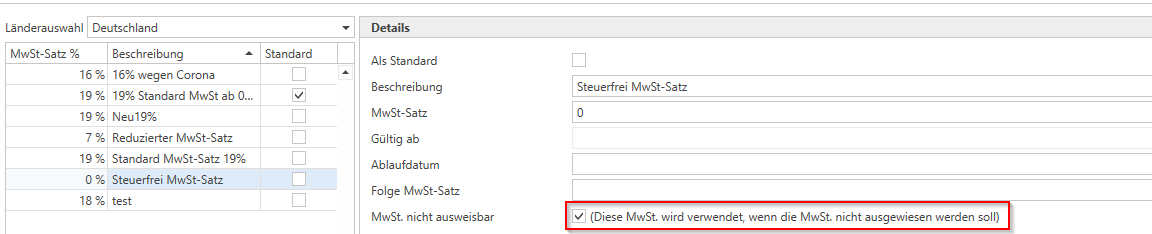
The VAT rate for RC items is automatically changed to the VAT rate that has the property "This VAT rate is used when VAT is not to be shown" enabled.
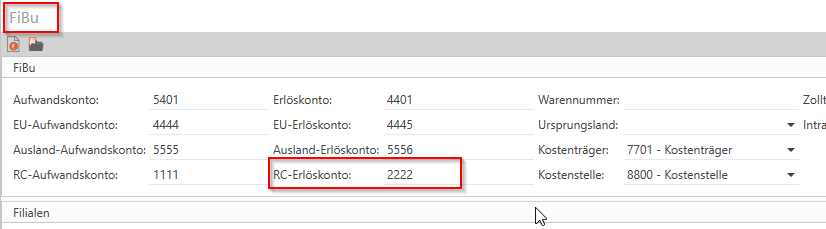
For these items, the "revenue account" is automatically changed to the "RC revenue account" stored for the item under "Financial Accounting." (This can also be inherited or overwritten from the product group.)
The text and note (marked with an asterisk) for "Reverse Charge" stored in the global settings under "Sales -> Documents -> General" in the "Reverse Charge" tab appears on the report. (If no text is stored here, the "standard RC text" from the report used appears, which can be maintained in the report in the "LabelsDE" query.
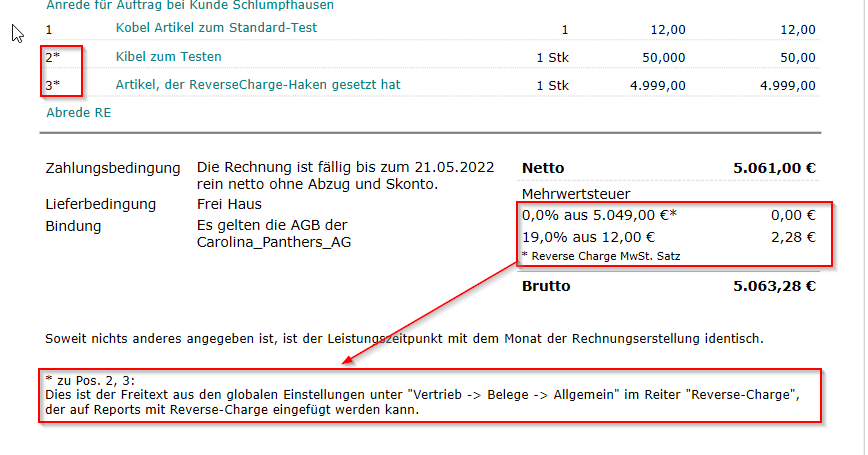
Here is an example:
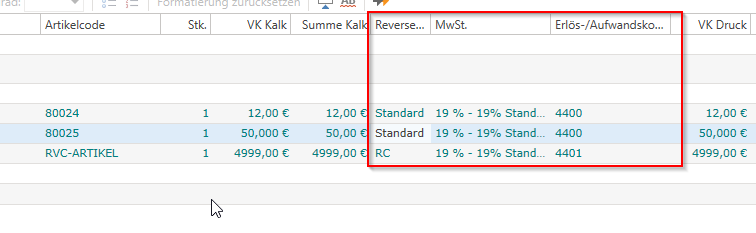
I add three items to a document. Items 1 and 2 do not have the "reverse charge" property activated, but item 3 does – so the selection is automatically set to "RC" for this item. The "de minimis limit" of the sum of all RC items (4999.00) does not reach the de minimis limit (in my case 5000.-). This means that all items have the standard VAT rate of 19% and the "normal" revenue account (taking into account the destination country – EU/non-EU...).
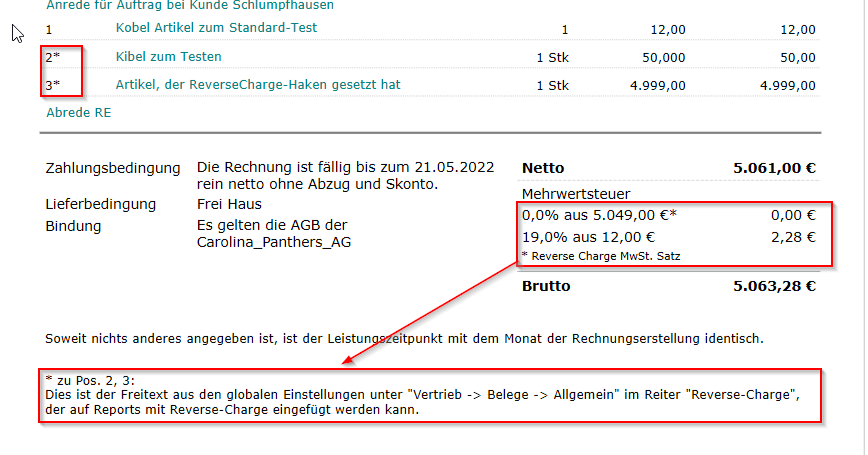
If I now change the selection from "Standard" to "RC" for the second item, the VAT rate for all "RC" items is automatically changed to "0.00%" and the respective revenue account is also changed to the "RC revenue account" for the respective item.
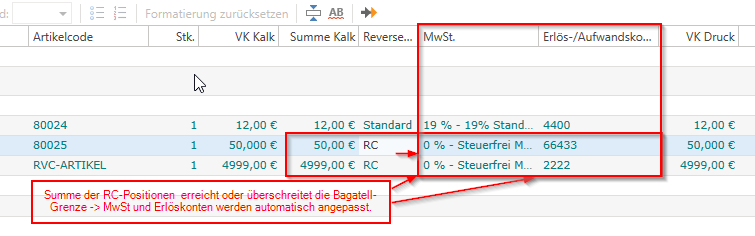
In addition, the "asterisk" mark now appears on my report for these positions and my RC text appears.