%20(1).png)
RMA FAQ
Problem:
I don't know whether I have created a report for RMA for returns or return receipts, or I get an error message saying that it has not been created.
Solution:
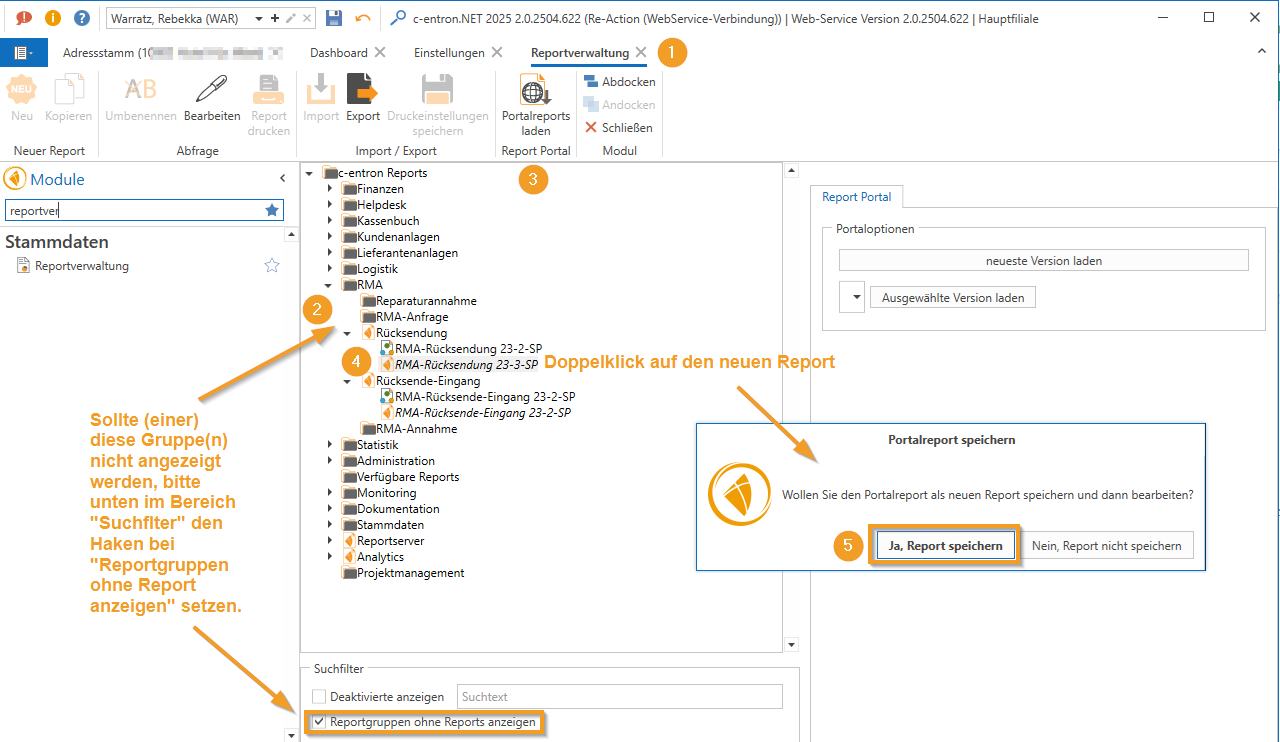
Check in the Report management (1) whether a report under the RMA report group (2) at Return (and Returns received) is stored.
If this group or these groups are not displayed, check the box "Show report groups without reports" at the bottom of the "Search filter" area.
If no report is available at "Load portal reports" (3) Click.
The "Load portal reports" process may take a few minutes, as ALL reports are loaded here.
These then have a c-entron logo on the front on (4) and can saved by double-clicking become (5).
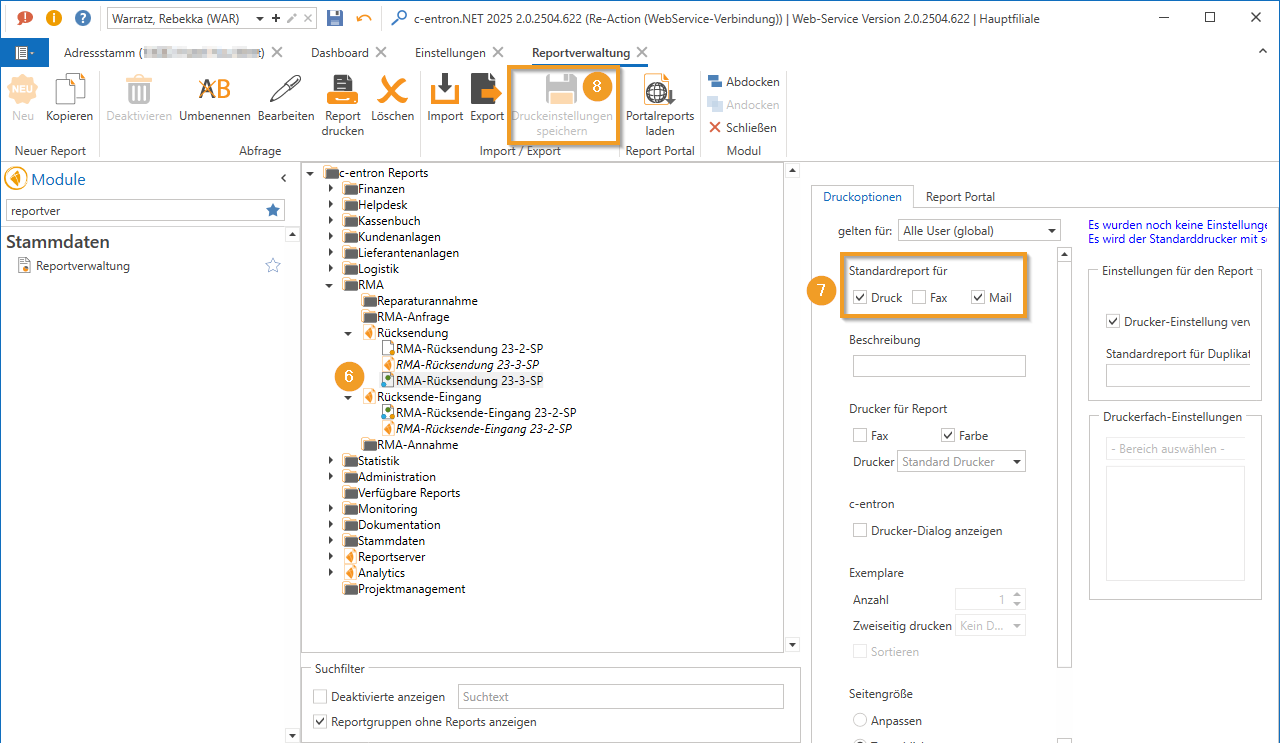
After saving, still the Mark report (6) and the hooks at Standard report for "Print" and "Mail" (7) and then click "Save print settings" (8).