%20(1).png)
RMM billing
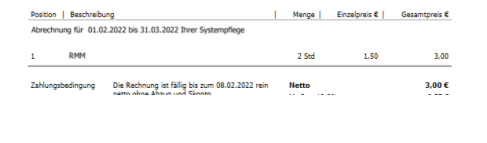
Services recorded via RMM activities in Riversuite can be billed in c-entron using contracts.
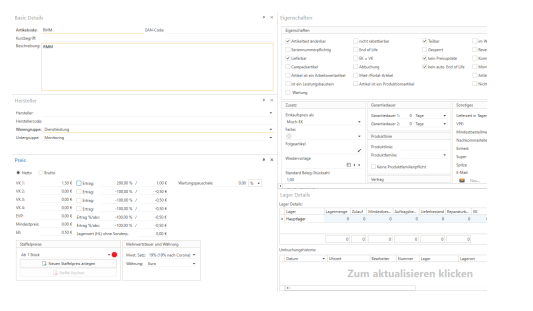
To do this, you must first create standard items in c-entron that appropriately represent the activities.
The item itself is initially the price-determining element. Please also note key item characteristics such as inventory management and unit
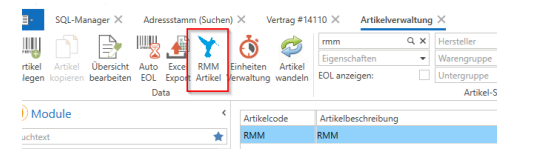
In the second step, this item is assigned to an RMM function. To do this, select the "RMM Items" menu item in the item management section.
About "add new linksthen make the assignment.
Find the desired item and assign the "item type," i.e., the RMM activity
An item can also be assigned to multiple activities if these are not to be differentiated.
Conversely, however, an article type can only be assigned to one c-entron article
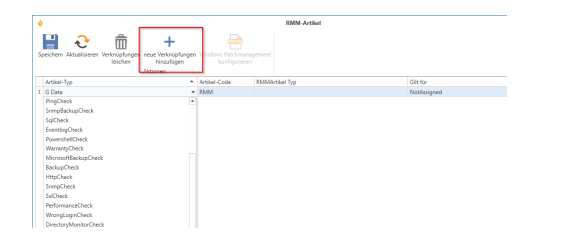
In addition, via rMM article type" and "Applies to (mandatory field) be differentiated.
Currently, the options "Server" and "Workstation, as well as not to be specified in more detail ("not assigned"”).
In the contract, use the following items Variable @@RMMArticle@@. When settling the contract, the variable is automatically replaced by the monitoring activities assigned to the contract.
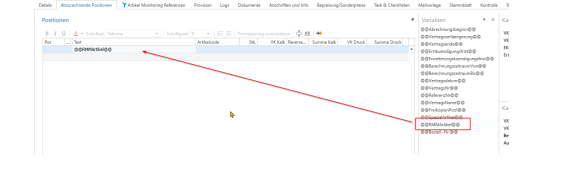
These are linked to monitoring in the contract via the "Article Monitoring References" tab
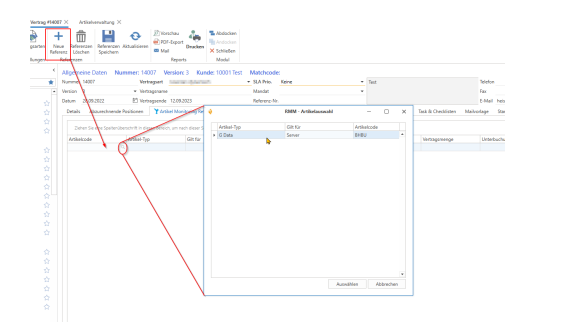
The contract does not need to be re-versioned for this link; note the separate save function "Save references".
Each reference line created must be filled in, and each reference can only be entered once per contract

Item code, item type and "Applies to (1) are filled automatically and result from the configuration of the RMM items (see above).
EK (3) and VK (2) You can enter this manually. If you do not enter anything, centron will use the normal pricing from the article master data and special prices. Graduated prices are not taken into account.
The info field (4) can be filled with free text.
The contract quantity (5) can be used in conjunction with the two checkboxes "Consider underbooking" (6) and "Consider overbooking" (7).
If you enter a value as the contract quantity and activate underbooking, billing will be limited to the contract quantity.
If you enter a value as the contract quantity and activate overbooking, at least the contract quantity will be billed.
Now you can settle the contract. Using the references you have set, c-entron receives the maximum monthly value for each linked item activity per billing period (total number of activities entered divided by the number of days in the billing period on which activities were recorded) and invoices this value as a quantity at the price specified in the contract