%20(1).png)
Softphone support in the c-entron
For softphones that support the transfer of parameters to third-party software, it is now possible to establish a connection to c-entron.
Settings:
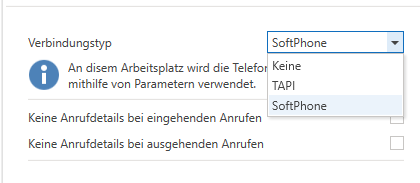
In the settings (Personal settings – Telephony under "Connection type"), you can now select "SoftPhone" in addition to "TAPI." If you do not want to use telephony, select "None" here.
Then configure the softphone application.
Path (usually)
C:\Program Files (x86)\c-entron software gmbh\c-entron 2.0\c-entron 2.0.exe
Parameters
c-entron/PhoneCall /N $N /c $c
$N is the number of the caller or the person being called
$c is the ID of the phone call (optional)
We can accept the following information:
Incoming phone number
Incoming URI
Caller's name
Conference ID
These are subdivided into the following parameters:
n for the displayed phone number
N for the normalized telephone number (national format)
I for the normalized telephone number (international format)
u for the URI
d for the displayed customer name
c for the conference ID
String structure:
The acceptance function is triggered via c-entron/PhoneCall. Then the parameter name of the c-entron must come, followed by the variable from the telephone system.
The sequence /N $N /c $c as shown in the example means that the information is a normalized telephone number (/N), followed by this normalized number ($N – variable from the software), then the information that a conference ID follows (/c), followed by the conference ID ($c – variable from the software).
Example: Innovaphone
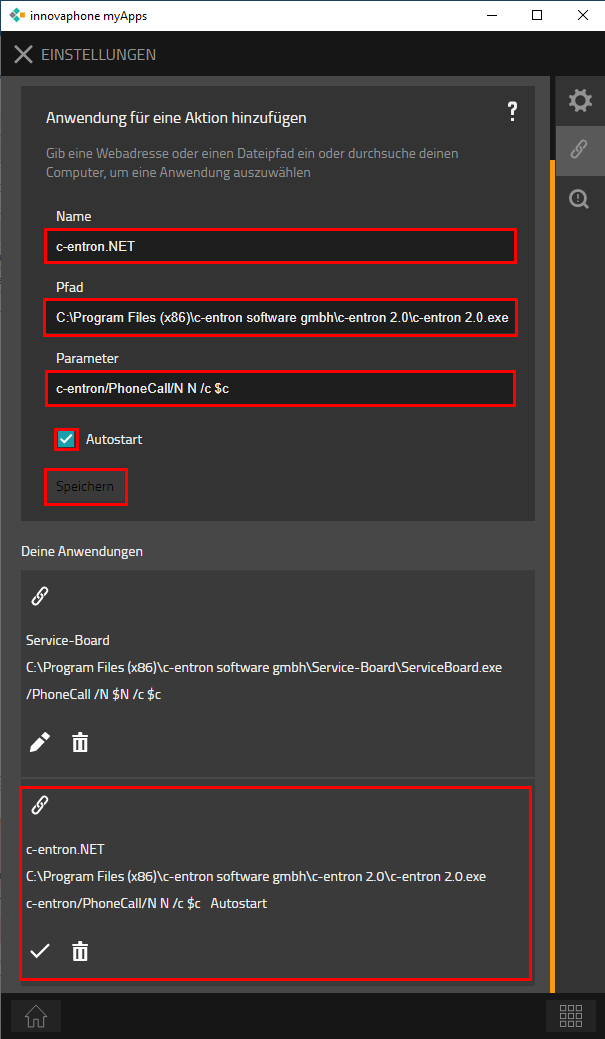
To do this, the above information (path, parameters, autostart) must be stored in the settings under "Linked Actions" (External Application):
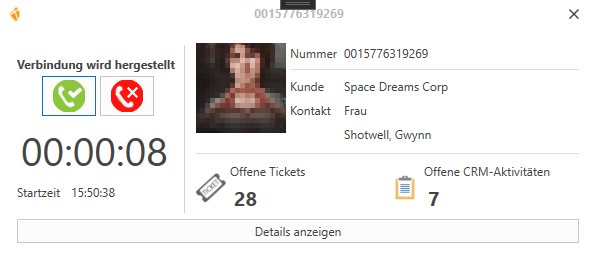
Once this has been saved, the TAPI window opens automatically in c-entron.NET as usual. However, you now have to select the connect (green receiver)/end (red receiver) buttons yourself.
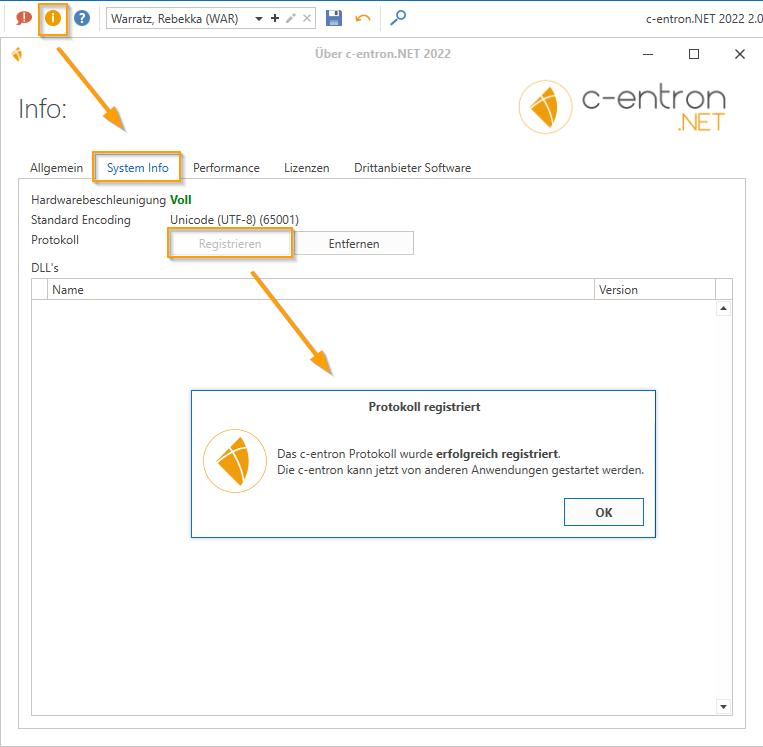
It is also important that the protocol has been registered in c-entron.NET for each user (in most cases, Windows administrator rights are required to perform the registration).
You can do this in c-entron.NET via (i) - System Info and [Register].