%20(1).png)
State administration
Country management in the c-entron software is a simple module that helps you manage the countries you work with. This includes countries where your customers, suppliers, and manufacturers are located.
Simply go through the list of countries with which you regularly do business and check that the country codes, ISO codes, and currencies are stored correctly.
Normally, you only need to enter this data once and then only make changes if the exchange rates change.
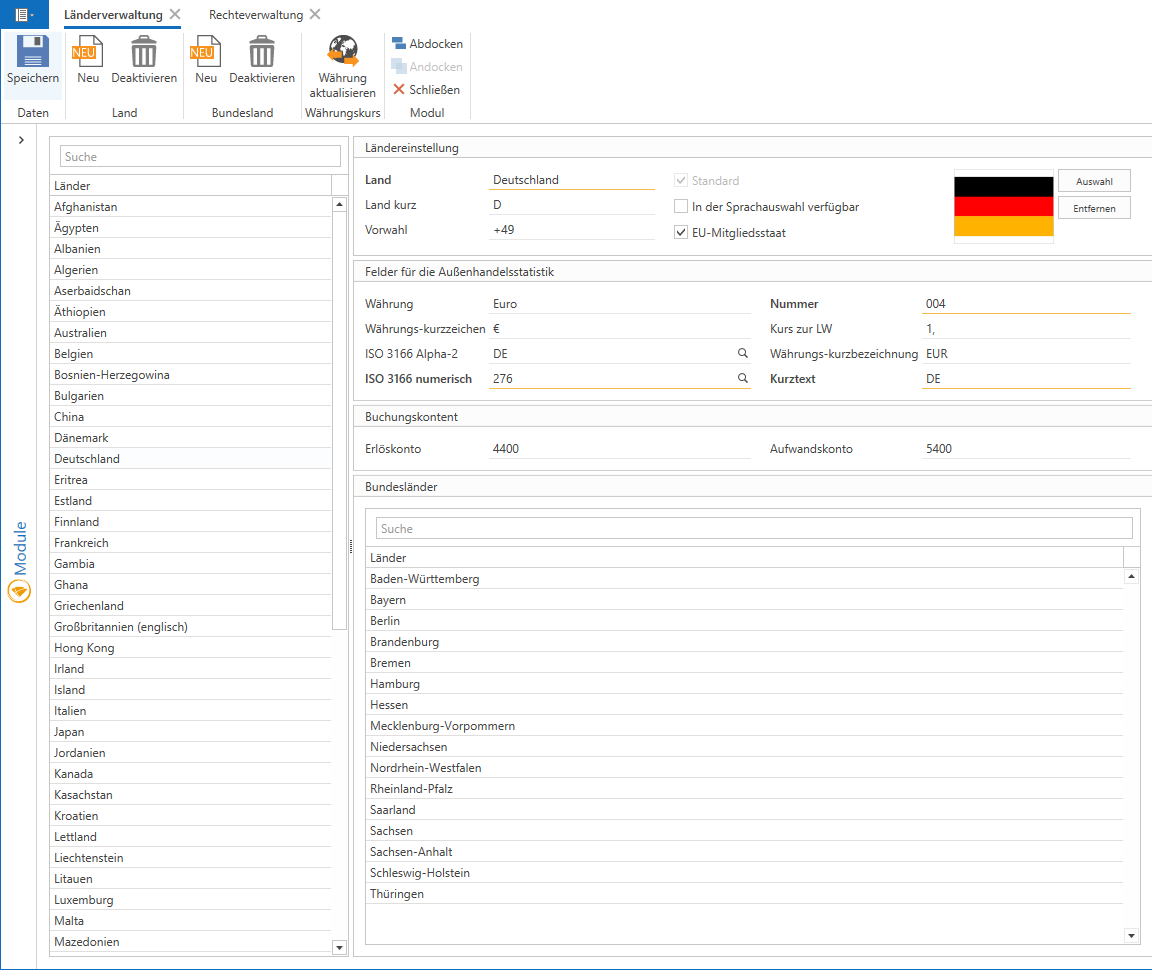
Country administration module:
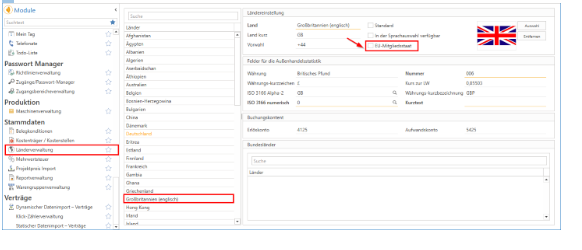
To access country management, enter "Country management" in the module list area or scroll to the master data and select "Country management" there.
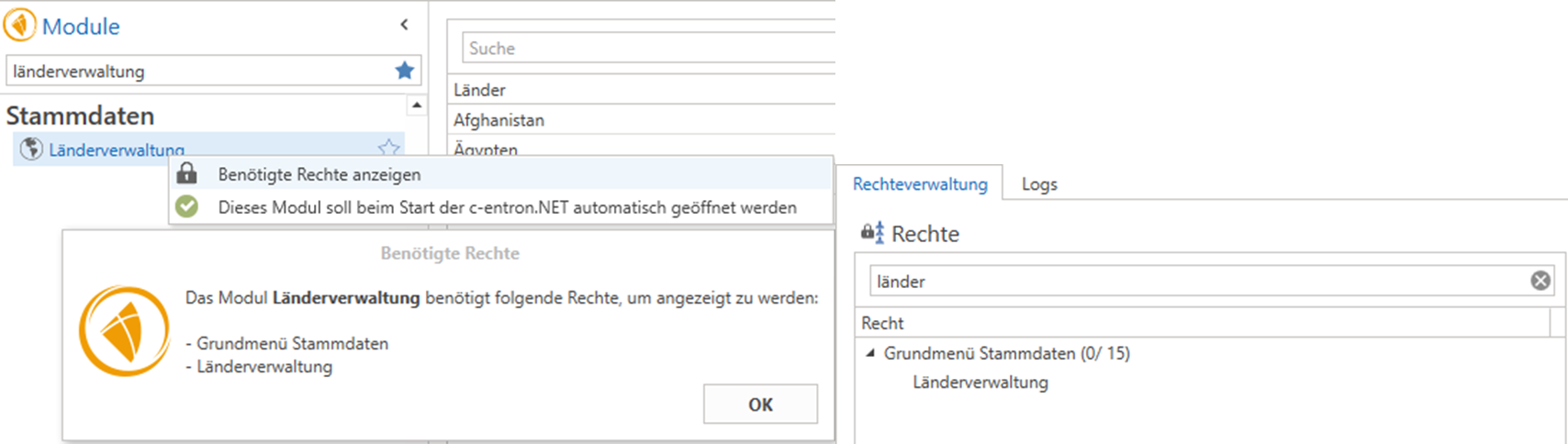
Rights:
The Country Management module requires the following rights to be displayed:
- Basic menu Master data
- State administration
Land administration can be divided into five areas:
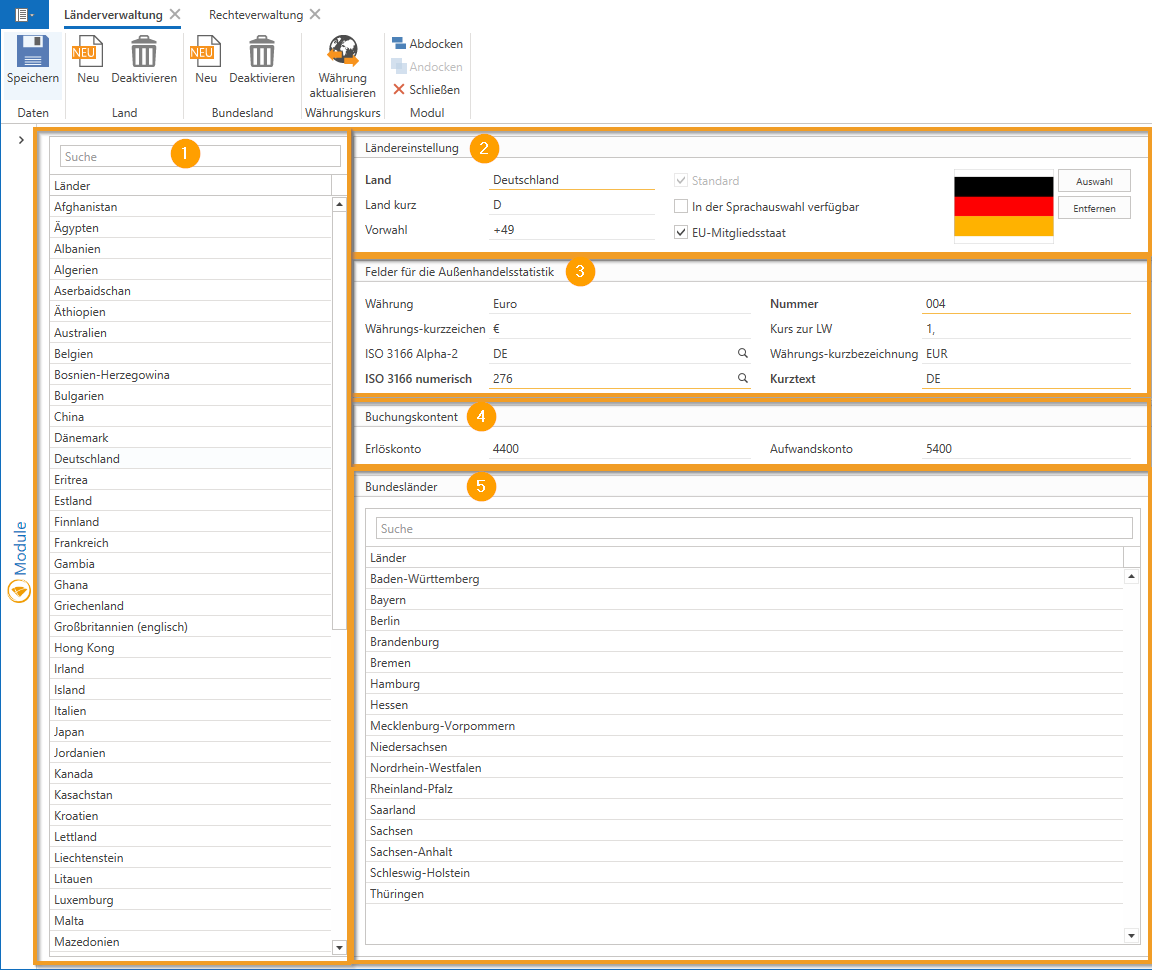
Section 1 - Country overview:
On the left-hand side, you will see a list of countries, with Germany selected by default. Almost all common countries are already included, and you can simply select the desired country to check or change its data. Using the "New" and "Deactivate" buttons, you can customize this list so that only the countries you need for your customers, suppliers, and manufacturers are displayed.
Once a country has been selected, the empty fields are automatically filled with information about that country.
NOTE: If your company is based in Austria or Switzerland, select the standard checkbox for the corresponding country.
Section 2 - Country settings:
Here you can display the country with the respective code (e.g., Germany = DE) and the country code. In addition, you can select whether the country is an EU member state and whether it should be stored as the default. A corresponding country flag can also be added.
Area 3 - Foreign trade statistics:
In this section, you will find general information such as the currency and currency code of the country, as well as the ISO codes for the currency, both alphanumeric and numeric.
TIP: If you do not know the ISO codes, you can click on the magnifying glass icon to open a list on Wikipedia that shows you the required codes.
The "Number" field is filled with the foreign trade statistics number. You can find this, for example, at this link: http://www.logizoll.de/bilder/laenderverzeichnis_stand_01_01_2010.pdf
Another important point is the exchange rate to the local currency ("exchange rate to LC"). This is particularly relevant if you do business with countries outside the euro zone. Enter the current exchange rate to the currency so that c-entron can convert the amounts correctly.
NOTE: You can only save your entries once all mandatory fields (underlined in orange) in the sections have been filled in.
Section 4 - Booking accounts and VAT rate:
You can also store revenue and expense accounts for accounting purposes. These accounts serve as a safety net and are only used if no other accounts are stored in the item, document, or product group.
Area 5 - Federal states:
In the lower section, you can also manage the federal states of the respective country. This information can be stored in the address master to take local holidays into account, for example.
In summary, you mainly need to set up the country management in the c-entron software once and only adjust the exchange rates as needed. Well-maintained country management ensures that all international transactions run smoothly and are recorded correctly in the accounting system.
NOTE: Please note that since January 1, 2021, the United Kingdom is no longer part of the EU single market and customs union.
Therefore, you should uncheck the "EU member state" box for the United Kingdom in the master data in the "Country settings" module.