%20(1).png)
Store SSL for the web service
To store a certificate, open the CMD (right-click and select "Run as administrator") and enter the following command with the correct fingerprint.
netsh http add sslcert ipport=0.0.0.0:443 certhash=FINGERPRINT appid={de123d7b-7dde4c4e-b5d5-eb92343fa34e}
If you have already stored a certificate, you must first delete the old certificate. This can also be done via CMD using the following command
netsh http delete sslcert ipport=0.0.0.0:443
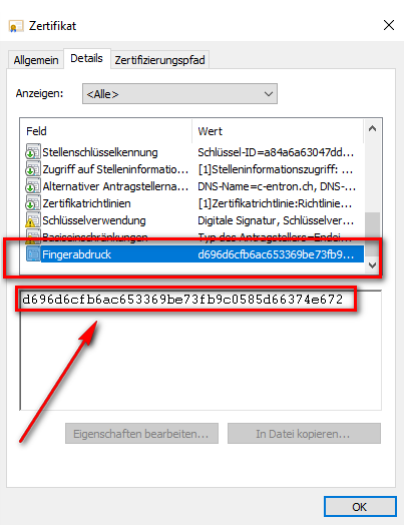
The fingerprint of the certificate must be used as the fingerprint (see screenshot)
Recommendation: You should not simply store the new certificate in the HTTPS binding, but rather delete the binding first and then add it again.