%20(1).png)
Ticket link for email templates
How do I create a ServiceBoard link in an email template that takes me directly to the ticket in question?
Edit the appropriate email templates as follows:
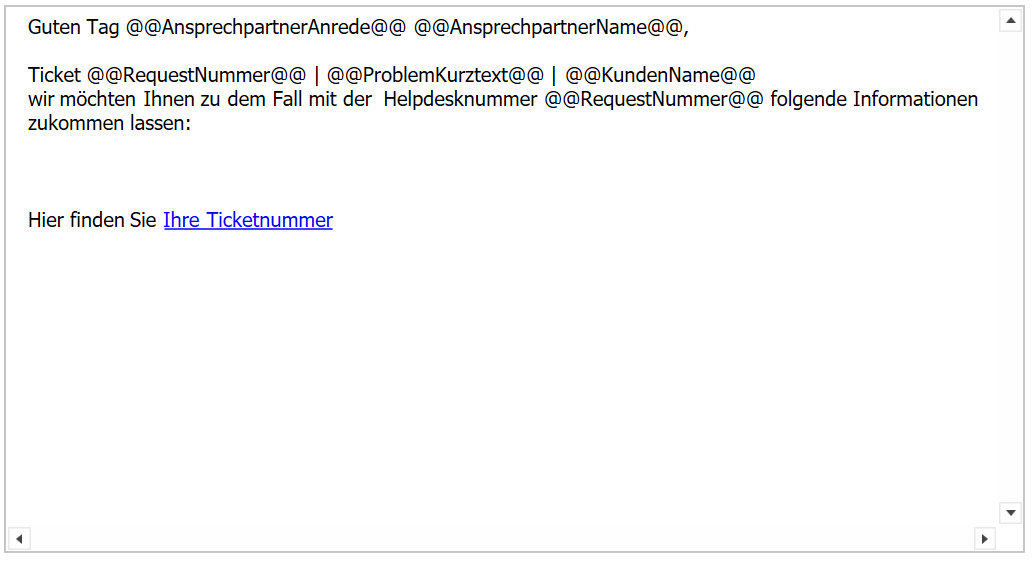
Write your text as usual and then create a hyperlink behind the keyword that should link to your ticket, in our example "Your ticket number":
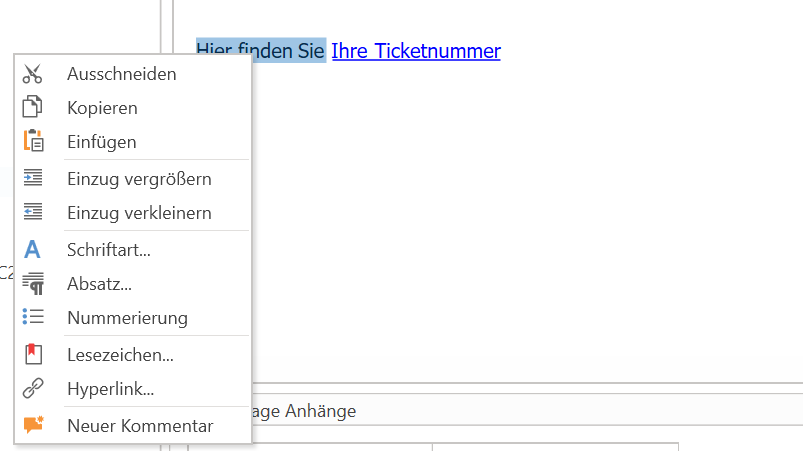
To do this, select this text, right-click and select "Hyperlink."
You can now adjust the "Display text" again and enter the link in the address field as follows:
https://deinefirma/serviceboard/ticket/@@RequestI3D@@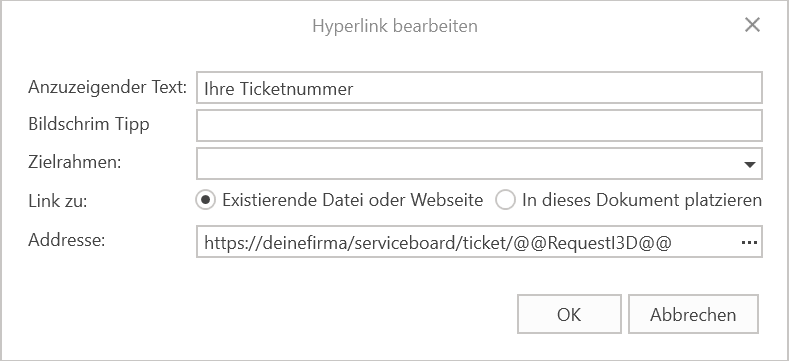
Replace "yourcompany" with your actual Nexus URL (e.g., https://nexus.firma.de/...).
You can leave the rest as it is. The variable @@RequestI3D@@ will be replaced with the ticket's I3D (a unique identifier for each ticket) when the email is sent. It will then look like this, for example:
https://deinefirma/serviceboard/ticket/12345
This link will immediately open the desired ticket in your browser.