%20(1).png)
To-do list
The ToDo list is a task list for tickets, receipts, and more!
You will receive reminders about important events, such as overdue delivery dates for orders or outstanding orders.
Settings
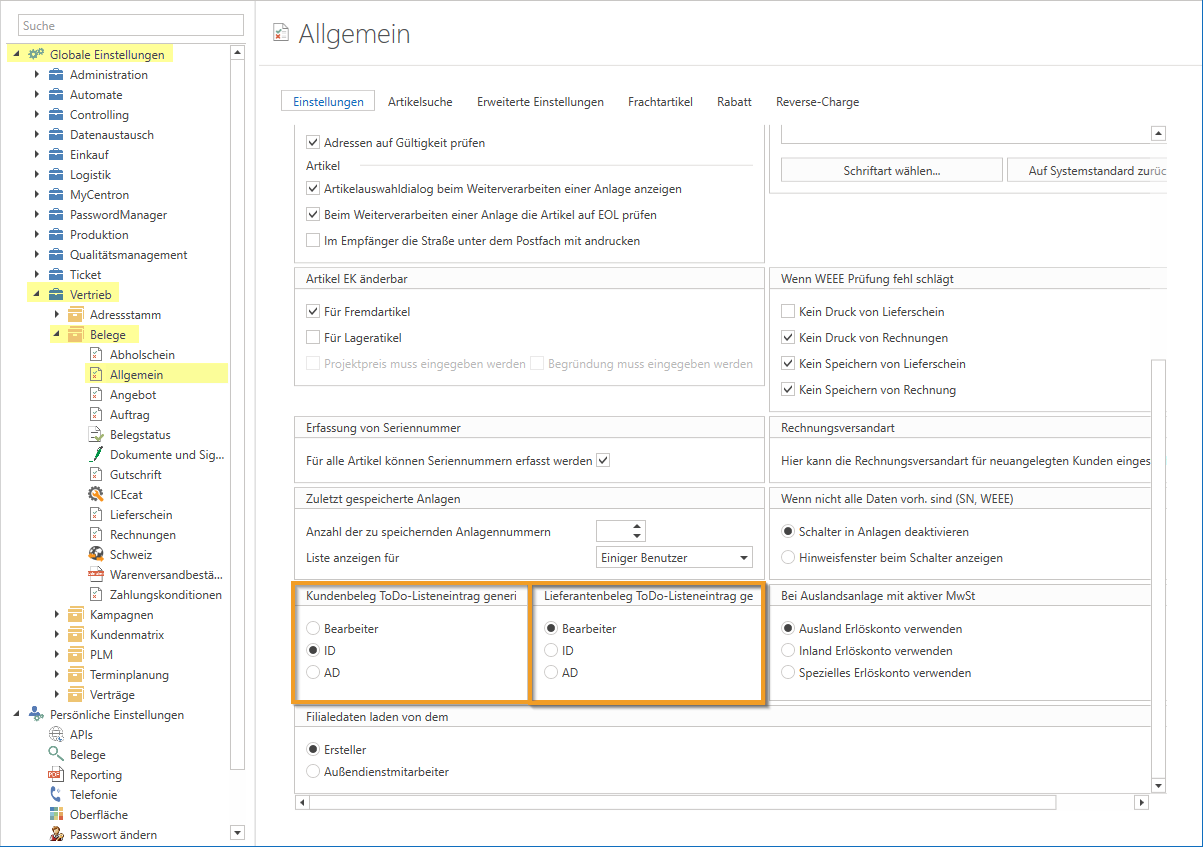
Beforehand, you should consider who the to-do entries should be created for—the "IDM," "ADM," or "editor" of the area?
In the global settings – Sales – Documents – General, you can specify separately for the to-do list for "Customer and vendor documents" whether the corresponding to-do entries should be created on the "IDM," "ADM," or "Processor" of the area. However, this applies to all document types and cannot be defined per document type (e.g., a different selection for "Quotes" than for contracts or orders).
Rights
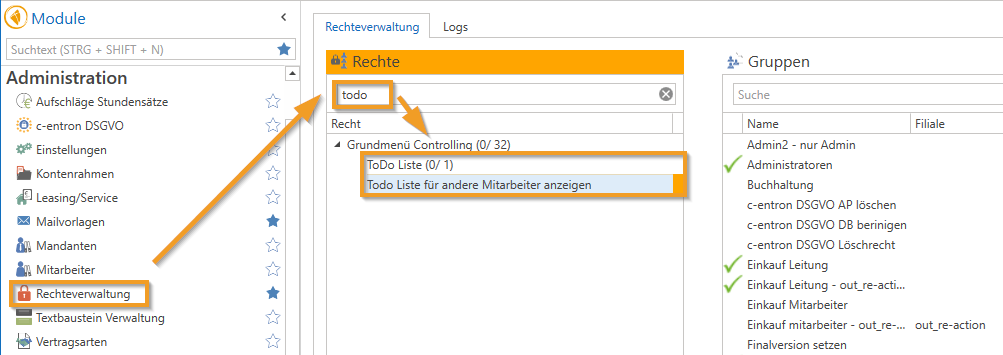
You will definitely need the Legal "To-Do List" under the Controlling item so that the "To-Do List" module is displayed. This is assigned to a group (in which the user is located) via rights management.
Is that Right to "View todo entries from other employees" assigned, the user can also view the to-do entries of other employees.
Change to the right "Show ToDo list for other employees" from v2.0.2311.x
If an employee has the "To-Do List" right but not has the right "View ToDo list for other employees," they can now only view their own entries.
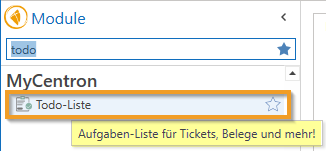
You can find the ToDo List module in Modules under the "MyCentron" section.
Filter area
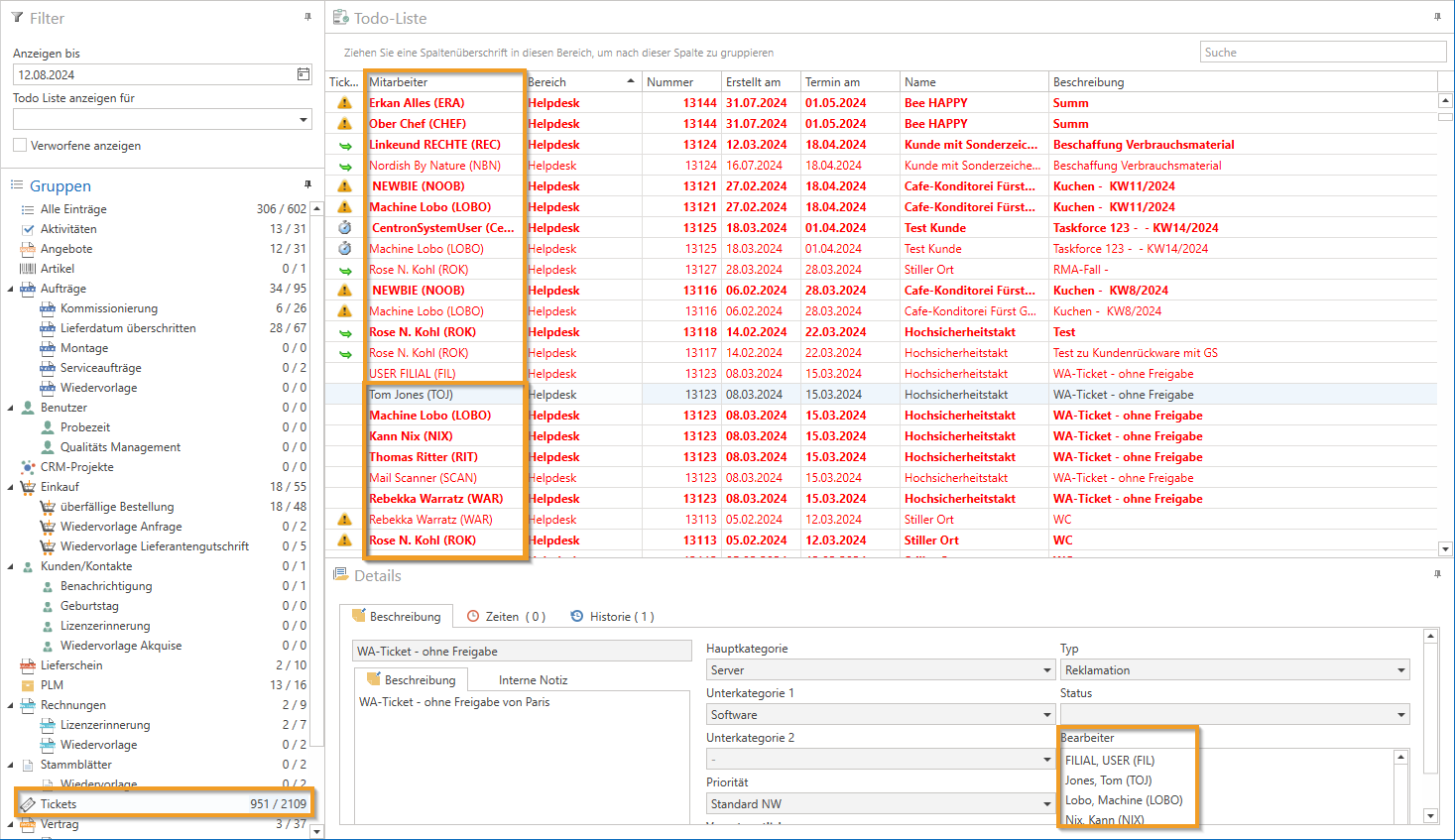
The date "Advertise until" is used to narrow down entries or to display entries that are only due in the future ahead of time.
Let's assume the date is May 24, 2023. If you want to know which employees' contracts expire by July 2023, enter 07/31/2023 in the date field. This will display all expiring contracts up to that date.
Another practical example is when you go on vacation, you can have entries that occur during that time displayed in advance.
Under "Show to-do list for" an employee can be selected for whom the to-dos are to be displayed.
If in the ToDo list in the filter area at "Show to-do list for" if no employee or "(blank)" is selected, the "Employee" column automatically appears in the ticket list so that it is clear which employee this entry is for (since tickets can appear multiple times here if they have several processors and are still pending for the person responsible).
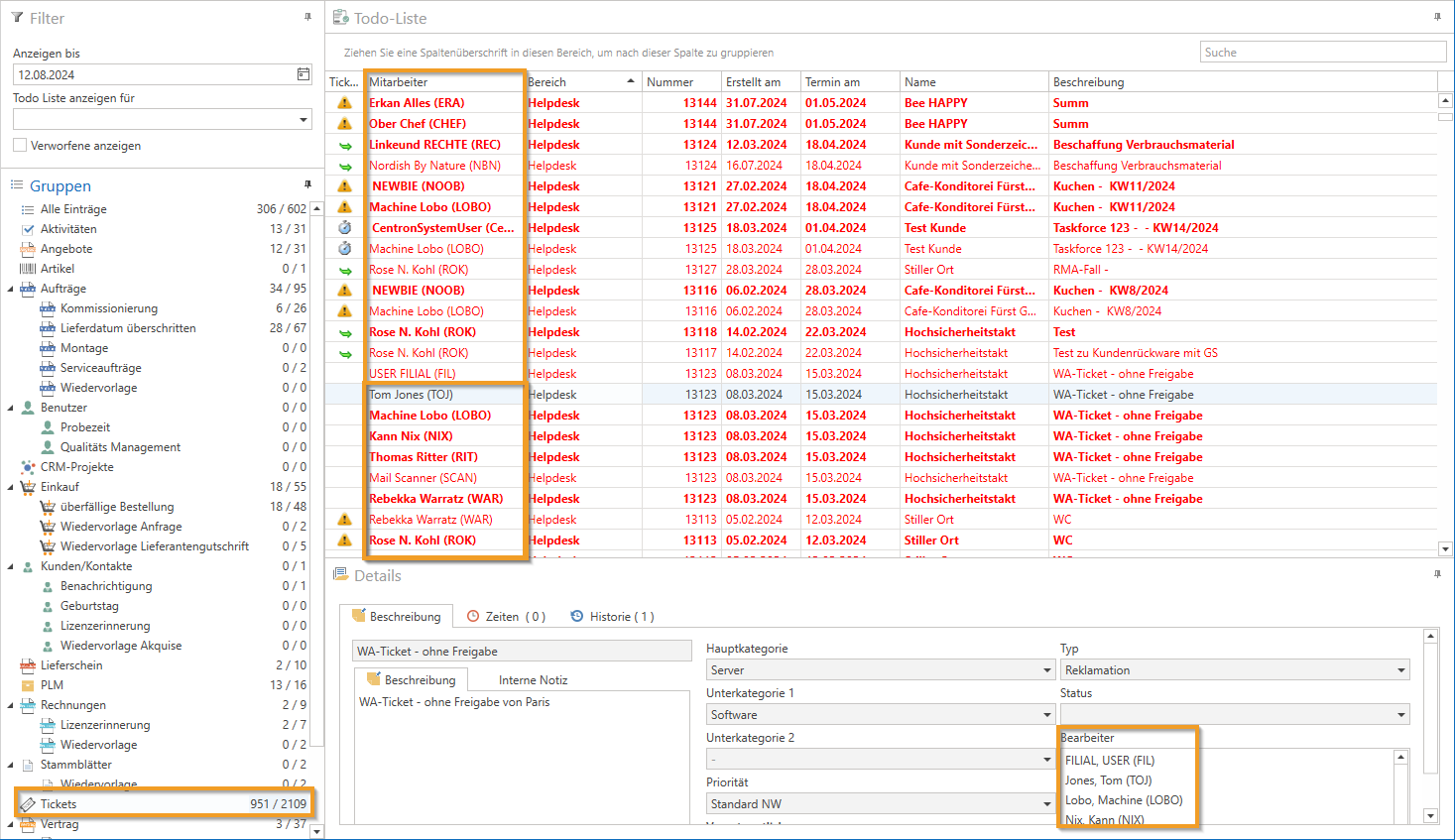
Red entries show that these are already overdue.
To display "Rejected entries," please also check the box.
The web service has been expanded (as of v2.0.2309.x) so that supplier document entries are displayed in the to-do list with their name.
(NOTE: Please note, however, that this change will only be visible if the web service that accesses the database uses the "integrated services" has activated.)