%20(1).png)
Using custom prompts for product descriptions
(available from v2.0.2405.x - as of 07-2024)
Custom prompts for product descriptions enable you to create precise, appealing, and informative texts that meet the specific (technical) requirements of your company. These prompts allow you to achieve the desired results faster and more efficiently, as the AI responds specifically to your particular needs.
Creating and using custom prompts
Under "Global Settings - Administration - Artificial Intelligence - Prompts," you can create categories and prompts in advance that you can use later in your article descriptions.
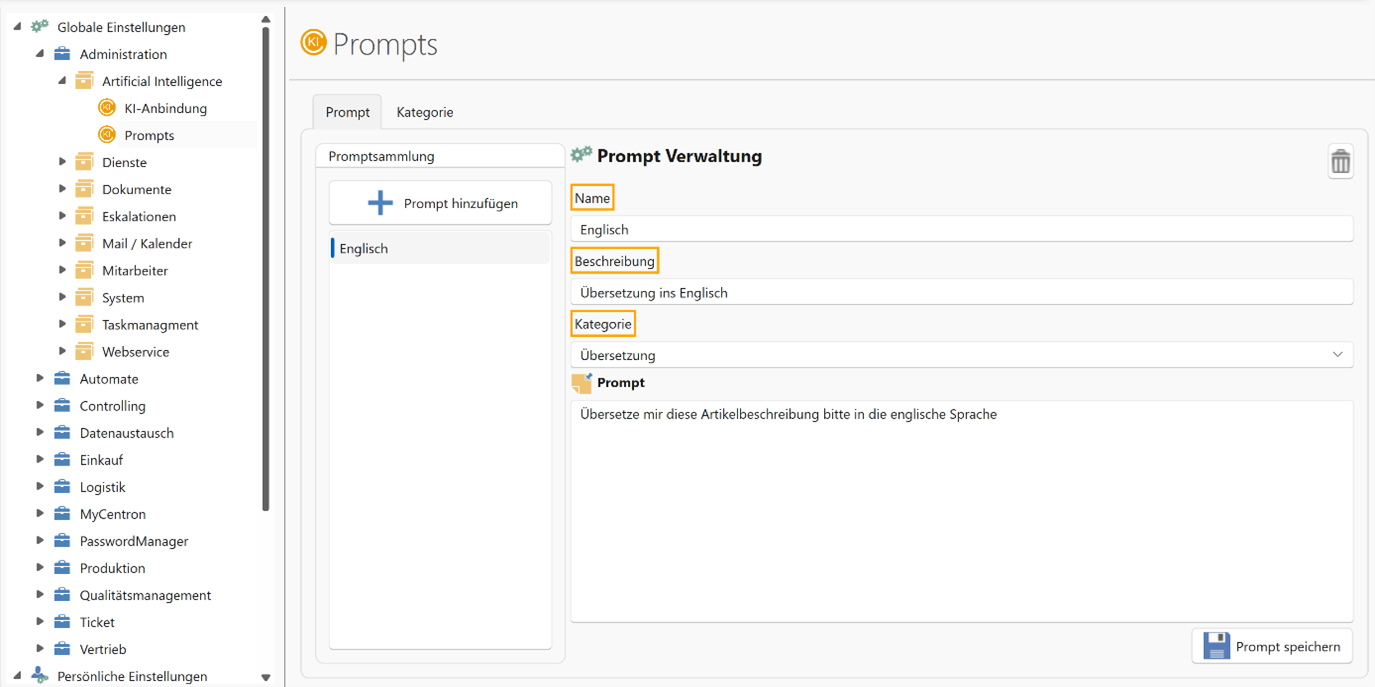
Create prompt category:
If you do not yet have a category, e.g., "Translator," save this category.
Add new prompt:
Add a new prompt, e.g., "Translate description into English." Assign this prompt to the "Translator" category.
Edit promptly:
The prompt can be edited and updated at any time in a dialog box.
Application in the offer
New features:
There is now a new button in the offer that allows you to select two AI features:
- Open AI button: General word processing.
- Position text generator: Specially tailored for offers, with additional filter functions.
Generate and save text:
- Standard position text can be retrieved and generated.
- Generated text can be saved directly in the article master.
- Articles can be revised using AI if necessary and transferred directly.
- Filter options help to hide items that have already been processed.
Practical example
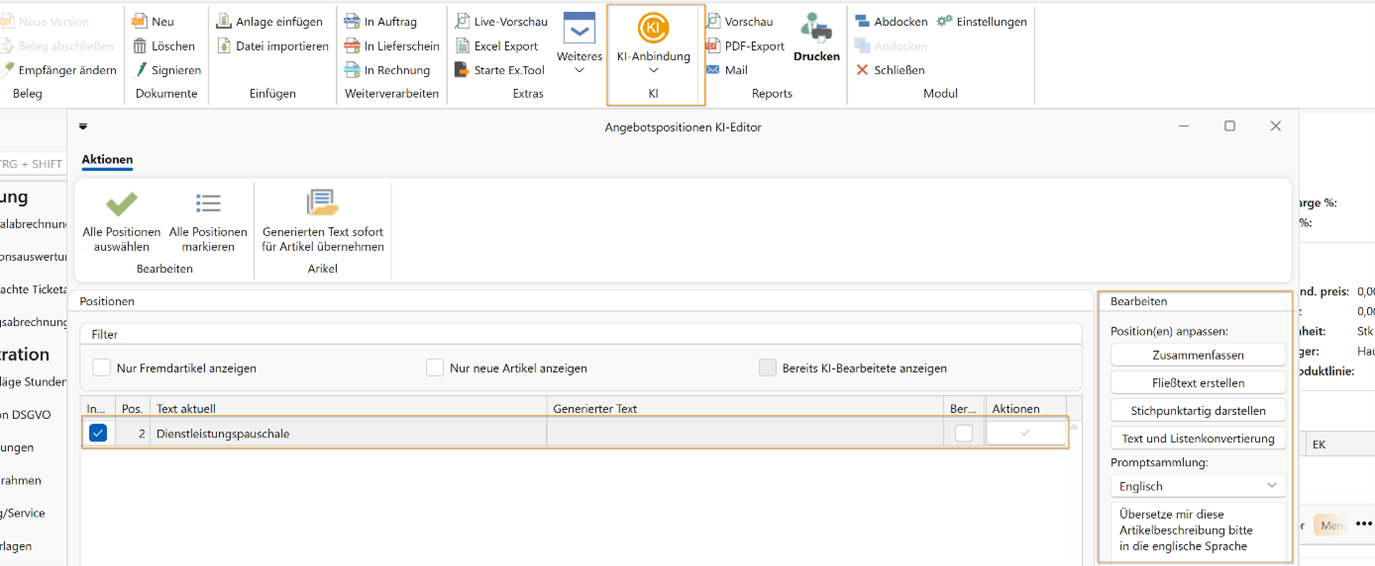
Edit article:
Select an article and use the custom prompt to translate it into English
Customize text:
Edit the generated text directly if necessary and save the changes.
Live adjustments:
The generated text can be edited live at any time and regenerated to meet the desired requirements.