%20(1).png)
ZUGFeRD 3.0.1 - XRechnung in c-entron
Checklist for creating ZUGFeRD 3.0.1 - XRechnung in c-entron
From January 1, 2025, ZUGFeRD invoices will be mandatory for the exchange of electronic invoices (in accordance with European standard EN 16931) from and with public administrations (federal, state, and local authorities and other publicly owned companies such as energy suppliers, schools or universities, hospitals, museums, swimming pools, etc.) in accordance with the Growth Opportunities Act.
What do you need to do to be able to create ZUGFeRD 3.0.1 (valid from February 1, 2024) XRechnungen with c-entron.NET??
You need c-entron.NET and WebService version 2.0.2402.0 or higher
The setting "ZUgFeRD 3.0.1 (XRechnung)" must be activated.
- To do this, go to Global Settings -> Sales -> Documents -> Invoices, select the Format tab, and enable the "ZUgFeRD 3.0.1 (XRechnung)" setting.
The ZUGFeRD 3.0.1 profile EN 16931 is identical to XRechnung.
(NOTE: Since this is a company-wide setting, only the ADMIN should be able to change it.)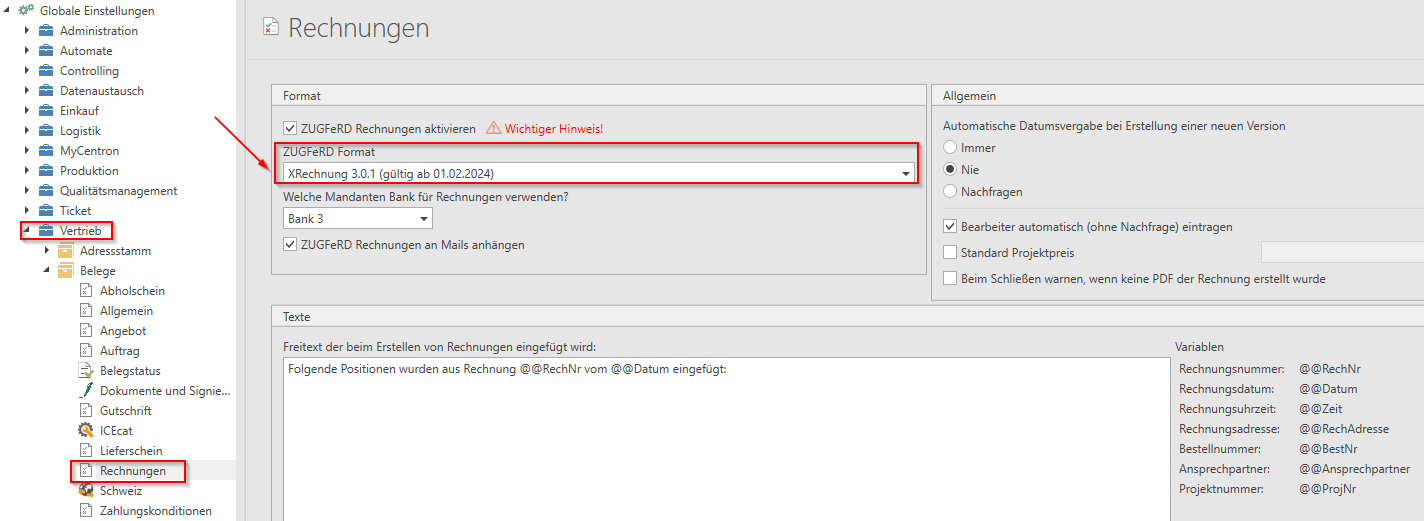
You can use the following setting to specify whether the generated XML file should be embedded in the PDF of the invoice or whether the XML file should be sent as an extra attachment in the email.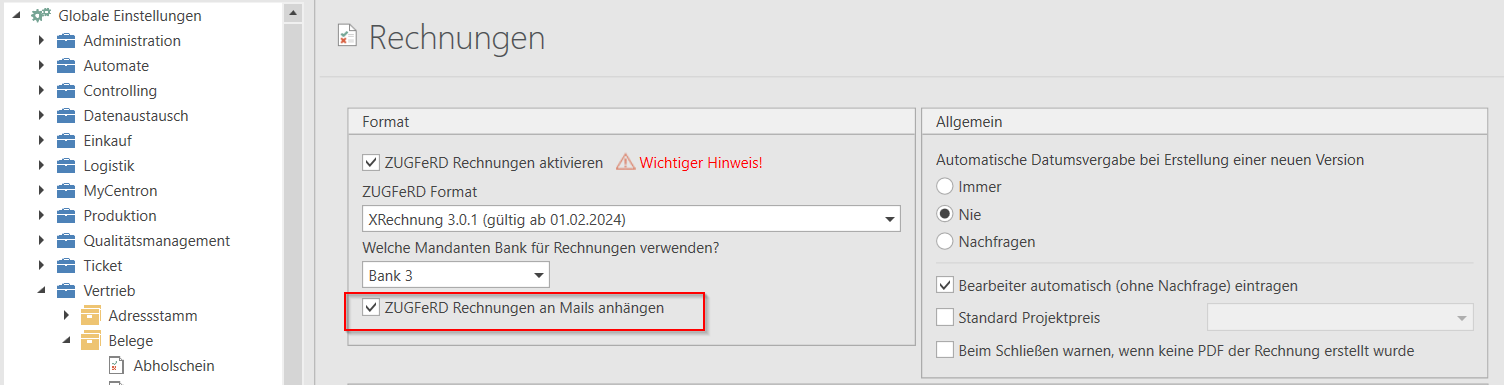
Email with invoice as PDF and separate XML file:
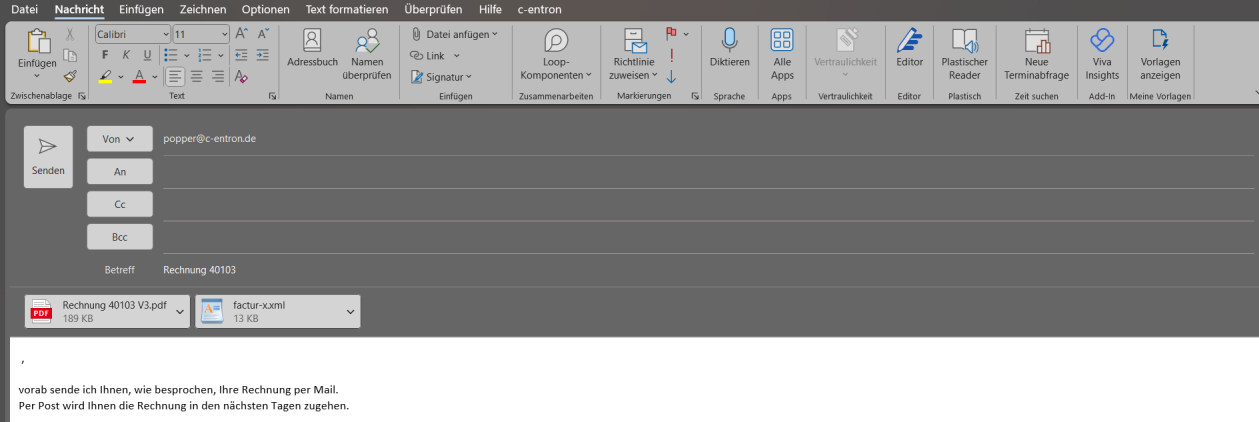
We also recommend that you activate PDF signing for XRechnung.
Signing documents and PDF files protects the documents with a digital signature to preserve the immutability of the data and authenticate the document creator.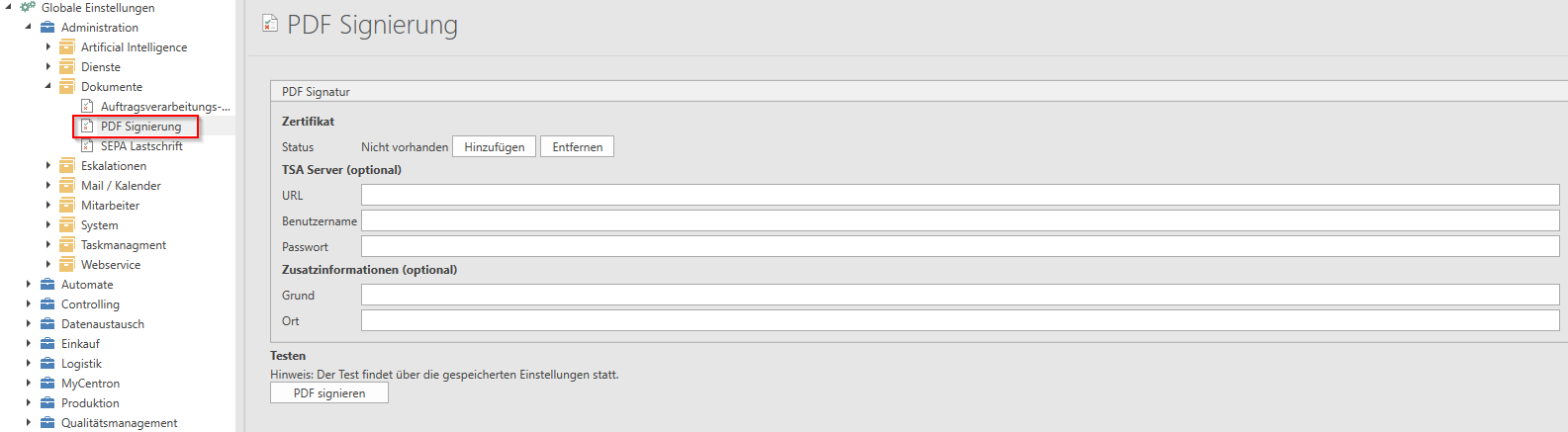
You can find out exactly how to do this in our integrated help section under Administration – Global Settings – Documents: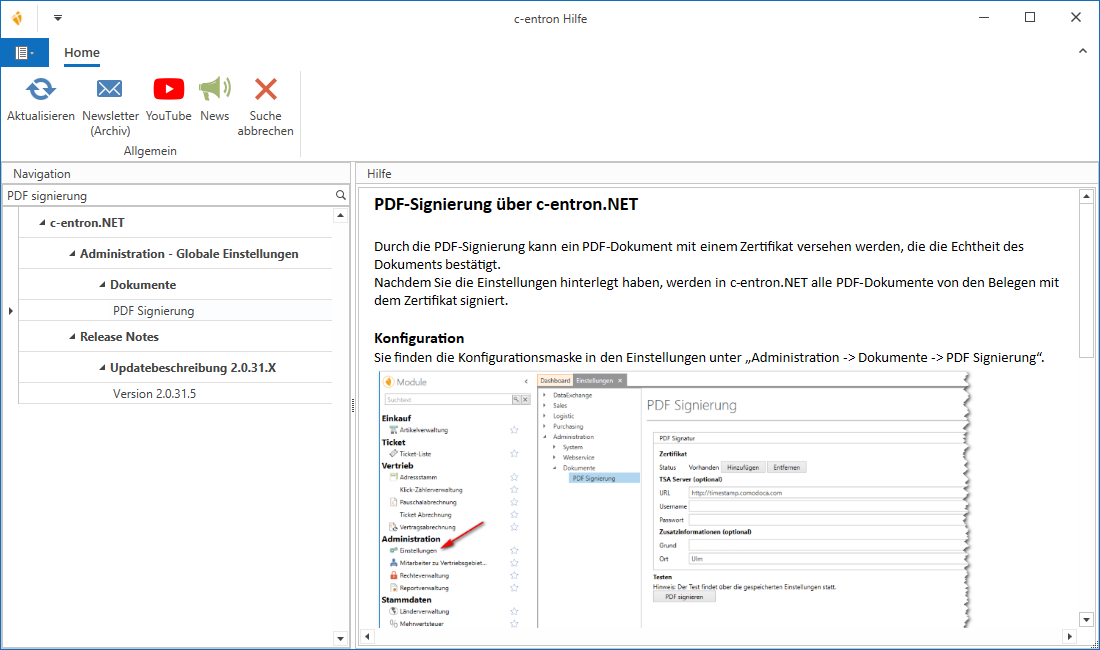
How do you create an XRechnung?
After activating the global setting, all invoices generated thereafter are XRechnungen, i.e., when exporting to PDF or sending as an email attachment, therefore NO special PDF printer is necessary.
Open any invoice
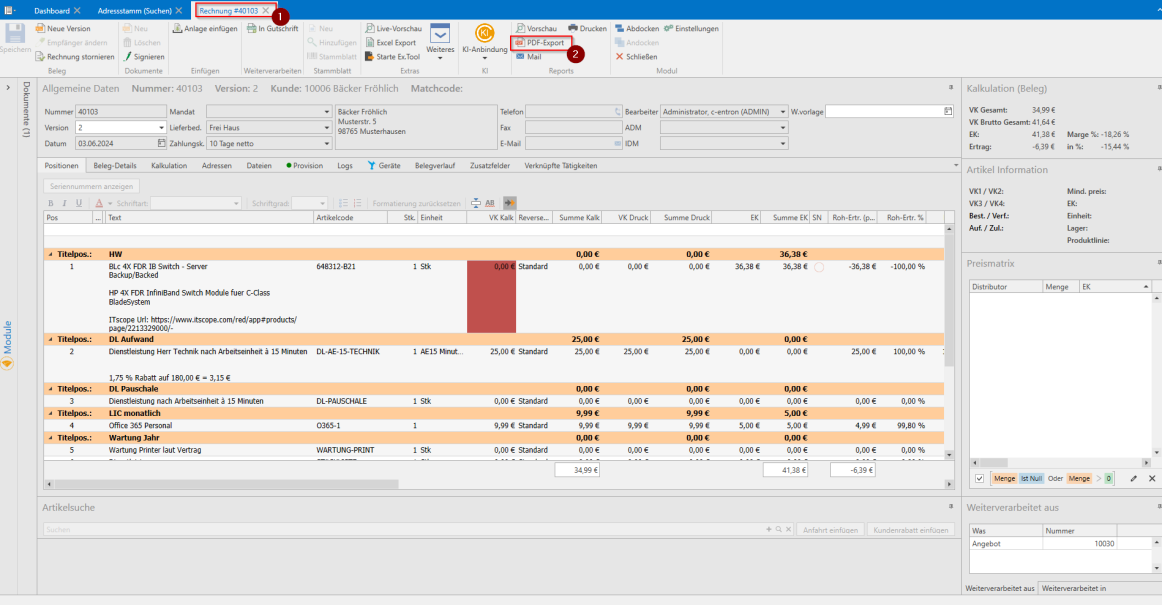
Click [Export PDF] in the menu bar and save the PDF file in the desired location. You can also generate the PDF via [Mail].
For testing purposes, you can open the PDF file with Adobe Acrobat Reader and find the attachments on the left-hand side, where the exported XML is now also located.
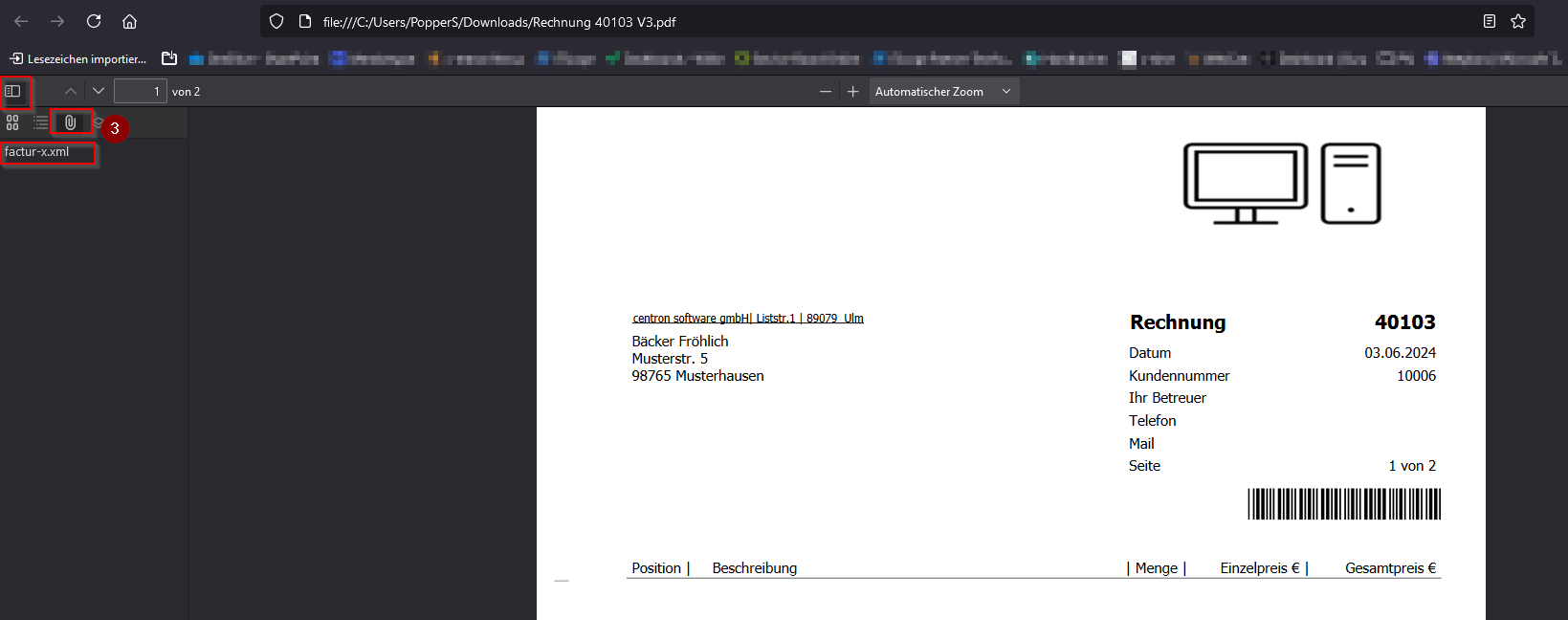
Depending on the selected (invoice) format, the attached file will have a different name:
Basic format (ZUGFeRD 1.0) – File name: [InvoiceNo.].xml
XRechnung (new): factur-x.xml
(from release v2.0.2506.61)
ZUGFeRD/XRechnung optimizations: New features for greater flexibility and accuracy
The latest update has added several features in the area of ZUGFeRD invoicing implemented to make working with c-entron even more efficient and better adaptable to individual customer requirements:
Different client database per customer
In the Address database (Tab Finance) can now different client database be defined per customer.
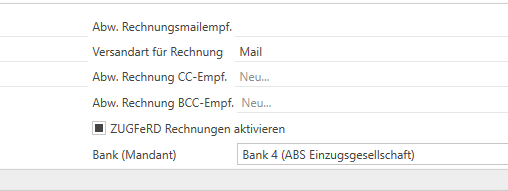
Previously, the bank details used were defined globally via the settings. With this new feature, a different client bank can now be selected for each customer—particularly relevant for constellations with Assignment companies or factoring-based payment processes.
Support for assignment companies
In the Client management can now be used for bank accounts 1–4 Transfer notes be deposited.
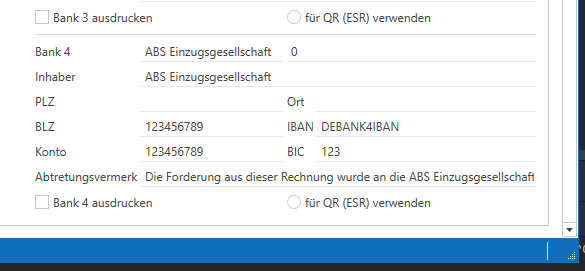
If such a note is set and the relevant bank details are used for a customer:
the note is transferred to the ZUGFeRD invoice,
and the field "Account holder" with the value from the extended field "Owner" filled.
The "Owner" field was changed in the course of this process from 27 to 250 characters extended to allow for longer entries.
Multi-line recipient in ZUGFeRD format
The transfer of multi-line recipient information (e.g., department, contact person) is now much better supported.
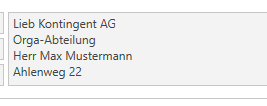
Previously, only the company name and address were transferred during ZUGFeRD generation – additional information in the field Recipient were lost.
The current solution reliably recognizes this multi-line content provided that the address matches exactly.
Work is currently underway on a more advanced, robust solution for digital receiver transmission.