%20(1).png)
text modules
Text modules in c-entron.NET
In the "Text Module Management" module, customer-specific and general texts can be created that are used repeatedly in attachments and tickets.
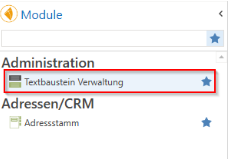
The Text Module Management module can be found on the left under Administration.
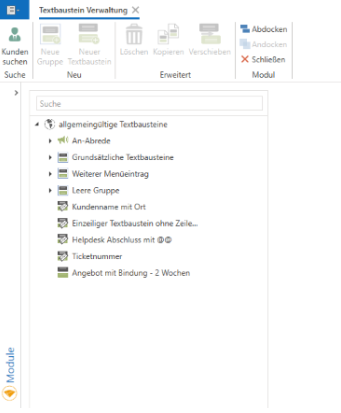
When the module is started, the generally applicable text modules are loaded. Three functions are combined here.
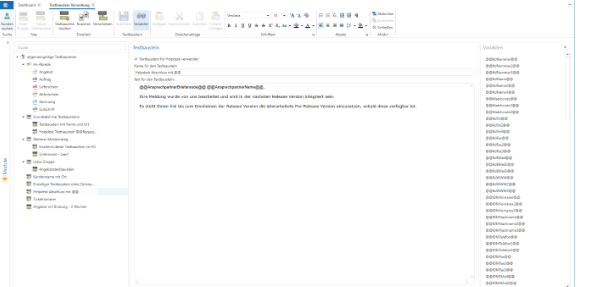
Under the agreement you will find the global settings for setting "Agreement/disagreement when transferring to assets."
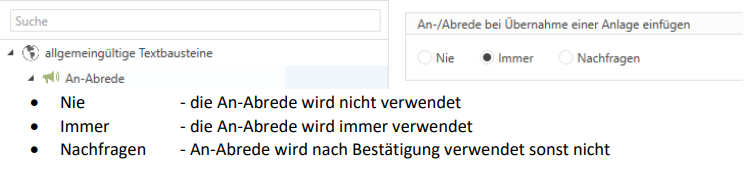

New feature as of release c entron v2.0.2509.1066 - Release
text modules
Salutation and closing texts in customer documents are now processed correctly: If the "Never" option is selected in the settings under "Agreement," any existing agreement text is removed from the customer document (e.g., quote) without being replaced by the text from the follow-up document (e.g., order). If the options "Always" or "On query" are selected, the text in the customer document is replaced by the text from the follow-up document – this prevents both texts from being transferred at the same time.
Important: This logic only applies to documents created from this version onwards.
When the Agreement group is opened, global text modules can be stored for the agreements of the respective customer documents.
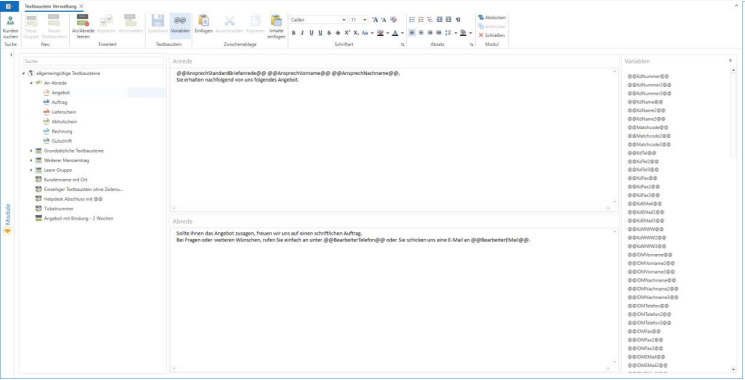
You can use the agreement text modules to personalize customer documents (quotations, orders, delivery notes, collection notes, invoices, and credit notes). These text modules are inserted above or below the items. To do this, you can use the variables shown on the right, which can be easily dragged and dropped to the respective position.
The buttons give you the following options:

[Clear agreement] - clears the text fields and resets them; must be saved
[Variables] - this hides or shows the variables
Otherwise, rich text formatting is available here.
text modules
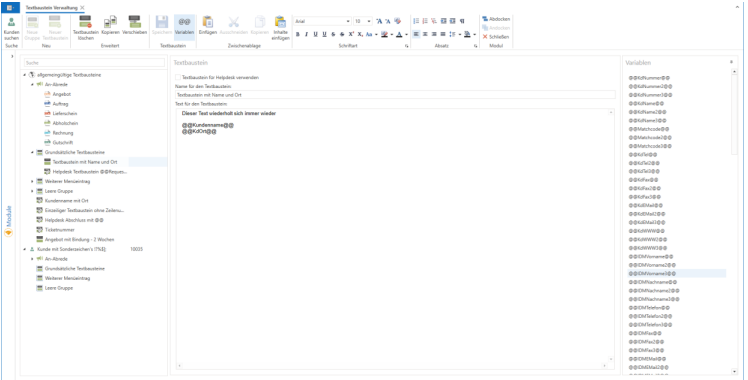
This function can be used to create customer-specific and general texts that are used repeatedly in documents and tickets.
A text module consists of a text field that can be filled with the variables shown on the right. Simply drag and drop them into the respective position. In global text modules, you can use "Use text module for help desk" to determine whether it is also available in tickets.
A text module is saved using the Save button (active if changes have been made (changes may be detected when opening for the first time from Delphi due to Devexpress (RTF inconsistencies));
When changing a text module that has not been saved, a message appears prompting you to save it.

The buttons in the menu bar simplify operation:
[Search for customers] - allows you to select one or more customers, which are then available for editing on the left side of the tree so that you can store customer-specific agreements or text modules here.
[New Group] – creates a new group that is available for each customer as well as globally. (Can only be created on the main node (customer or general text modules))
[New text module] - creates a new text module that can be made available to a customer as well as globally. (Can only be created on the main node and text module groups (customer or general text modules + text module groups))
[Delete] - This button can be customized depending on what has been selected. A warning message will appear in each case.
The text module is set to deactivated status and is no longer available.
A text module group is removed from Customers and Global, and its text modules are moved to the main node (Customer or General Text Modules).
[Copy] offers the option of recreating existing text modules in main nodes or text module groups (storage required).
[Move] Moves existing text modules to main nodes or text module groups (no saving required (autosave)).
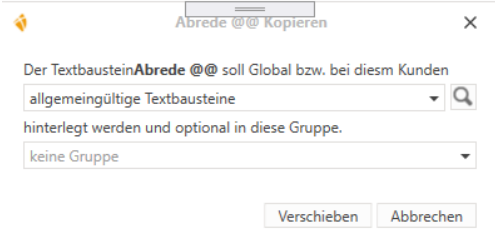
The following window opens when you select [Copy] or [Move] (the button text changes to reflect the respective operation):